In this article, I will explain how to build an end-to-end Fabric App on Microsoft Fabric using the Rayfin CLI — from activating the Fabric trial, to scaffolding the project, to seeing the app live on a Fabric URL.
What is a Fabric App?
Fabric Apps (preview) is a new way to build data-driven applications on Microsoft Fabric. In simple terms:
- Define your data models in TypeScript, and Fabric Apps generates the backend for you — the database, APIs, authentication, and hosting.
- Sign-in uses Microsoft Entra ID (Fabric SSO), so users don’t need a separate account.
- The app runs as a managed service in Microsoft Fabric — Fabric takes care of hosting, networking, and scaling.
- Because everything lives inside Fabric, your app data is automatically available to other Fabric workloads like Power BI and notebooks.
Why Fabric Apps?
- If you want to ship a data-driven web app without writing backend boilerplate, a Fabric App gives you a single command that creates the database, the API, the auth, and the hosted URL for you.
- Your data lives inside Fabric, so it is automatically a first-class citizen for Power BI, notebooks, and other Fabric workloads.
- The schema lives in your TypeScript code, the runtime lives in Fabric, and Rayfin glues the two together.
What is Rayfin?
- Rayfin is the CLI and framework from Microsoft that you use to build Fabric Apps.
- Scaffold a new project with
npm create @microsoft/rayfin@latestand deploy it as a Fabric App withnpx rayfin up. - Rayfin handles the developer experience — Fabric handles the runtime.
Prerequisites
Before scaffolding anything, make sure the following are in place:
- A work or school Entra account in a tenant where you are an admin. A Microsoft 365 developer tenant (
<you>.onmicrosoft.com) works perfectly. - Node.js v20+ and npm.
- A Fabric trial capacity in a region where Fabric Apps preview is available.
Important: Fabric Apps (preview) is not available in every region. Check the Fabric region availability page before activating the trial.
Activate the Fabric Trial in a Supported Region
If you don’t have Fabric license, opt for the Fabric trial which provides 60 days of free Fabric capacity
- Sign in to the Fabric portal with a work or school account.
- Click the profile photo in the upper-right corner of the home page to open the Account manager, then select Start trial.

- Pick a region that supports Fabric Apps preview. The full list of regions and exclusions is on the Fabric region availability page.

Enable Fabric Apps in the Tenant
- The trial gives you capacity, but Fabric Apps still needs to be turned on at the tenant level. Navigate to Settings → Admin portal.

- In the admin portal, go to Tenant settings, search for Fabric Apps, toggle Enable Fabric App Items (preview) to Enabled and click Apply.

Create a Fabric Workspace for the App
- With the tenant setting on, create a new workspace to hold the Fabric App. From the left rail, click Workspaces → + New workspace.

- Name it rayfin-dev, expand Advanced, and pick Fabric Trial as the workspace type so the trial capacity gets attached.

- Leave the rest of the properties as is and click ‘Apply’. A new workspace will be created as shown below.

Scaffold the Rayfin Project
With Fabric ready, proceed with App creation.
- Open VSCode in an empty folder.
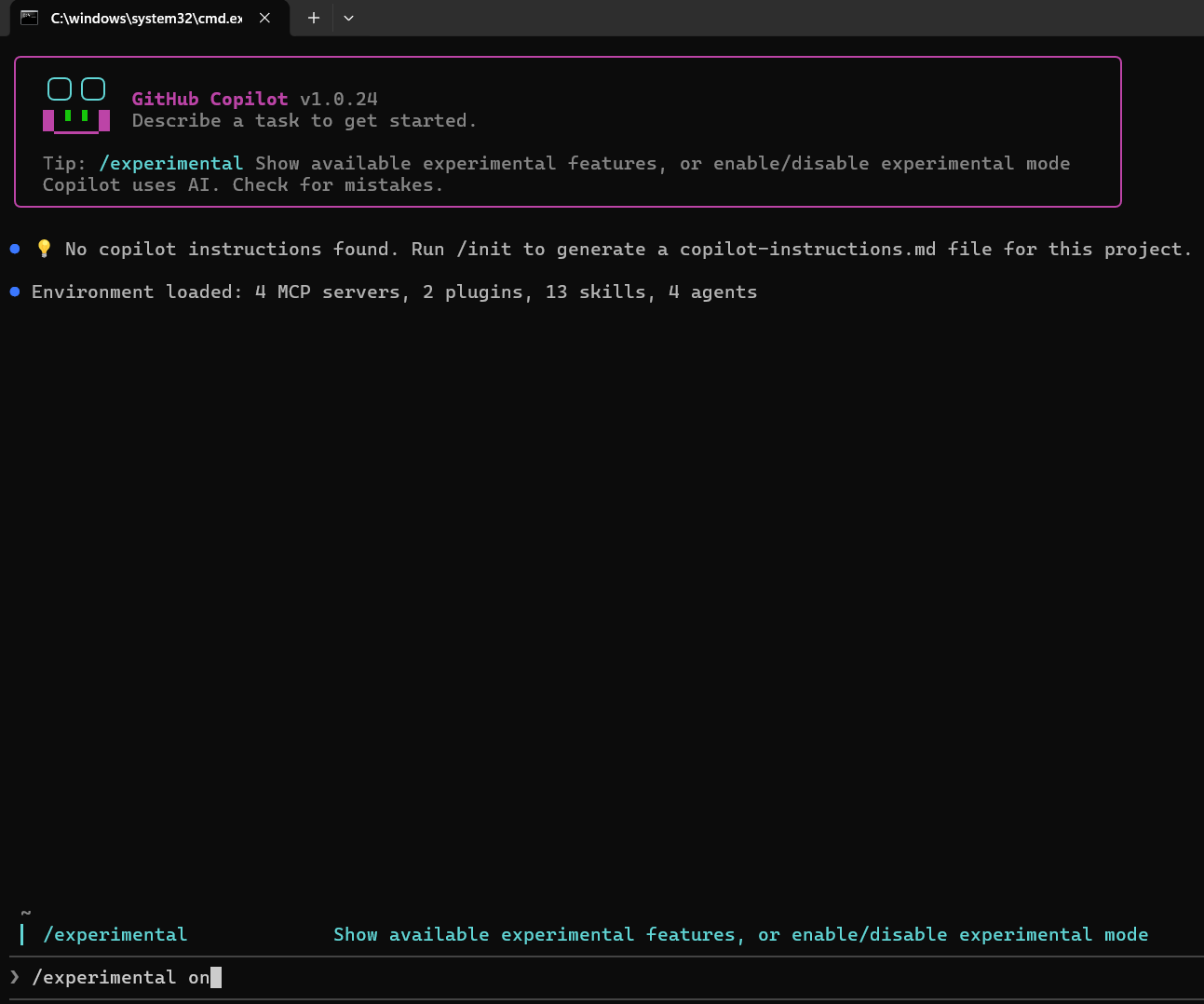
- In the terminal, execute the following command:
npm create @microsoft/rayfin@latest

- The CLI walks you through three prompts:
- How would you like to start? → pick Use a template (built-in).
- Select a template → pick A Todo App with Auth and Getting Started Docs. This template gives a working CRUD app with Fabric SSO, Tailwind CSS.
- Project name → enter rayfin-todo


- The scaffolder copies the template files, installs dependencies, and prints the next steps.

- The generated folders are worth knowing:
rayfin/— backend definitions including the@entity()data model andrayfin.ymlconfig.src/— React + Vite frontend that talks to the GraphQL API.public/— static assets.AGENTS.md/.mcp.json— scaffolding for AI agents to understand and extend the app..env.local— generated environment variables
Run the App Locally
- Now that the project is scaffolded, push the backend into Fabric and run the UI locally with hot-reload.
cd rayfin-todonpm run dev
- This script runs
rayfin up --exclude-services staticHosting && vite, which means the backend (DB + auth + GraphQL) deploys to Fabric while the frontend stays onlocalhost:5173for fast iteration. - A browser window opens asking you to sign in with your Fabric tenant account.

- If the CLI silently picks an old account or workspace from a previous run, clear the cache and force a fresh sign-in by running
npx rayfin logoutfirst.

- After signing in, the CLI asks for the workspace name. Type rayfin-dev

- Vite then starts the local UI at
http://localhost:5173/, and the Todo app renders in the browser.

Verify the Items in Fabric
With the local app running, switch back to the Fabric portal and open the rayfin-dev workspace to see what got created.

- Three child items appear under one parent App:
- rayfin-todo (App) – the Fabric App
- rayfin-todo (SQL database) — the auto-provisioned SQL Database created from the
@entity()decorators. - rayfin-todo (SQL analytics endpoint) — a free read-only analytics endpoint that any Power BI report or notebook can consume.
Key Concept: The schema in the SQL Database is owned by your TypeScript code. Editing it directly in the portal will cause schema conflicts. To change the schema, edit the decorated class and run
rayfin upagain.
- Opening the App URL at this stage correctly shows a Coming soon placeholder because the static frontend was excluded from the deploy.

Full Deploy with rayfin up
To make the Fabric-hosted URL serve the actual UI, stop the dev server with Ctrl+C and run a full deploy.
npx rayfin up
This time, with no --exclude-services flag, the CLI builds the production bundle, uploads the static assets to the Static Content child item, and wires everything together.

- After the deploy finishes, the App URL serves the live Todo app.

Explore the Data in Fabric SQL
- Open the SQL Database child item from the workspace to see the table that Rayfin generated from the decorated
Todoclass.

- Expand the rayfin-todo database to see tables
- Click on the table to see the rows you just created from the UI.

Tip: Because this is a normal Fabric SQL Database, you can point Power BI directly at the SQL analytics endpoint and build dashboards on your live app data.
Refer Create a Power BI Report on how to create a Semantic Model from the SQL Analytics Endpoint and generate a Power BI report to start analyzing your Fabric App data
Summary
This walkthrough covered:
- Activating the Fabric trial in a region that supports Fabric Apps preview.
- Enabling Fabric App Items (preview) in the tenant admin portal.
- Creating a Fabric Trial workspace to host the app.
- Scaffolding a Rayfin project with
npm create @microsoft/rayfin@latestand the Todo with Auth template. - Running the app locally with
npm run devwhile the backend deployed into Fabric. - Doing a full deploy with
npx rayfin upso the frontend was also hosted on Fabric. - Exploring the auto-generated SQL Database directly in the Fabric portal.
Official docs: Fabric Apps overview • Rayfin on GitHub • Awesome Rayfin templates
🙂
Leave a Reply