“Approvals kit” – a kit from Power CAT that will accelerate building your approvals faster than ever – available as a public preview.
Approvals kit is a no-code ready-made kit built on top of Power Platform components that allows your organization to configure sophisticated approvals such as conditional branching, delegation, admin overrides and more – all without the need to write a single code – empowering every person in your organization to “do more with less” for your organization’s approval needs.
Approvals kit is a template that is based on the standard Approvals connector, but takes things to the next level by leveraging the power of Power Apps, Power Automate, and Dataverse. By combining these low code tools together, the Approvals Kit offers you a prepackaged solution to handle common scenarios that save you time to building a custom solution for the equivalent features that the kit provides.
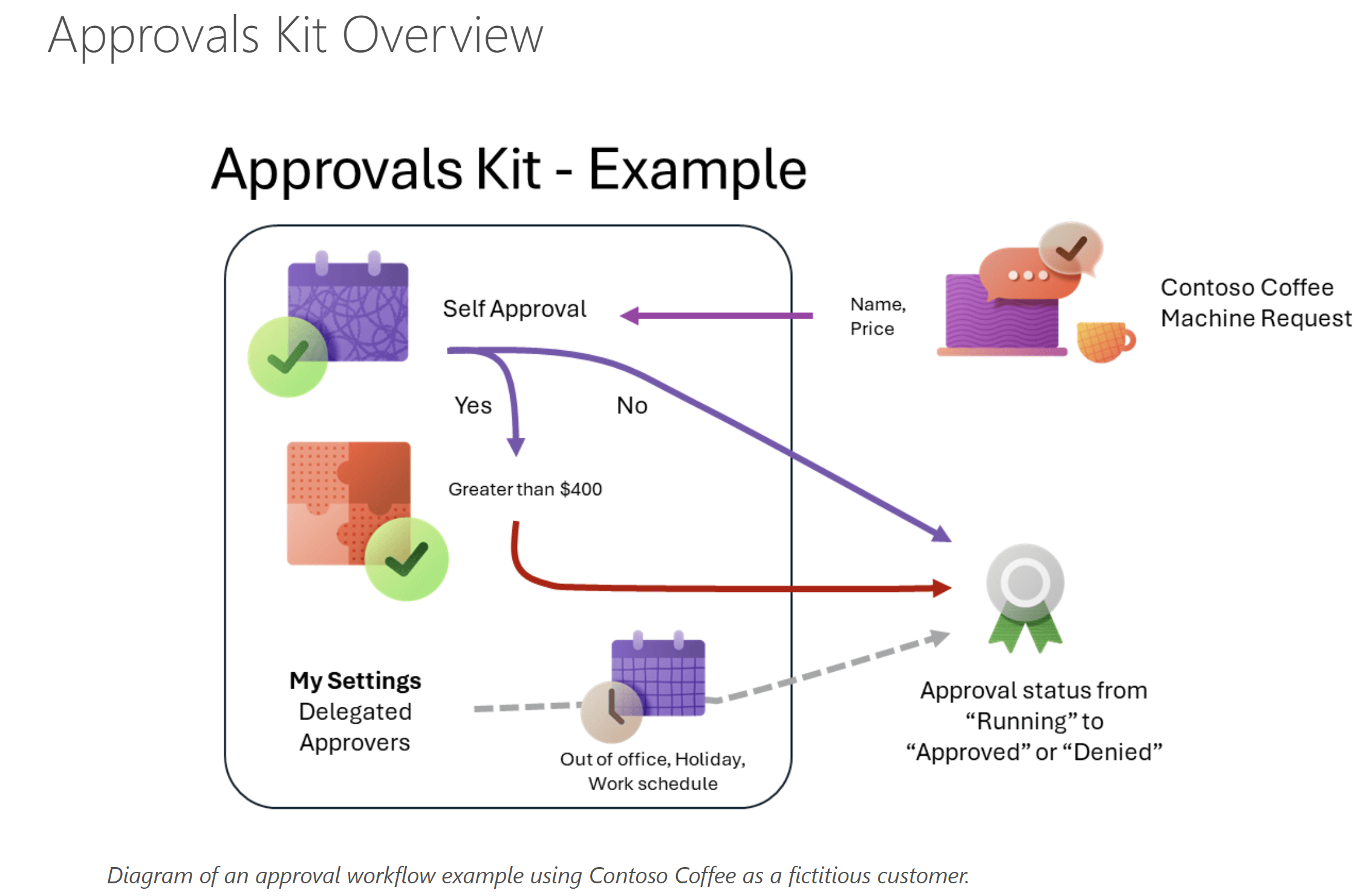
Approvals kit is template built with over 20 cloud flows and Power Apps app that you can install in any Dataverse environment. By using the approvals kit, you are able to quickly set up the following requirements that are typically required in any approval processes.
Licenses
One of the key differences when compared to the standard Approvals connector is the Approvals kit is built with premium features. Given these features you will need both Power Apps licenses and Power Automate licenses to support user designing and manage approvals.
End users making approvals will depend on the integration required could use standard seeded licenses or they may also need Power Apps licenses if you elect for a more integrated approval process that displays approval history.
Getting Started
Approvals Kit documentation https://aka.ms/ApprovalsKit : Public landing page of the kit, describes what and where approvals kit is along with usage personas and frequently asked questions.
Learn Module https://aka.ms/ApprovalsKit/Learn : Self-guided or instructor led delivery to get started using the approvals kit.
Instructor Guide https://aka.ms/ApprovalsKit/Instructor : New automated setup experience to take a group of learners through the learn module content.
Office Hours https://aka.ms/ApprovalsKit/OfficeHours : Join our regular office hours on the second Monday of each month.
Refer official blog post here
🙂


Leave a Reply