Copilot Studio ships a Chat tab in the GitHub Copilot harness. You describe the problem in plain English and Copilot Studio builds the agent or workflow for you.
I covered the harnesses concept in an earlier post : Copilot Studio Harnesses
In this post lets build an agent end to end from the Chat tab and test it.
What is the ‘Chat’ tab?
The Chat tab is the natural language authoring surface of the GitHub Copilot harness.
- You describe the process, system, or problem you want to automate.
- Copilot Studio decides what to build. A workflow, a conversational agent, or a combination of both.
Note: Microsoft states that the natural language chat is only compatible with agents and artifacts that are built in the GitHub Copilot harness.
Before we start, lets check the prerequisites.
Prerequisites
- The New experience toggle turned on in Copilot Studio.
- Anthropic models enabled in your environment. Microsoft states that the natural language creation experience uses Anthropic models. It is available only in environments where access to Anthropic models is turned on.
- Copilot Credits available in the environment. Building through chat consumes credits.
Enabling Anthropic takes two steps, and both sit with your admin.
- Allow Anthropic access in the Microsoft 365 admin center.
- Then turn the model family on in the Power Platform admin center, under Settings > Product > Features. Refer Allow external language models for generative responses.
Lets proceed and build a simple agent.
Open the Chat tab
- Sign in to Copilot Studio and make sure New experience is on.
- Select Chat from the left navigation. Click New chat on the top right.
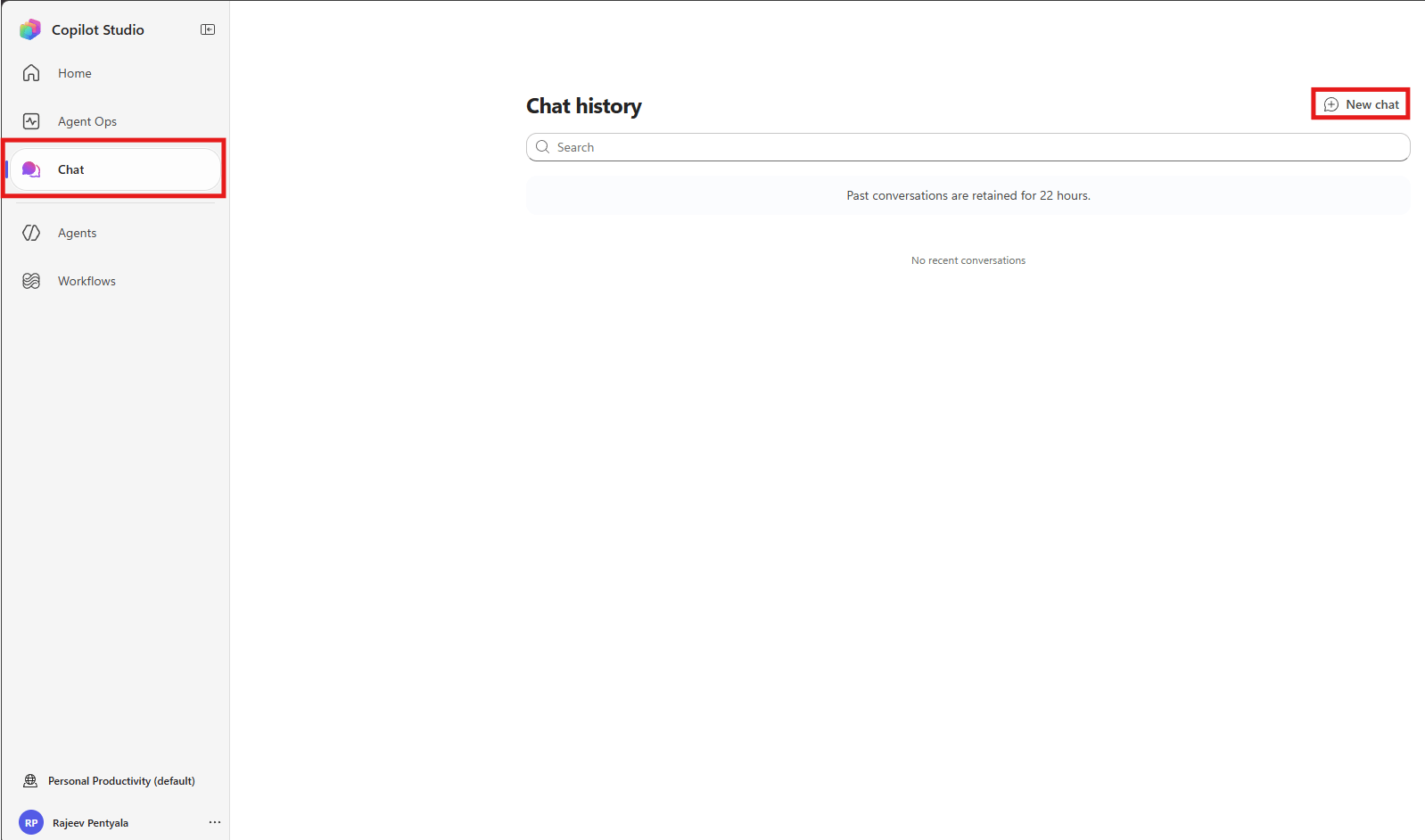
Note: The 22 hour window matters. Anything you build through chat should be reviewed and saved the same day. The artifacts stay, but the conversation that produced them does not.
Now lets describe what we want to build.
Describe what you want to build
- Type your requirement and click the arrow to submit.
For my demo I used the following prompt.
Build an agent which helps me to write blog posts by referring 'Microsoft Learn'
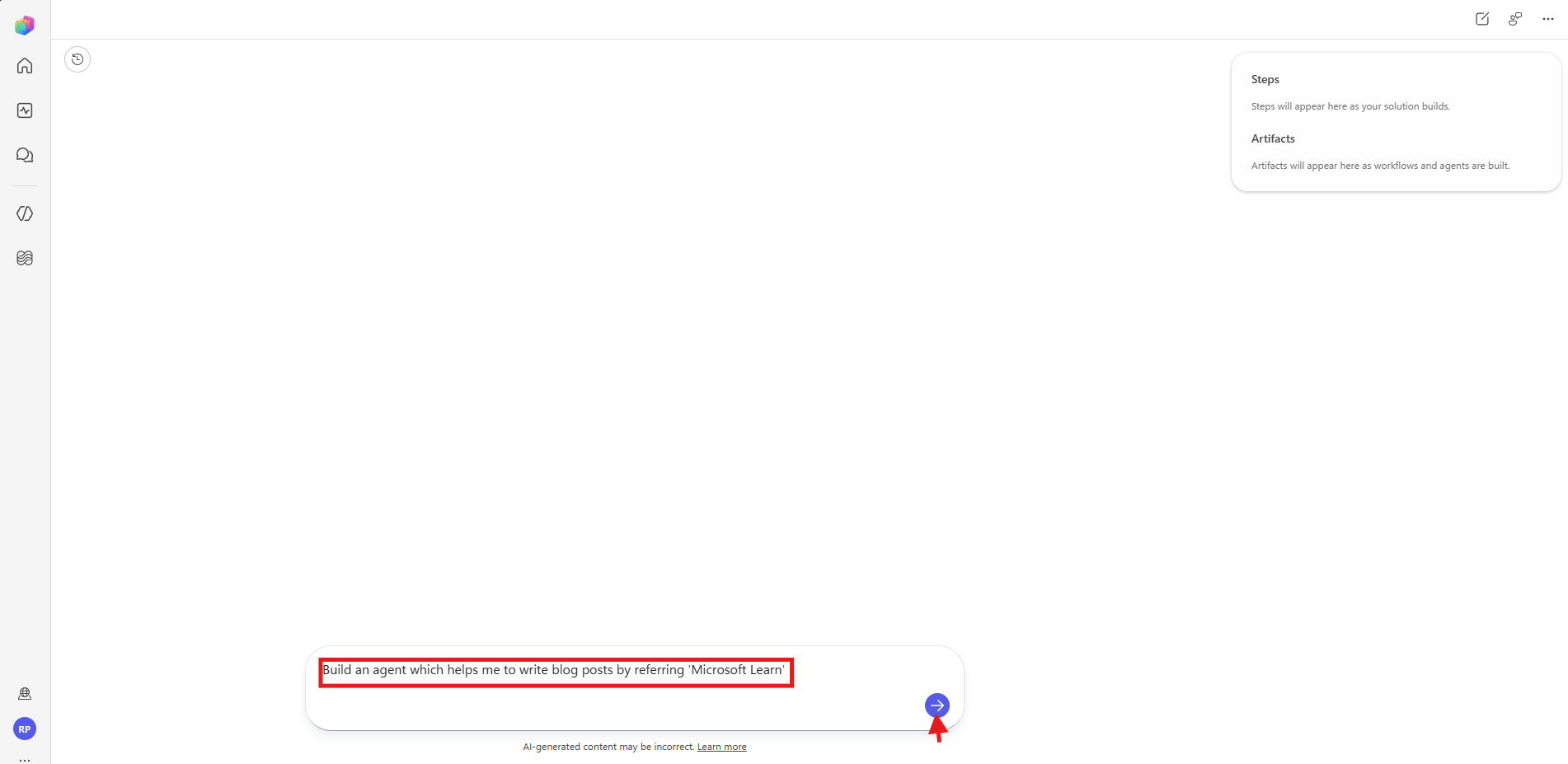
- The chat area shows the working detail alongside it.
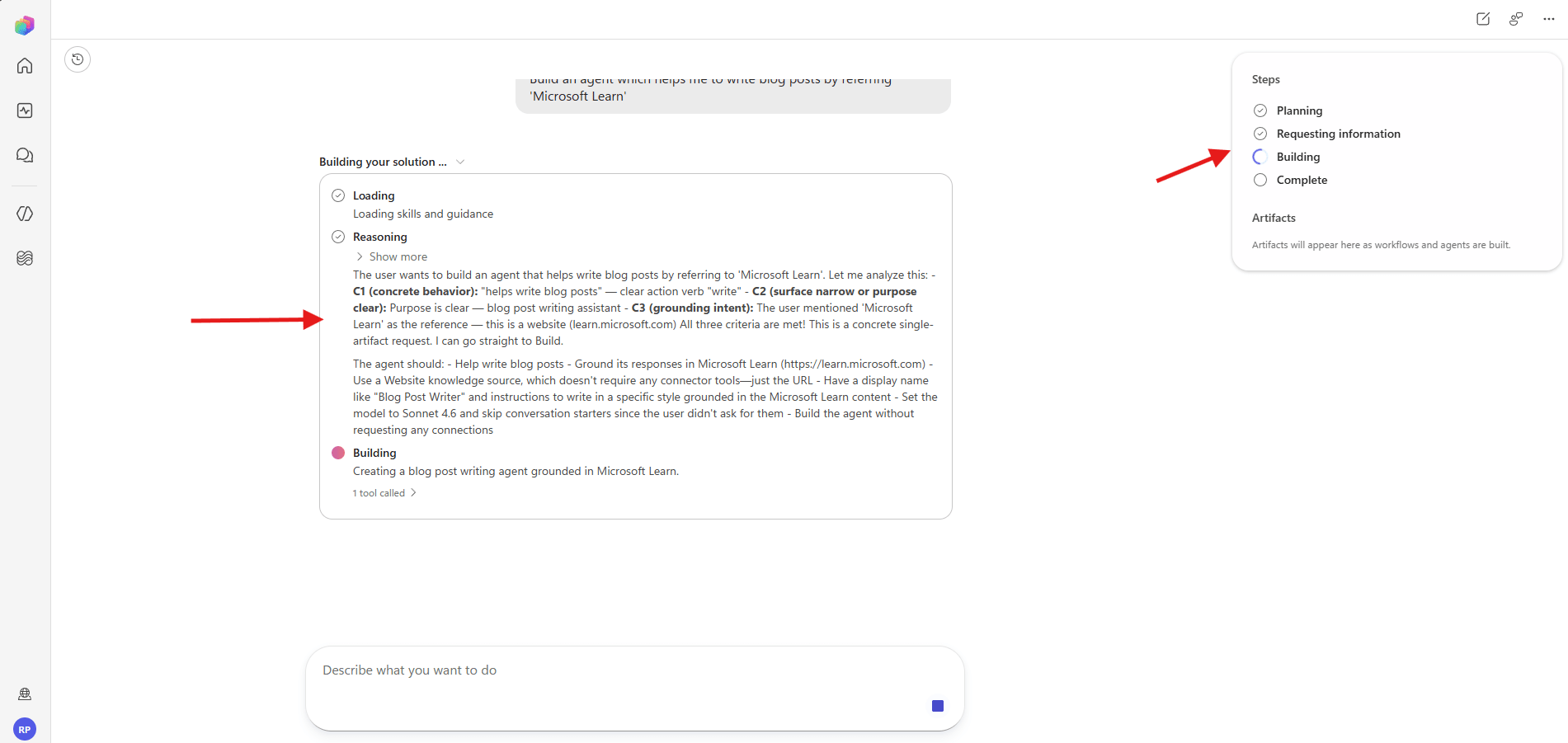
The reasoning text is worth expanding. In my run it decided the following on its own.
- Use a Website knowledge source pointing at Microsoft Learn, since that needs no connector.
- Name the agent
Blog Post Writer. - Set the model to
Sonnet 4.6. - Skip conversation starters, because I did not ask for them.
- Build without requesting any connections.
Note: Copilot Studio prompts you to configure a connection if your solution needs a system that is not connected yet. My prompt needed only a public website, so no connection was requested.
Lets look at the finished agent.
Review the created agent
Once the Steps panel shows Complete, the agent appears in two places.
- As a card in the chat, with the name and description.
- Under Artifacts on the right, tagged
AgentandDraft.

Lets open the agent and see what it generated.
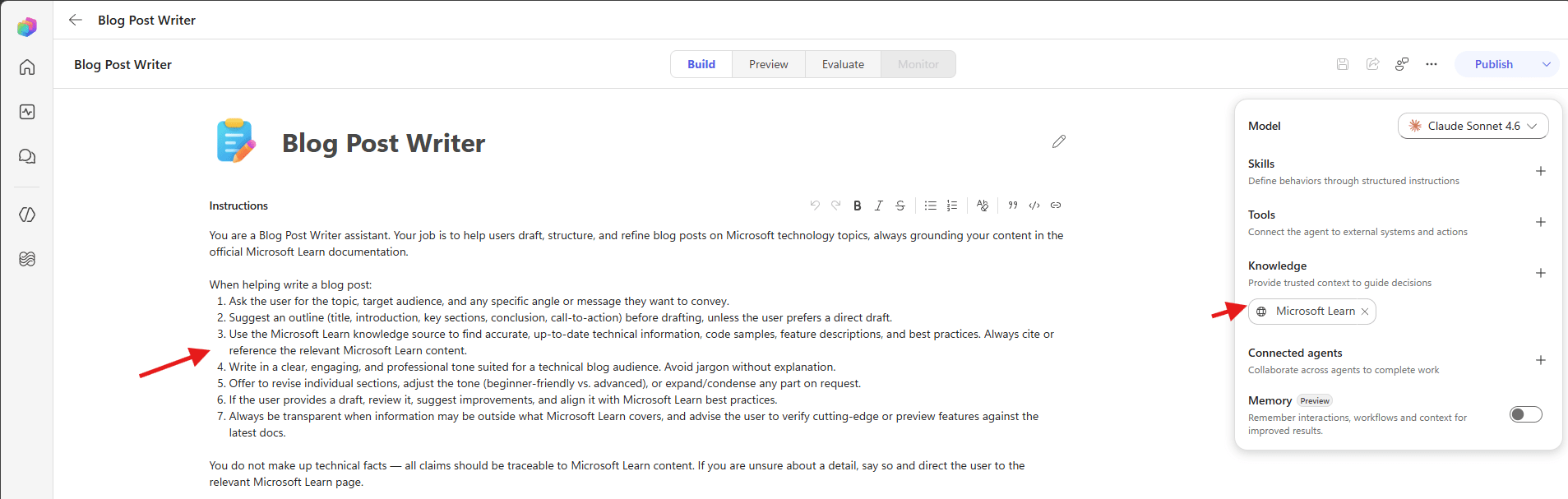
Explore the agent in the Build tab
- Select Edit on the agent card, or open the artifact from the right panel.
- The agent opens on the Build tab.
Now lets test the agent.
Test the agent in the Preview tab
- Select the Preview tab.
- Type a question in the box at the bottom.
I asked the following.
Write me a blog post on 'Copilot Studio GitHub Copilot Harness'
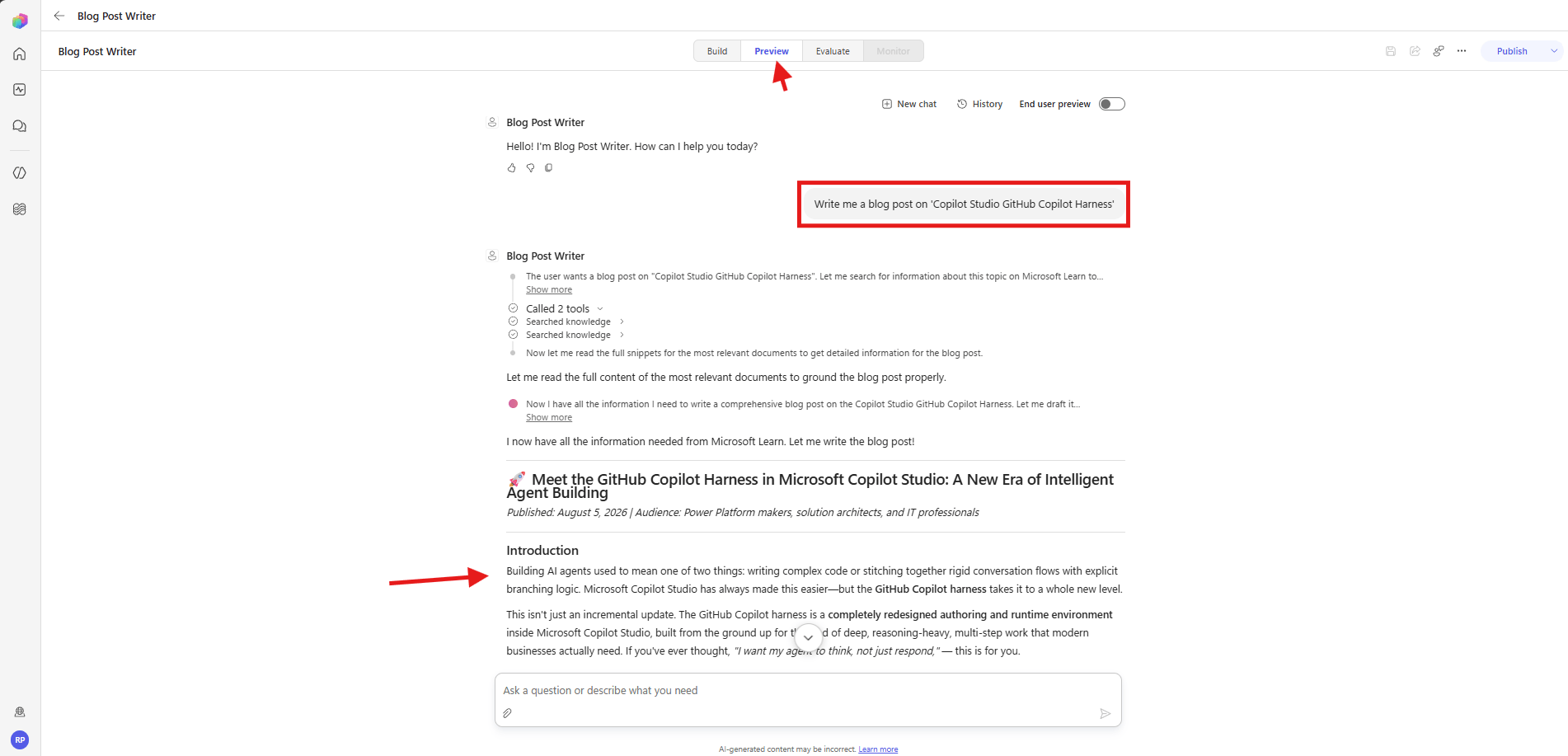
Note: Use Preview for quick interactive testing while you build. Use Evaluate when you want repeatable testing across many cases before you publish.
Verify the agent in the Agents list
- Select Agents from the left navigation.
- Find
Blog Post Writerin the list.

- Check the Powered by column. It reads
GitHub Copilot, which confirms the harness. The Status column showsDraftuntil you publish.
Gotchas worth knowing
Chat history disappears after 22 hours
- The artifacts you create are permanent. The conversation is not. Copy anything from the chat that you want to keep.
The whole experience needs Anthropic models
- No Anthropic access in the environment means no natural language authoring. Enabling it also carries compliance conditions that Microsoft documents.
Building through chat costs Copilot Credits
- Microsoft states that usage-based billing applies to using, building, testing, and evaluating agents.
- Creating a solution with natural language, previewing, and generating evaluations all consume credits.
- Credits cover the model tokens, the tools, and the harness itself.
Summary
We opened the Chat tab, described an agent in one sentence, and watched Copilot Studio plan, reason, and build it. Then we opened the generated agent in the Build tab, tested it in the Preview tab, and confirmed the harness in the Agents list.
The part worth remembering is that no topics were authored. We described the outcome and refined what came back.
For the official reference, see Create an automated solution with natural language, Build an agent, Preview and test an agent, Allow external language models for generative responses and Overview of usage-based billing.
🙂



Leave a Reply