The /share slash command exports a GitHub Copilot CLI session to a file or a shareable location. It is useful after a troubleshooting session, when the conversation needs to be attached to a support ticket, a pull request, or an issue. The command supports Markdown, HTML, GitHub gist, and a shareable GitHub link.
Note:
/sharehas an alias,/export. Both accept the same arguments.
What This Does
- Exports the full session transcript, including prompts, responses, reasoning, and tool calls.
- Writes the output as a Markdown file, an interactive HTML file, or a secret GitHub gist.
- Publishes the session to GitHub and returns a shareable link when no arguments are supplied.
- Writes to
copilot-session-<session-id>.mdin the current directory when no path is supplied. - Exports only the research report when the session includes a
/researchrun.
Run the Share Command
- Open Command Prompt or VSCode Terminal.
- Run
copilotin a terminal to start new session. - Enter
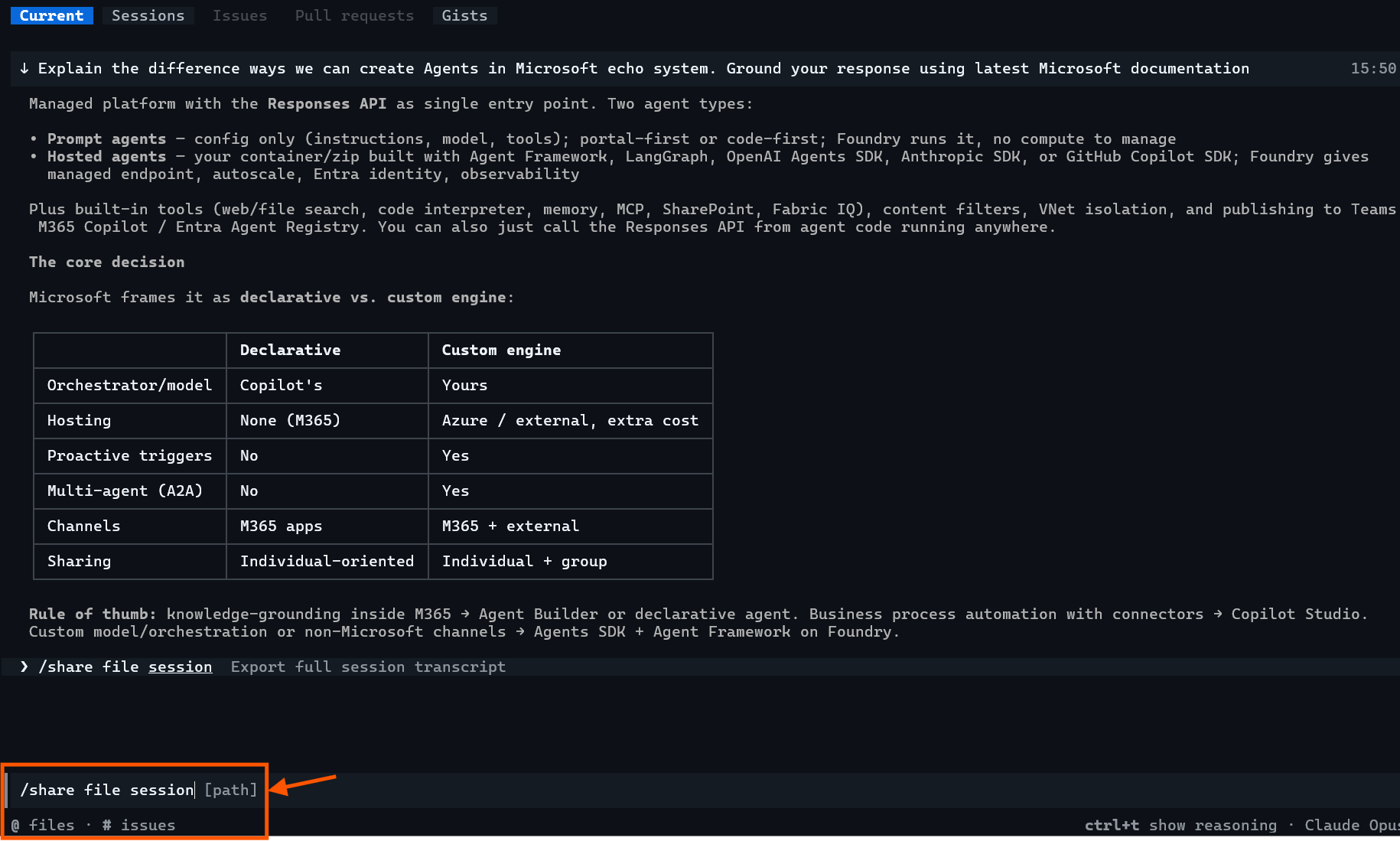
/sharein the prompt box. - The CLI lists the available arguments as they are typed. Select
file, thensession. - The full form of the command is
/share file session [path]. The[path]argument is optional.
- Press Enter to run the command.
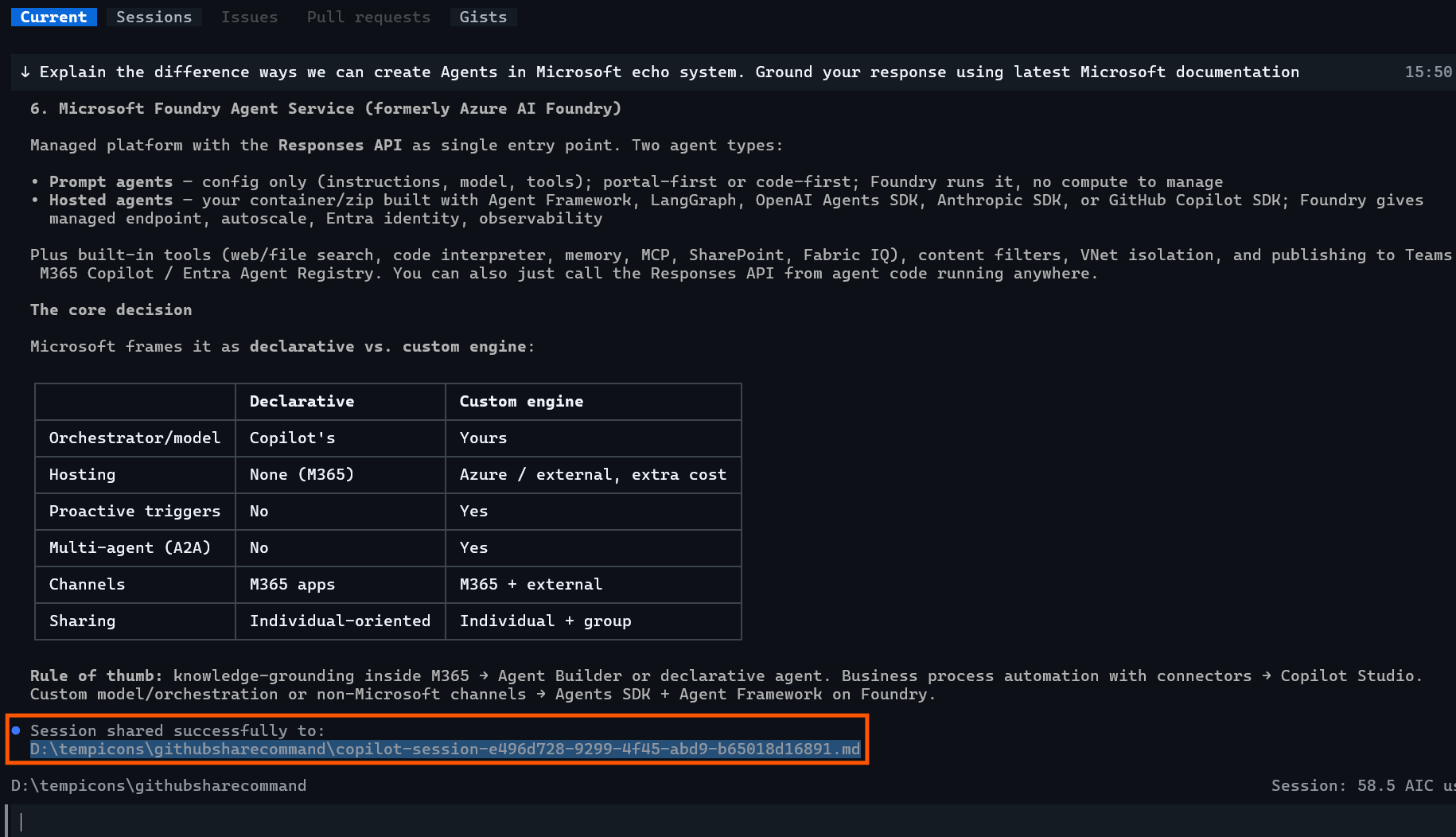
- The CLI returns
Session shared successfully to:followed by the full file path. - In the example run, the file was written to
D:\tempicons\githubsharecommand\copilot-session-e496d728-9299-4f45-abd9-b65018d16891.md.
Tip: Press Ctrl+X then
oto open the most recent link from the timeline. This opens the exported file without leaving the CLI.
Verify the Transcript
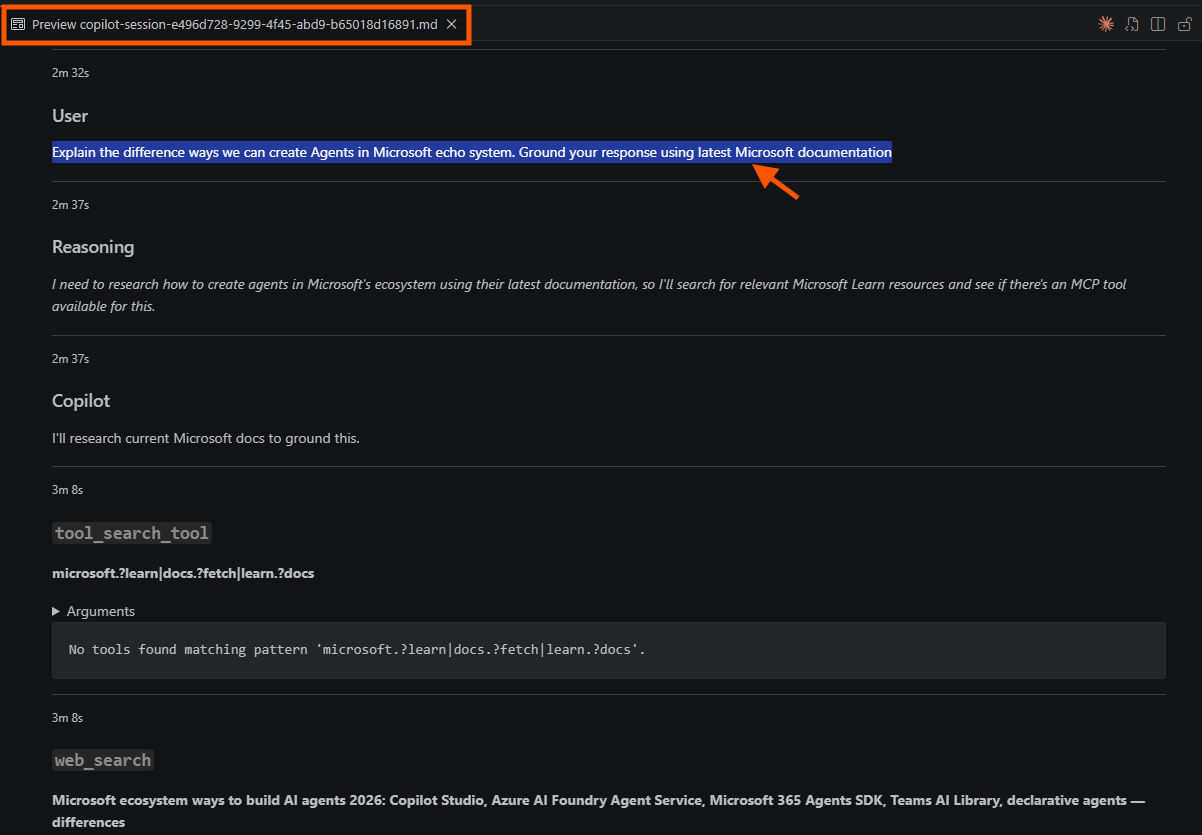
The exported Markdown file preserves the conversation in order, with a timestamp against each entry.
Usersections contain the prompts submitted during the session.Copilotsections contain the responses.Reasoningsections show the model’s intermediate reasoning.- Each tool call is recorded with its name, arguments, and result.
Summary
/share file session produces a reviewable transcript of a Copilot CLI session in a single step. Use /share html for a browser-readable version, and /share gist to return a URL instead of a local file.
For the full list of slash commands, refer the official documentation GitHub Copilot CLI command reference.
🙂

Leave a Reply