In a previous post I showed how to browse skills.sh and install a Skill. While you can search skills on the portal, picking the right one is tough.
Did you know you can discover skills without leaving your AI agent terminal, using the find-skills skill?
What find-skills Does
The find-skills skill tells your agent when and how to search the skills.sh catalog for you. From the official skill page, it activates when you:
- Ask “how do I do X” where X might have an existing skill.
- Say “find a skill for X” or “is there a skill for X”.
- Ask “can you do X” for a specialized capability.
- Mention you wish you had help with a domain like testing, deployment, or design.
Skill reads the results, checks install counts and source reputation, and replies with a short recommendation instead of a raw list.
Lets proceed with installing and using this skill. I am using VS Code and GitHub Copilot CLI.
Install Skill:
- Open Terminal and execute following command:
npx skills add https://github.com/vercel-labs/skills --skill find-skills
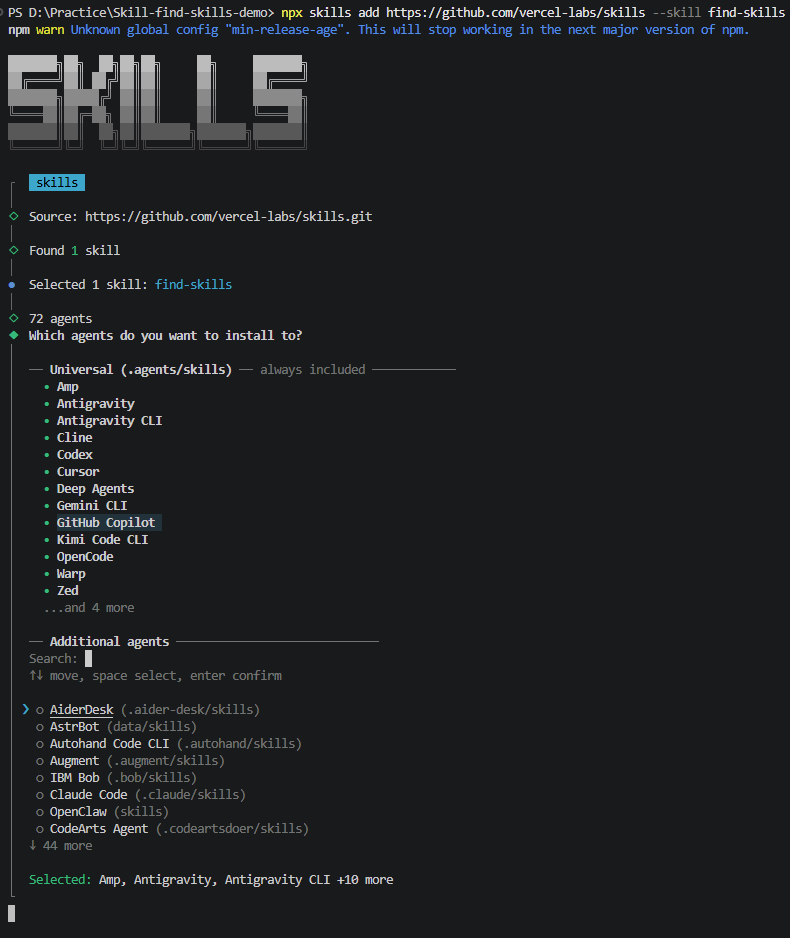
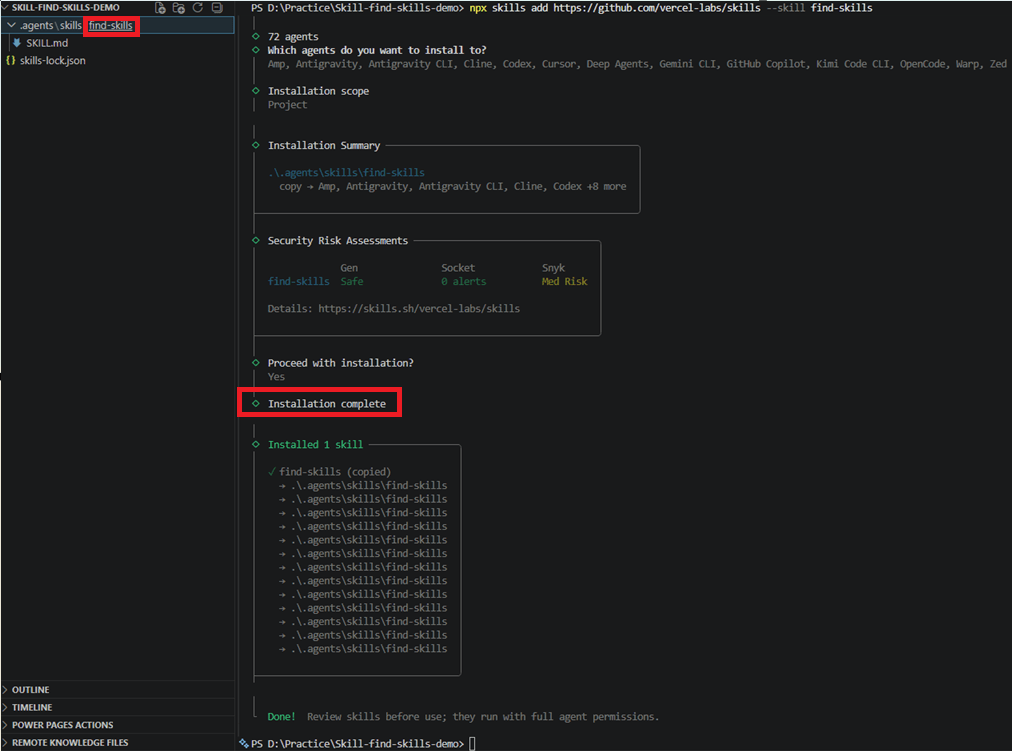
- Select Installation scope. I’ve chosen Project

- Once the installation is completed, you would see find-skills\SKILL.md file in the project folder.
Using the Skill:
- Open a new GitHub Copilot CLI session. Execute following to find the installed find-skills skill.
/skills list

- Lets say you are building a React app and want recommended skills. Prompt your agent with this:
/find-skills I am building a React app and looking for best coding and security practices

- You would get the list of recommended skills with stats and command to install the skill.
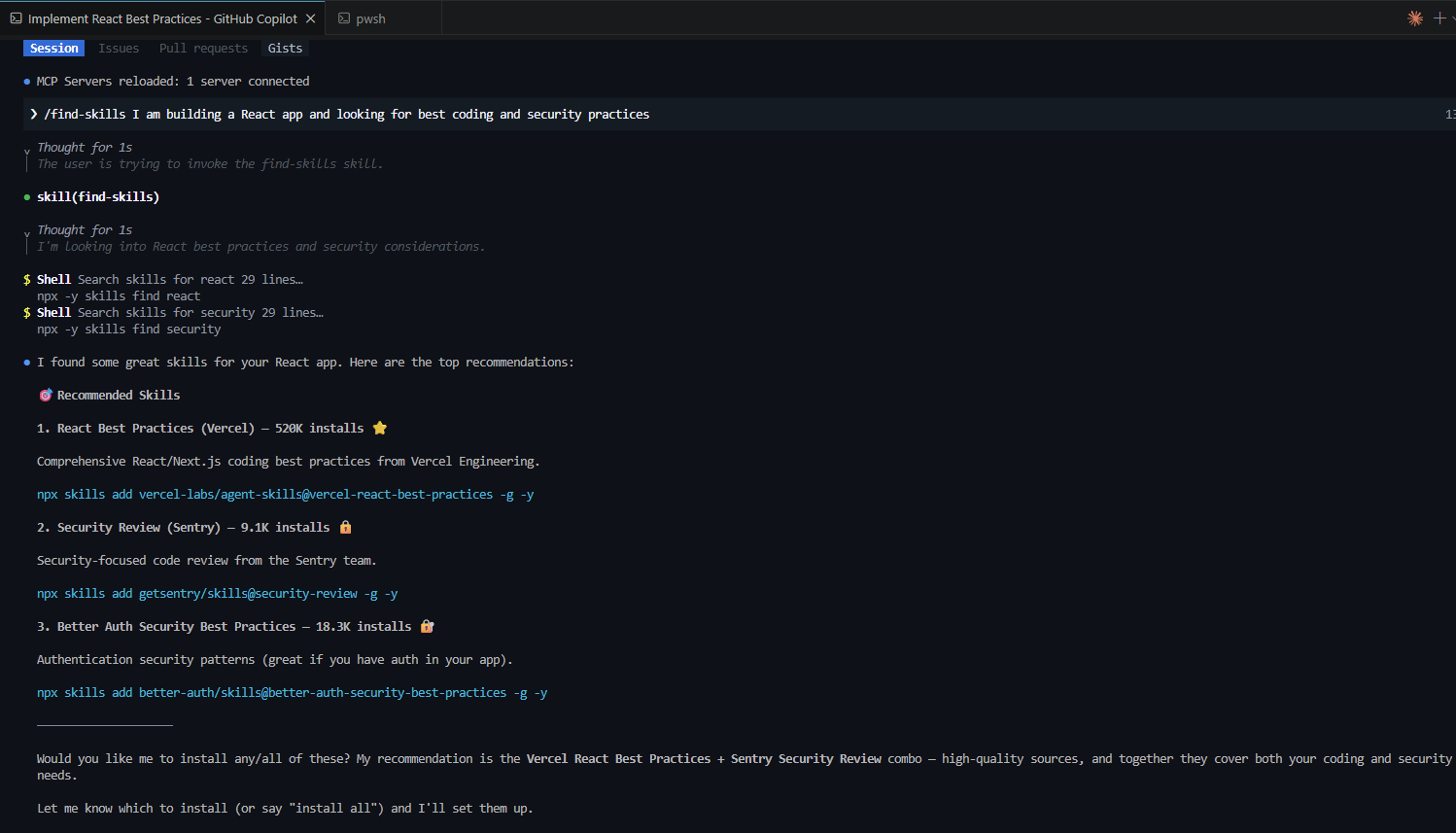
- Run the install command yourself, or ask your agent to install the ones
find-skillssuggested.
Summary:
The skills ecosystem is growing fast. Every new skill added to skills.sh makes manual browsing a little harder. find-skills is the one skill that keeps the rest of the catalog usable as it grows.
🙂

Leave a Reply