Imagine you’re a maker and have built an agent where the end user doesn’t have access to a specific Dataverse environment—but you still want them to retrieve data from it. For example, they might need to submit or view records, even though they don’t have direct permissions.
When creating a Copilot Studio action, You can either enable the user to authenticate themselves or choose to use Maker-provided credentials.

With the Maker-provided credentials option, the agent authenticates using your connection (the maker’s), allowing the user to interact with Dataverse without needing their own access.
In this article, lets explore End user authentication through the following scenario:
- Add a Dataverse action in a Topic
- Set the End user authentication
I will be using my Running Event Registration agent which I covered in a previous article : Build an Agent with ‘Knowledge’ and ‘Agent Flow’
Lets jump right in by creating the Topic.
Create a Topic with Dataverse action:
- I have a topic named Create Registration in Dataverse, which is triggered when the end user wants to register for the event.
- This Topic uses an Adaptive Card to collect participant details such as Name, Age, Email, and Mobile Number.

- Next, I added Dataverse > Add a new row to selected environment action. This creates a record in raj_runningeventregistrations table using the user details collected from the Adaptive Card.

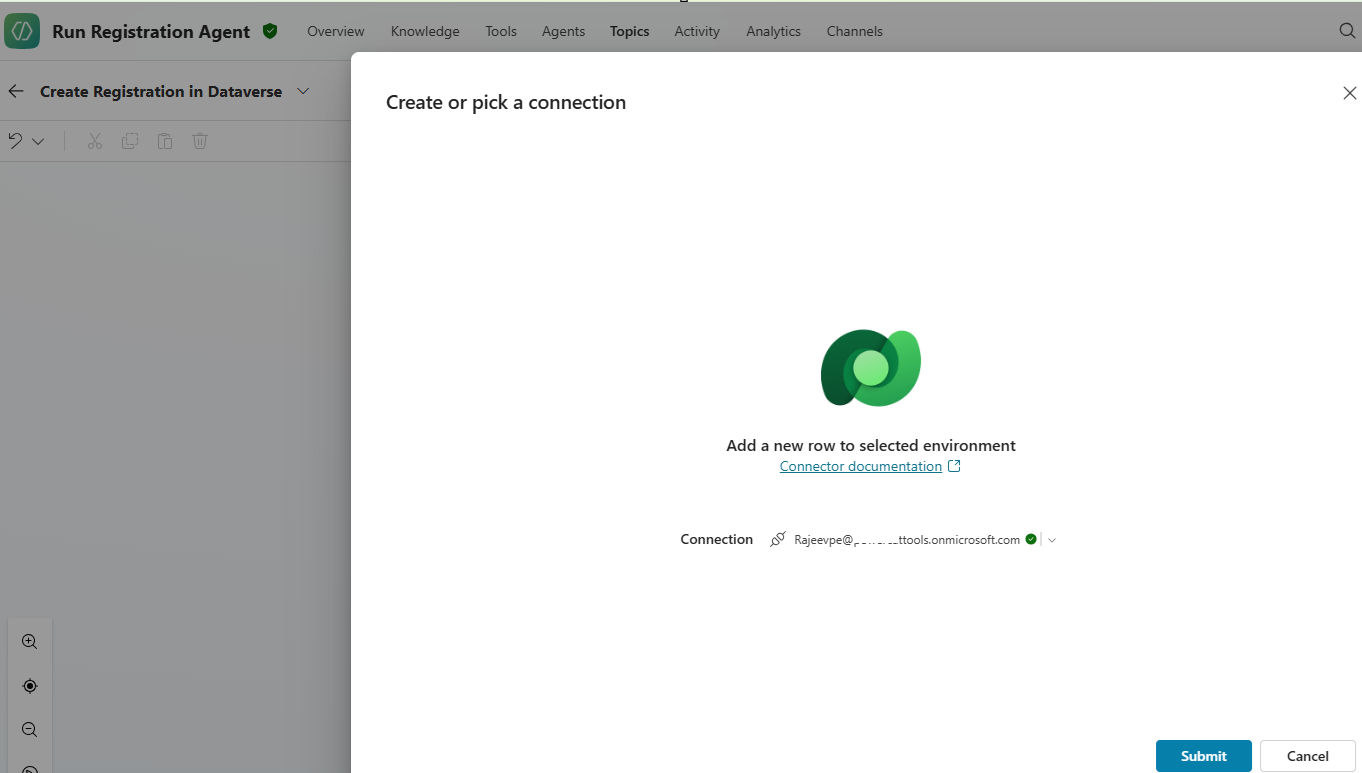
- After adding the Dataverse action, you need to provide a Connection as shown below.
- Under the Inputs tab, specify the Environment, Table, and Column details.
- For the column values, map the fields to the corresponding inputs (i.e., Topic variables) captured from the Adaptive Card.

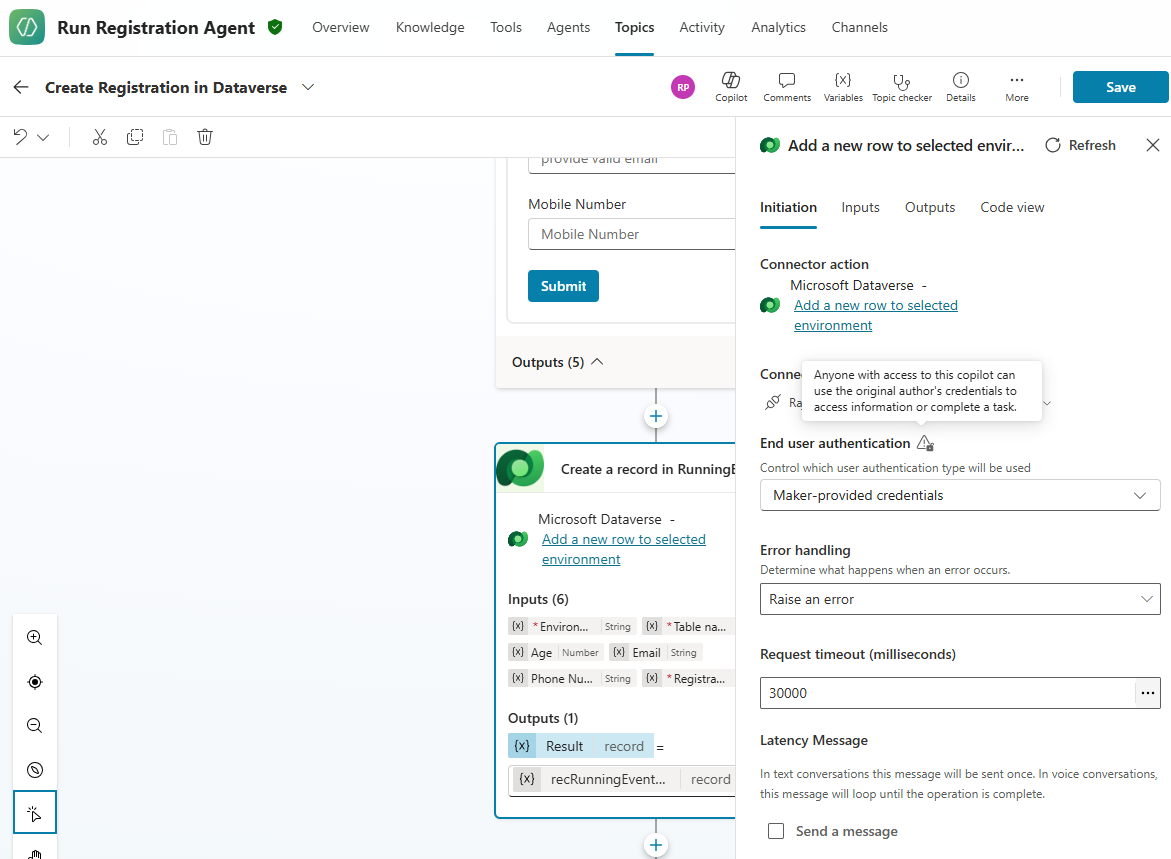
- In the Initiation tab choose the End user authentication option.

- For this example, I selected Maker-provided credentials, which means the Dataverse authentication will use my connection (i.e., Make of the Agent) instead of the end user’s.
- Finally, I added a Message action to display the GUID of created Dataverse record and End conversation action.

- When you Publish your agent, you will be notified with “Anyone you share with can use the original author’s credentials to access information or complete a task” message.

With that, we’ve successfully created a topic that uses the Dataverse tool with end-user authentication set to Maker-provided credentials.
Testing the Agent:
Now, let’s test the agent.
- Start by prompting : I want to register
- The agent will trigger the topic and present an Adaptive Card for you to fill in your details.

- The topic will authenticate to Dataverse using the maker’s connection and successfully create the record. The agent will then respond with the GUID of the newly created record.

I hope this article helped you understand how to use end-user authentication with Copilot Studio actions. By using Maker-provided credentials, you can enable users to interact with Dataverse securely—even if they don’t have direct access.
🙂


![[Step by Step] Beginner : Create a PCF control and add it to a custom page](https://rajeevpentyala.com/wp-content/uploads/2024/12/image-49.png)
 Rajeev Pentyala – Technical Blog on Power Platform, Azure and AI
Leave a comment