We got a below requirement
- Contacts and Users will have N:N relationship
- Create a view in Contact entity, to get ‘Contacts associated to User ‘
It’s a straight forward ask as all I need to create is a view in Contact, with filter criteria ‘Users contains data’. Isn’t it?
So I,
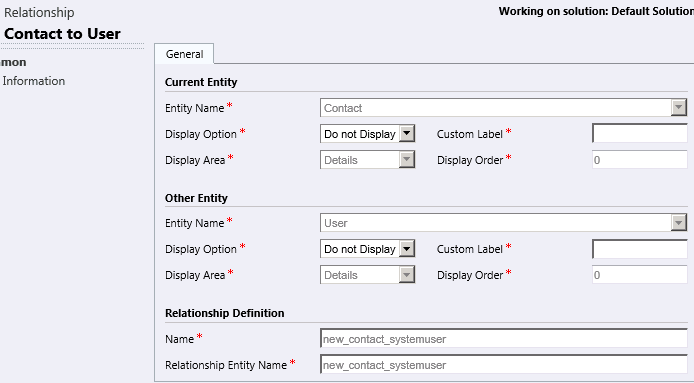
- Created a new N:N relationship between Contact & User.
- Create a new view ‘Contacts associated with Users’ in Contact entity and opened filter criteria.
- To my surprise, I did not find ‘Users’ in ‘Select’ dropdown -> Related Entities section.

Reason –
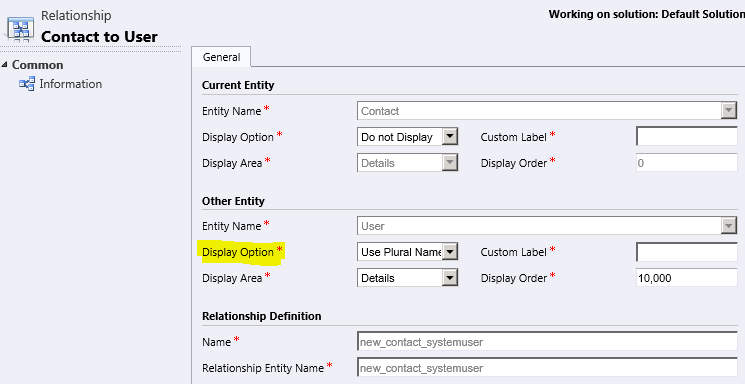
- The culprit is ‘Display Option’
- Since I given ‘Display option’ as ‘Do Not Display’ that propagated to filter, which is weird but that’s how it works.
Fix –
- To get the ‘Users’ in filter criteria provide ‘Display Option’ and Publish.
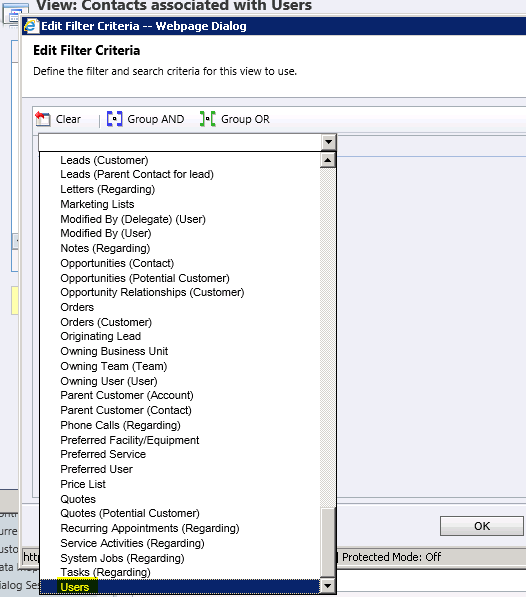
- Go back to the view’s filter criteria, now you will see the ‘Users’ in ‘Select’ dropdown
🙂




 Rajeev Pentyala – Technical Blog on Power Platform, Azure and AI
Leave a reply to ChGKrishna Cancel reply