Recently when I configured my CRM application with “https” binding, I was getting the “Access Denied” exception while closing the appointment activity
Access Denied on Closing Appointment
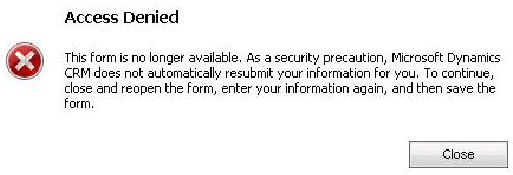
When I check the event viewer I had below “INVALID_WRPC_TOKEN” exception
Microsoft.Crm.CrmException: INVALID_WRPC_TOKEN: Validate WRPC Token: WRPCTokenState=Invalid
When I try to find the reason for the issue I came to know that it’s a known issue with CRM 2011 UR 6.
Workaround :-
- We can disable the CRM token checks via Registry change
- Here is my previous article which explains how to make the registry change
Here is post on MSCRM forum
🙂

Leave a Reply