Published by
Rajeev Pentyala
on
Hi,
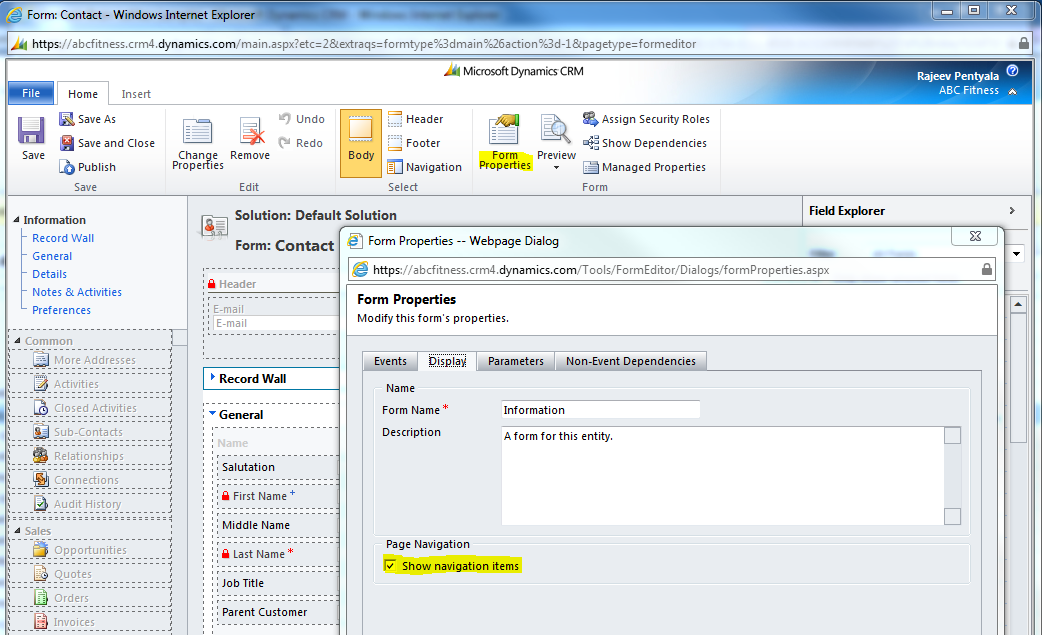
We can Hide the “Navigation items” pane on the CRM form using simple form customization.
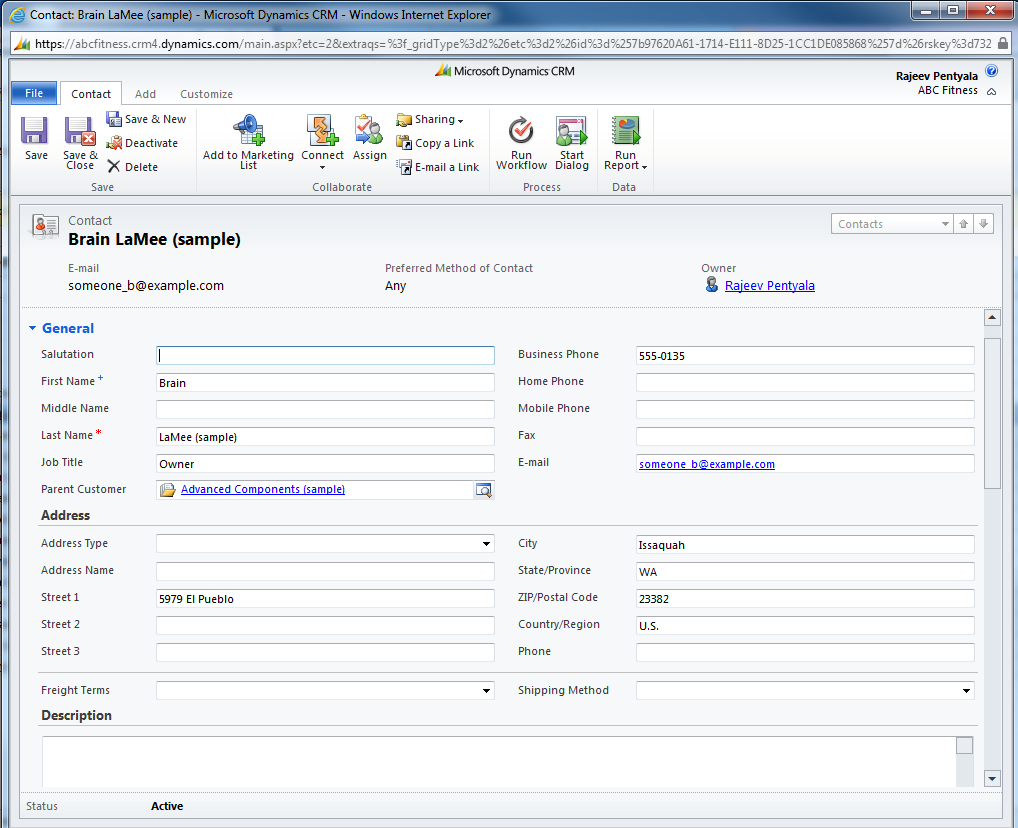
After this setting “Open” the form and you will get form without “Navigation” section (As below) CRM form with no Navigation section
After this setting “Open” the form and you will get form without “Navigation” section (As below)
Hope this helps 🙂
Didn’t know that 🙂 Thanks
… [Trackback]…
[…] Find More Informations here: rajeevpentyala.wordpress.com/2011/12/12/hide-navigation-items-pane-on-form-in-crm-2011/ […]…
[…] https://rajeevpentyala.wordpress.com/2011/12/12/hide-navigation-items-pane-on-form-in-crm-2011/ […]
Hi Rajeev, thanks and great info. So now how do you get a user to select another form if the area to select alternative forms is now hidden??? Is there anyway to manually display the navigation area after the event?
Wow, there’s so much on the web advising the use of JavaScript to solve this I thought there was no other way! Thanks for pointing this out.
Δ
2,148,955 hits
Type your email…
Subscribe




![[Step by Step] Beginner : Create a PCF control and add it to a custom page](https://rajeevpentyala.com/wp-content/uploads/2024/12/image-49.png)
 Rajeev Pentyala – Technical Blog on Power Platform, Azure and AI
Leave a reply to Homepage Cancel reply