Power Apps Code Apps let you host a React or Vite app inside Power Apps. The CLI you use to build them now groups its commands under pa.
Lets build a code app from an empty folder, run it locally, and publish it to Power Platform.
Prerequisites
Make sure you have the following ready.
- A Power Platform environment with code apps enabled.
- Node.js Long Term Support (LTS) version.
- The environment ID of your target environment. You can copy it from the Power Platform admin center.
Lets start by creating the project.
Create the Code App Project
- Start from the Vite template published by the Power Apps team.
npx degit github:microsoft/PowerAppsCodeApps/templates/vite demo-new-pa-appcd demo-new-pa-appnpm install
- This gives you a standard Vite and React project. Nothing about it is specific to Power Apps yet.
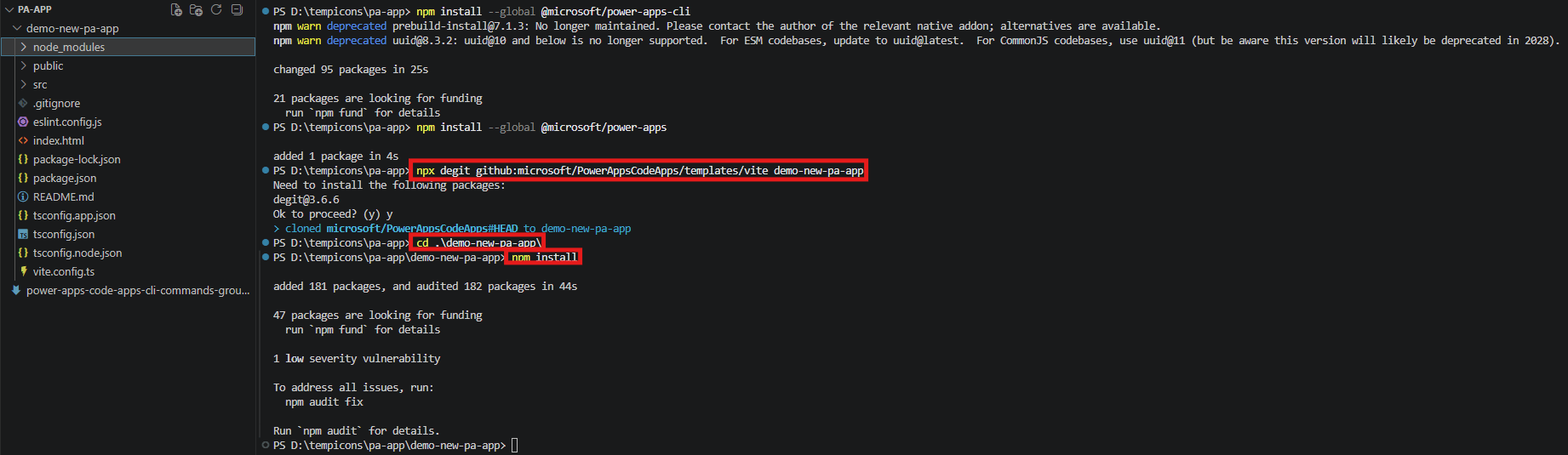
- Next install the CLI and the SDK globally.
npm install --global @microsoft/power-apps-clinpm install --global @microsoft/power-apps

Initialize the Code App
- Run the init command from the project folder.
pa app init
- The CLI asks for two values, one after the other.
| Prompt | What to enter |
|---|---|
| Please provide the environment ID | The environment ID you copied earlier |
| Please provide the display name for the app | The name shown in Power Apps, for example demo-app-pa-cli |
You can also pass both values directly and skip the prompts.
pa app init --display-name "demo-app-pa-cli" --environment-id <environment-id>
When the command completes, it creates a power.config.json file in your project root. This file holds the app identity and the data sources you add later.
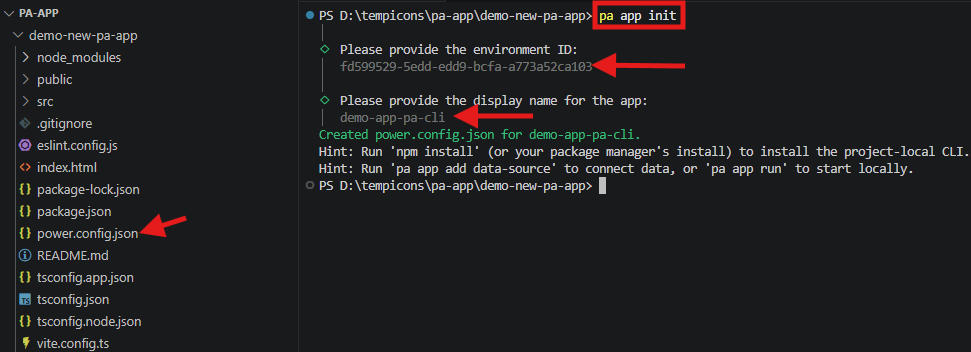
The output also suggests two follow up commands.
pa app add data-sourceto connect data to the app.pa app runto start the app locally.
Note: If you are not signed in,
pa app initopens the browser and signs you in first. To sign in ahead of time, usepa auth login.
Now the project is linked to your environment. Lets run it locally before publishing.
Run the App Locally
- Start the local host with the run command.
pa app run
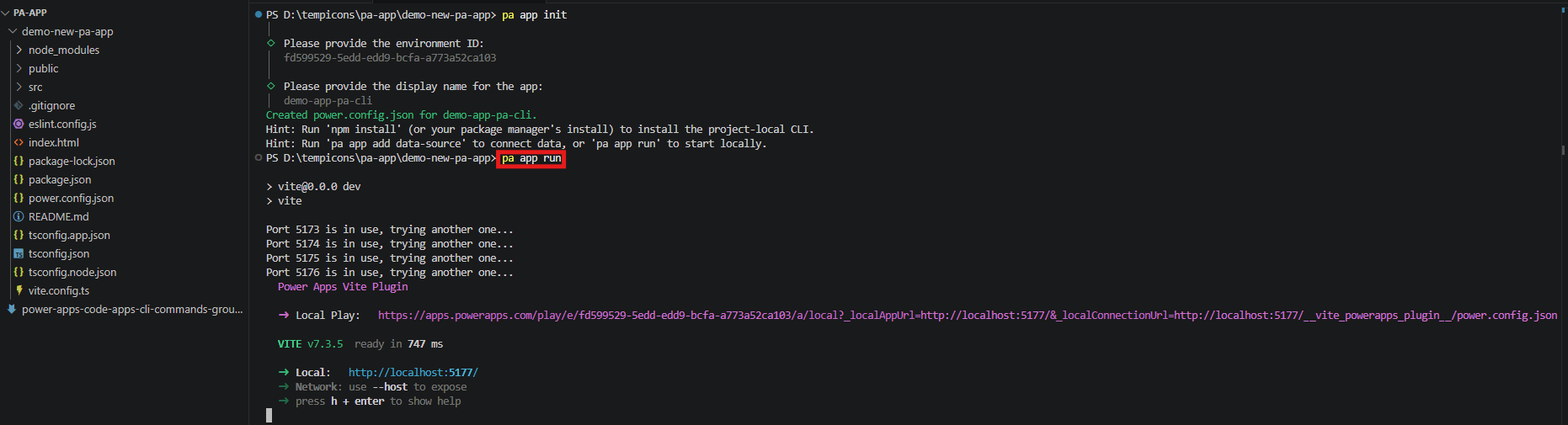
Two things happen. Vite starts the dev server, and the CLI prints a Local Play URL.
- Vite picks the first free port. The Local Play URL points at
apps.powerapps.comand passes your local server address to it. - Open the Local Play URL, not the plain localhost URL. The Local Play URL loads the app inside the Power Apps host.
Important: Open the URL in the same browser profile you use for your Power Platform tenant.
Note: Chrome and Microsoft Edge block requests from public origins to local endpoints. Your app talks to localhost during development, so you may need to allow this in the browser. For embedded scenarios, add
allow="local-network-access"to the iframe tag.
The app runs locally now. Lets build it and publish it to Power Apps.
Build and Publish the App
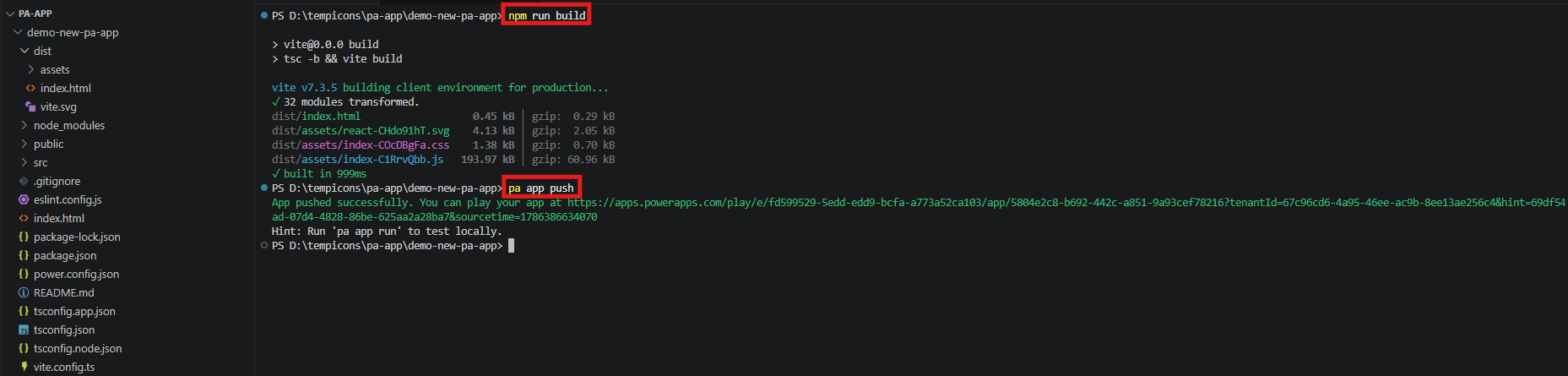
Build the project first. The push command uploads compiled assets, so the build has to run before it.
- To publish, build first and then push.
npm run buildpa app push
- Play the App
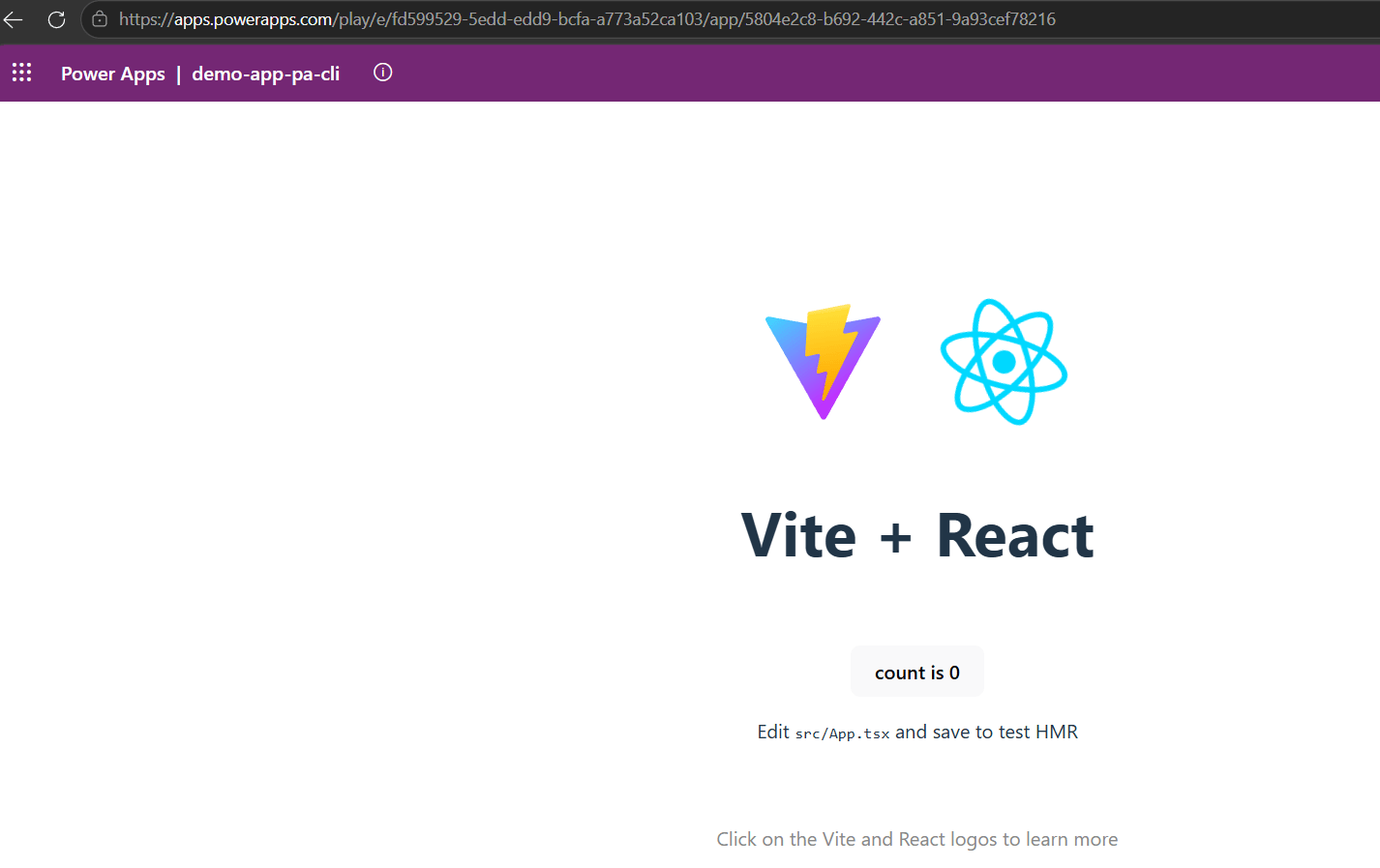
That is a code app built and deployed with the new command set. Lets look at what changed since my earlier post.
What Changed Since My Last Post
If you followed my July post, the commands there map to new equivalents.
| Task | pac code | Earlier CLI | Current CLI |
|---|---|---|---|
| Initialize a code app | pac code init | power-apps init | pa app init |
| Run local dev server | pac code run | power-apps run | pa app run |
| Publish to environment | pac code push | power-apps push | pa app push |
| Add a data source | pac code add-data-source | power-apps add-data-source | pa app add data-source |
| Add a Power Automate flow | (not available) | power-apps add-flow | pa app add flow |
| List flows | (not available) | power-apps list-flows | pa app list-flows |
| Sign in | pac auth create | power-apps login | pa auth login |
| Check active account | pac auth list | power-apps auth-status | pa auth status |
| Sign out | pac auth clear | power-apps logout | pa auth logout |
Three points are worth calling out.
- Commands are grouped now. The format is
pa <group> <command>. - The CLI comes from a separate install. Installing the SDK alone no longer provides the
pacommand. - Note the flow and data source rows. The hyphen is now a space.
add-flowis nowadd flow. pac coderemains on the deprecation list, so that part of my old post still applies.
Commands available only in pa
pa auth switchchanges the active account when you are signed in to more than one.pa app shareshares a published app with users or service principals.pa app push --non-interactivepublishes from a build pipeline using a service principal.pa app add dataverse-apicalls Dataverse actions and functions from your code app.pa connector listandpa connection createfind connectors and create connections.
I will cover these in a separate post.
That covers the build and the changes. Here is a quick recap.
Summary
We created a code app from the Vite template, linked it to an environment, ran it locally, and published it.
- Install
@microsoft/power-apps-cliglobally to get thepacommand. - Run
pa app initto createpower.config.jsonand link the app to your environment. - Use
pa app runand open the Local Play URL, not plain localhost. - Run
npm run buildbeforepa app push, because push uploads the compiled output.
Official documentation: Power Apps CLI command reference and Create a code app by using the Power Apps CLI
🙂

Leave a Reply