I came across this handy tip and wanted to share it. You can open any GitHub repository in Visual Studio Code for the Web straight from the browser URL. No clone, no setup.
Lets see this in action.
Steps
- Navigate to the GitHub repository you want to open.
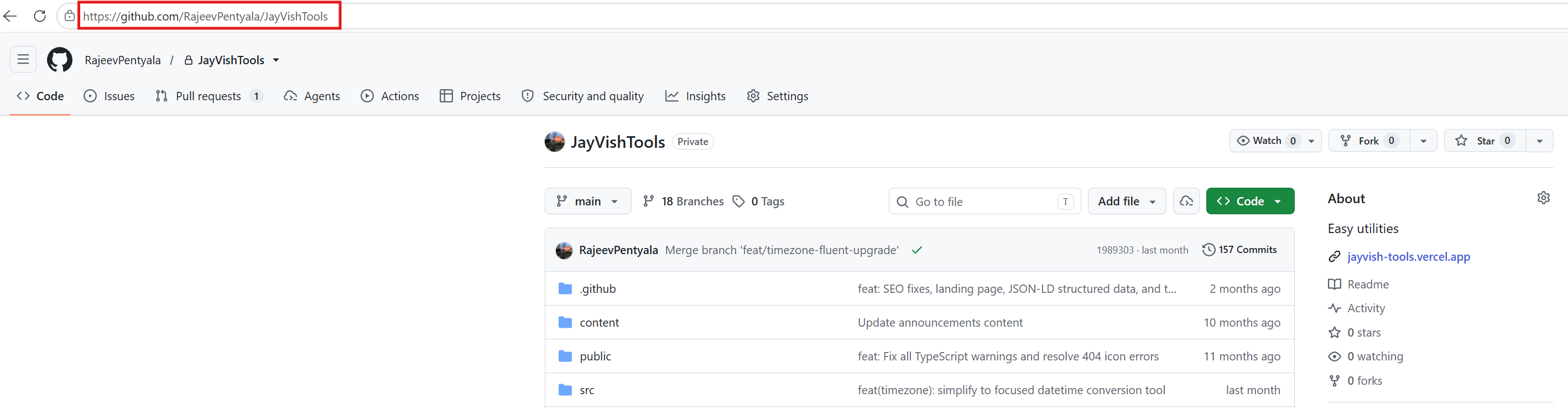
- In the browser address bar, place the cursor at the very start of the URL and type
vscode.dev/beforehttps://github.com/.... - The final URL should look like this:
vscode.dev/https://github.com/<owner>/<repo>
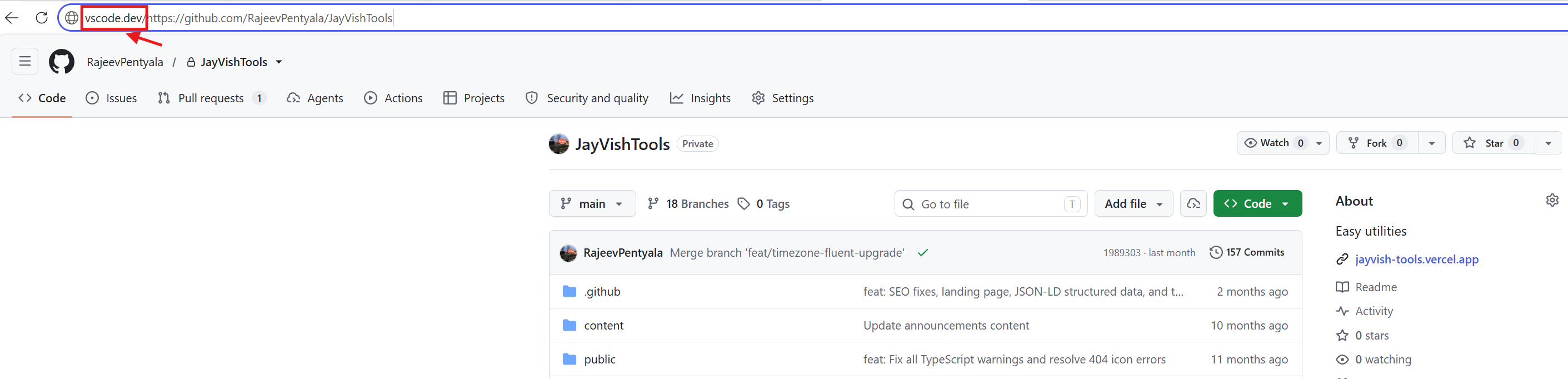
- Press Enter. The repository opens in VS Code for the Web, and lets you browse and edit files right in the browser.

Even Faster: Press the . (period) Key
If you are already on the repo page on github.com, just press the . (period) key on your keyboard.
- The same repo opens in the web editor at a URL like
https://vscode.dev/github/<owner>/<repo>. - No URL editing needed.
- Press
>(Shift + period) instead if you want it to open in a new browser tab. - Works on any repository, fork, or pull request page.
🙂


Leave a Reply