In this article, let’s explore how to use a Power Apps Code App to fetch Dataverse data from a different Power Platform environment. This proof-of-concept uses Microsoft Dataverse connector’s “List rows from selected environment” action to query tables across environments.
The full source code is available on GitHub — you can clone it, configure it for your environment, and deploy it to Power Apps:
👉 GitHub Repository: codeappsconnectdifferentenvironment
What This POC Does
The Cross-Environment Data Fetcher is a Code App that:
- Auto-populates a dropdown with all Dataverse environments the current user has access to
- Lets the user select a target environment and enter a table logical name (e.g.,
bots) - Fetches rows from that table in the target environment
- Displays results in a grid
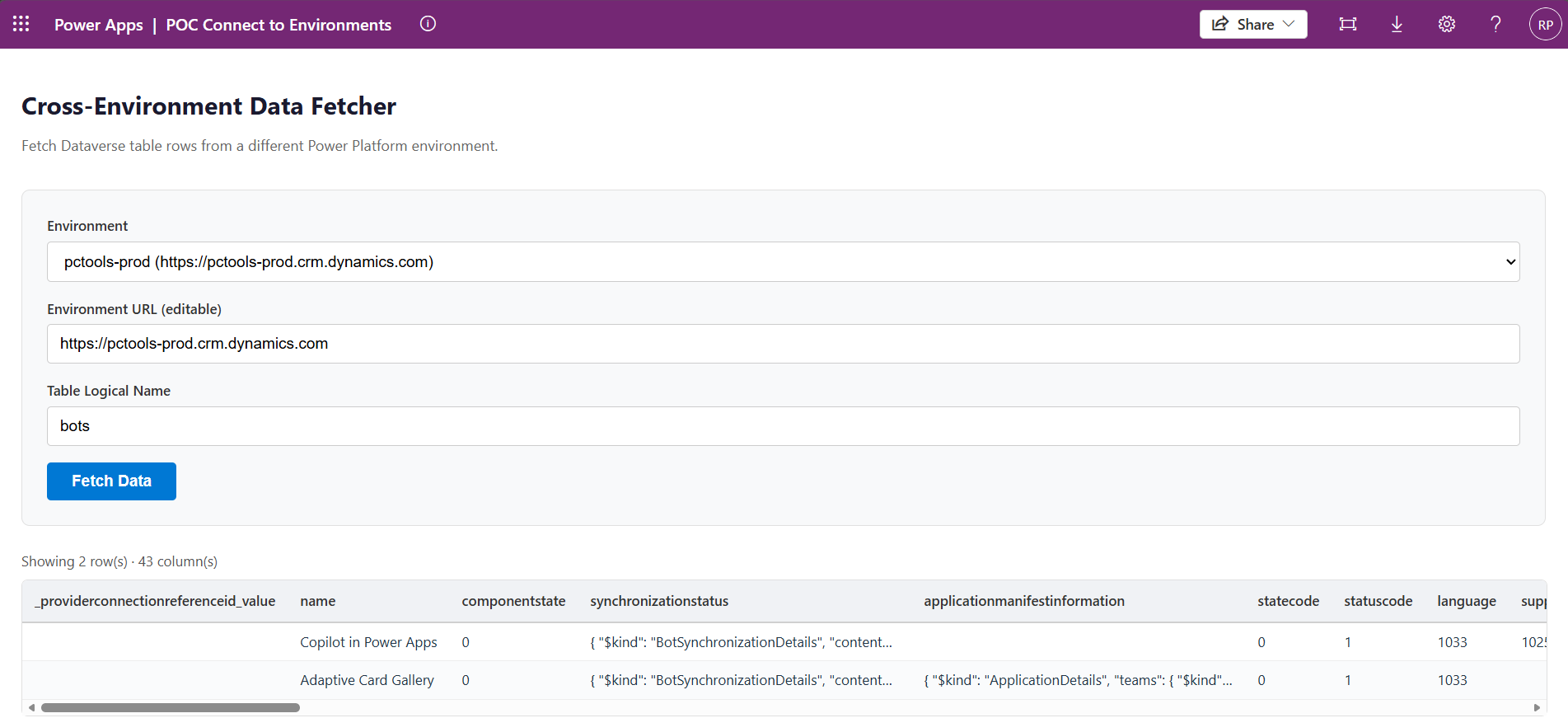
How the Pieces Fit Together:
Here’s a quick look at how the components interact, from the moment a user selects an environment all the way down to the data being fetched:
         GetOrganizations()
              │
              ▼
     Environment Dropdown  ──►  Editable URL Textbox
              │
              ▼
User Input (Environment URL + Table Name)
              │
              ▼
   CrossEnvFetcher.tsx  (React UI component)
              │
              ▼
   CrossEnvDataverseService.ts  (wrapper service)
              │
              ▼
   @microsoft/power-apps  →  Microsoft Dataverse Connector
              │                (ListRecordsWithOrganization)
              ▼
   Target Dataverse Environment
Key Setup Steps:
Getting this working in your own environment comes down to three steps:
- Configure a Microsoft Dataverse connector connector in you Power Platform Environment
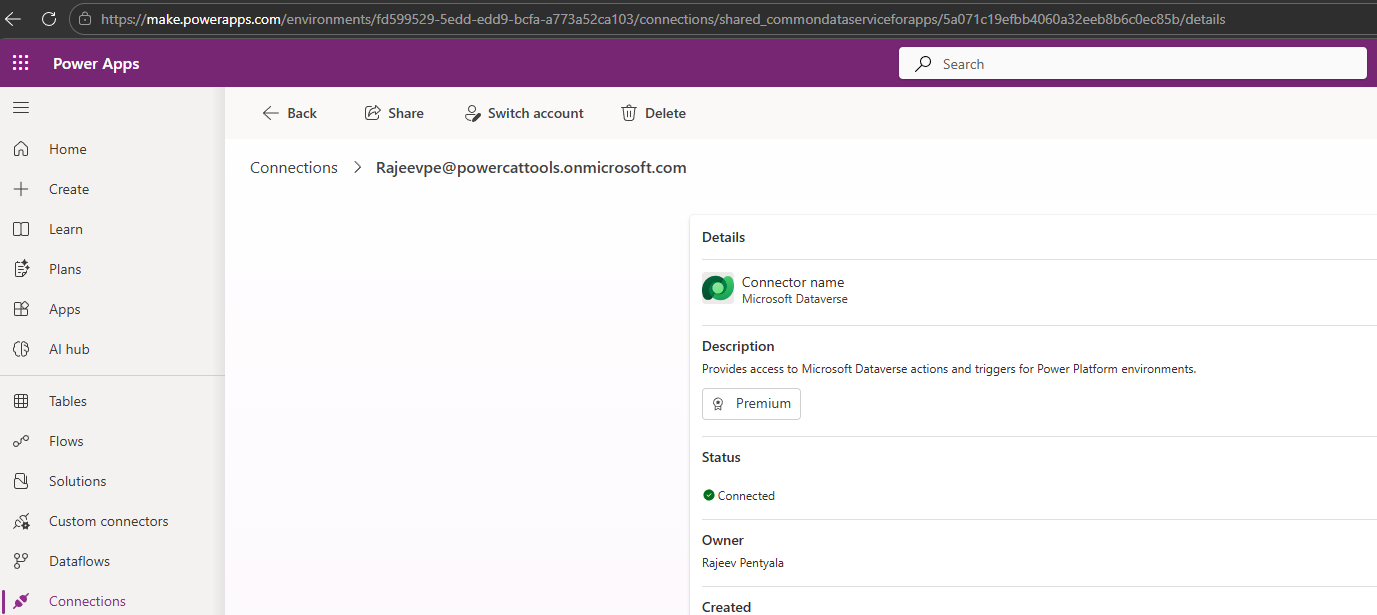
- Add the connection as data source using pac code add-data-source

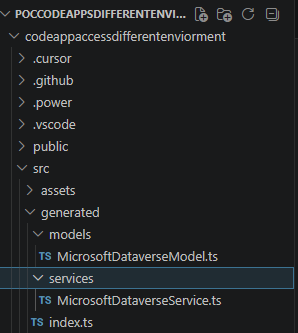
- Check the generated files — once the data source is added, you’ll see a set of auto-generated files in your project that wire everything together
Conclusion:
In this article, we explored a Power Apps Code App that queries Dataverse tables across different Power Platform environments — using a Microsoft Dataverse connector.
Give it a try — clone the repo, deploy it to your environment:
👉 GitHub Repository: codeappsconnectdifferentenvironment
🙂



 Rajeev Pentyala – Technical Blog on Power Platform, Azure and AI
Leave a comment