In my previous blog post Create a ‘To-Do List’ App in VS Code using Claude Code ,I explained how to build a simple app from scratch.
The app works, but I noticed a few areas for improvement:
- Better folder and file organization
- Consistent coding standards
- Following best practices
- Capturing lessons learned so mistakes are not repeated
In this article, let’s see how CLAUDE.md helps with all of the above.
What is CLAUDE.md file?:
CLAUDE.mdis a markdown file you add to your project root that Claude Code reads at the start of every session.- Use it to set coding standards, architecture decisions, preferred libraries, and review checklists.
- There’s no required format for CLAUDE.md files, but keep it short and human-readable. For example:
# Code style- Use ES modules (import/export) syntax, not CommonJS (require)- Destructure imports when possible (eg. import { foo } from 'bar')# Workflow- Be sure to typecheck when you're done making a series of code changes- Prefer running single tests, and not the whole test suite, for performance
Lets learn how to use the CLAUDE.md by extending our app built previously.
Generating CLAUDE.md:
- In VS Code, open Claude Code chat and run:
/init
- Claude Code generates a starter
CLAUDE.mdbased on your current project structure, and you can refine it over time.
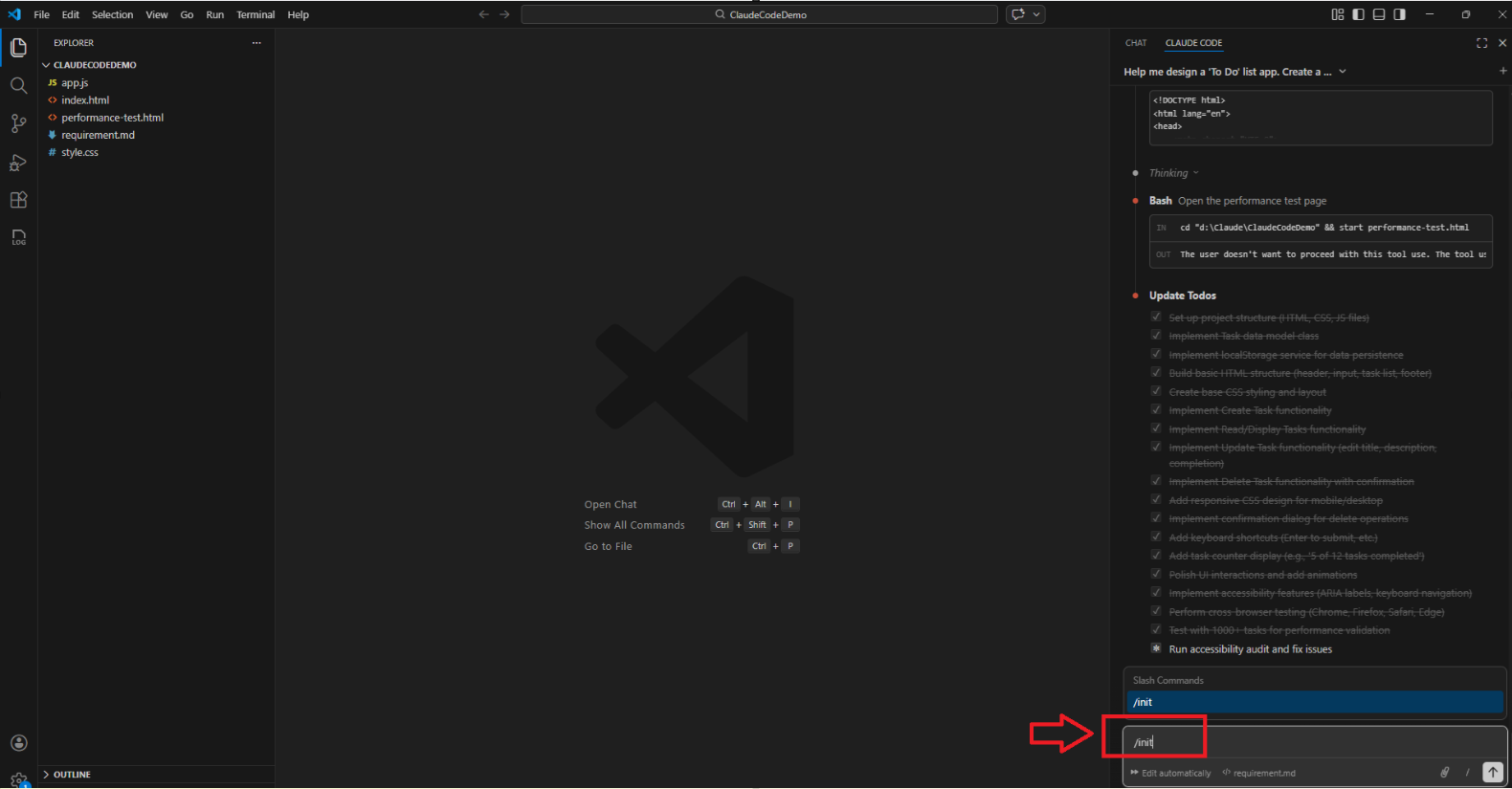
- In my case,
/initcreated aCLAUDE.mdthat reflects how my project looks today.
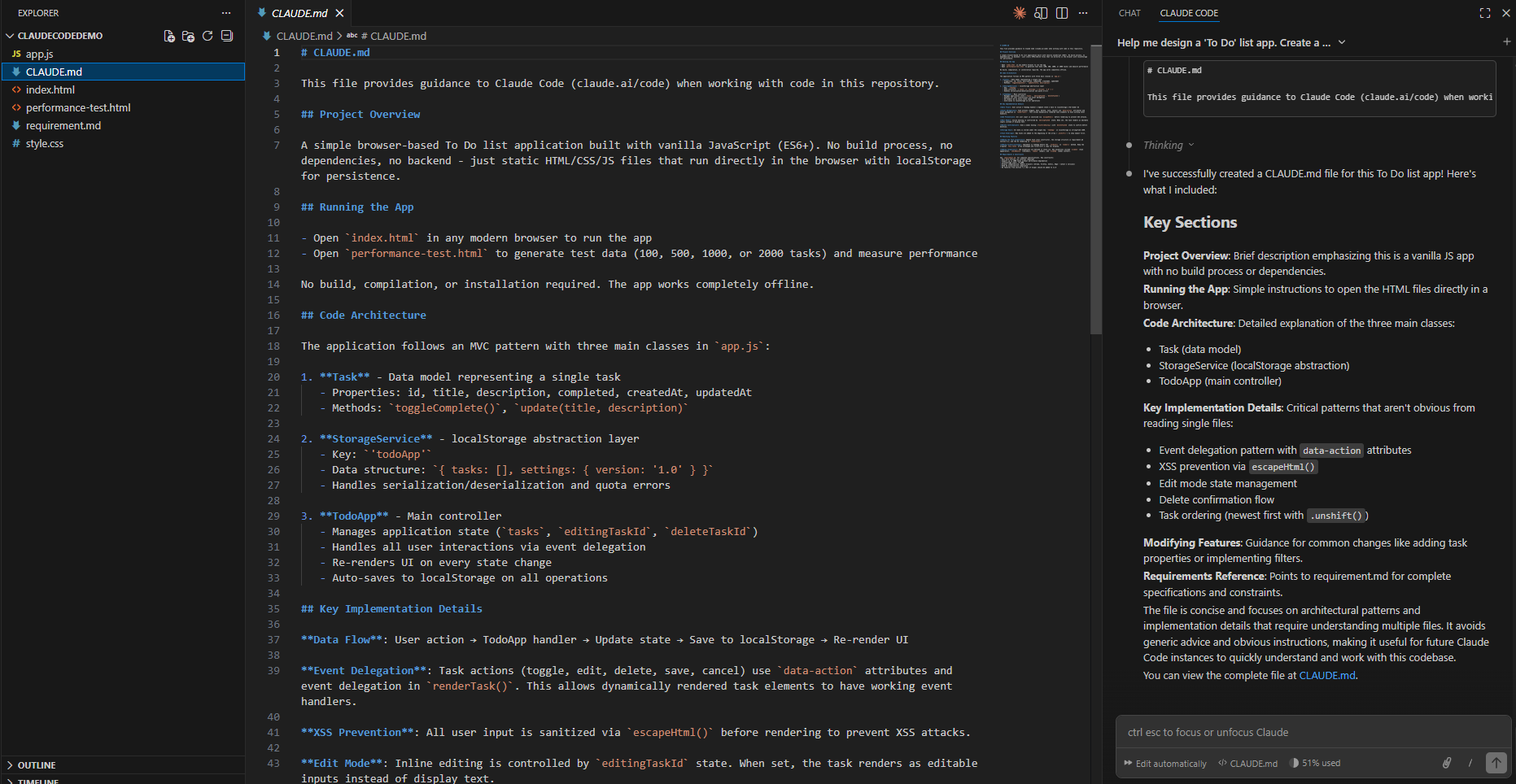
Refining CLAUDE.md for better structure:
- Next, I updated
CLAUDE.mdwith a few rules to keep the project organized:- Keep JS files in
assets/js/ - Keep CSS files in
assets/css/ - Avoid cluttering the root folder
- Follow consistent naming and patterns
- Keep JS files in
- Here is my refined CLAUDE.md :
# CLAUDE.mdThis file provides guidance to Claude Code when working with this repository.## Project OverviewA simple browser-based To-Do list application built using vanilla JavaScript, HTML, and CSS.No build tools, no dependencies, no backend. The app must run by directly opening `index.html` in a browser.## Key RequirementsRefer `@requirement.md` for full requirements and scope.Key features:- Add a task (title + optional due date)- Edit task- Mark as completed- Delete task## Folder Structure Rules (IMPORTANT)Keep the root folder clean and organized.Required structure:- `index.html` must remain in the root folder- All JavaScript files must be inside `assets/js/`- All CSS files must be inside `assets/css/`- Any experimental or testing HTML files must be inside `tools/` (example: performance testing page)- Requirement/spec files must be inside `docs/`Expected structure:- `index.html`- `assets/js/app.js`- `assets/css/style.css`- `docs/requirement.md`- `tools/performance-test.html`- `.gitignore`- `CLAUDE.md`Do not create new files in root unless absolutely required.## Coding Guidelines- Use plain ES6+ JavaScript only (no frameworks)- Keep the code beginner-friendly and readable- Add clear comments for major logic blocks- Use consistent naming conventions- Avoid unnecessary complexity## Workflow RulesAlways follow this approach:1. Read `@docs/requirement.md`2. Use Plan Mode to propose changes3. Implement step-by-step4. After implementation, provide manual test steps5. Ensure there are no console errors## Running the App- Open `index.html` in any modern browser.- No build or installation steps required.## Notes- Keep HTML/CSS/JS changes minimal and clean.- Avoid introducing new features outside the requirements unless explicitly asked.
Applying the rules to the existing project:
- After updating the
CLAUDE.md, I prompted the Claude Code in Plan mode:
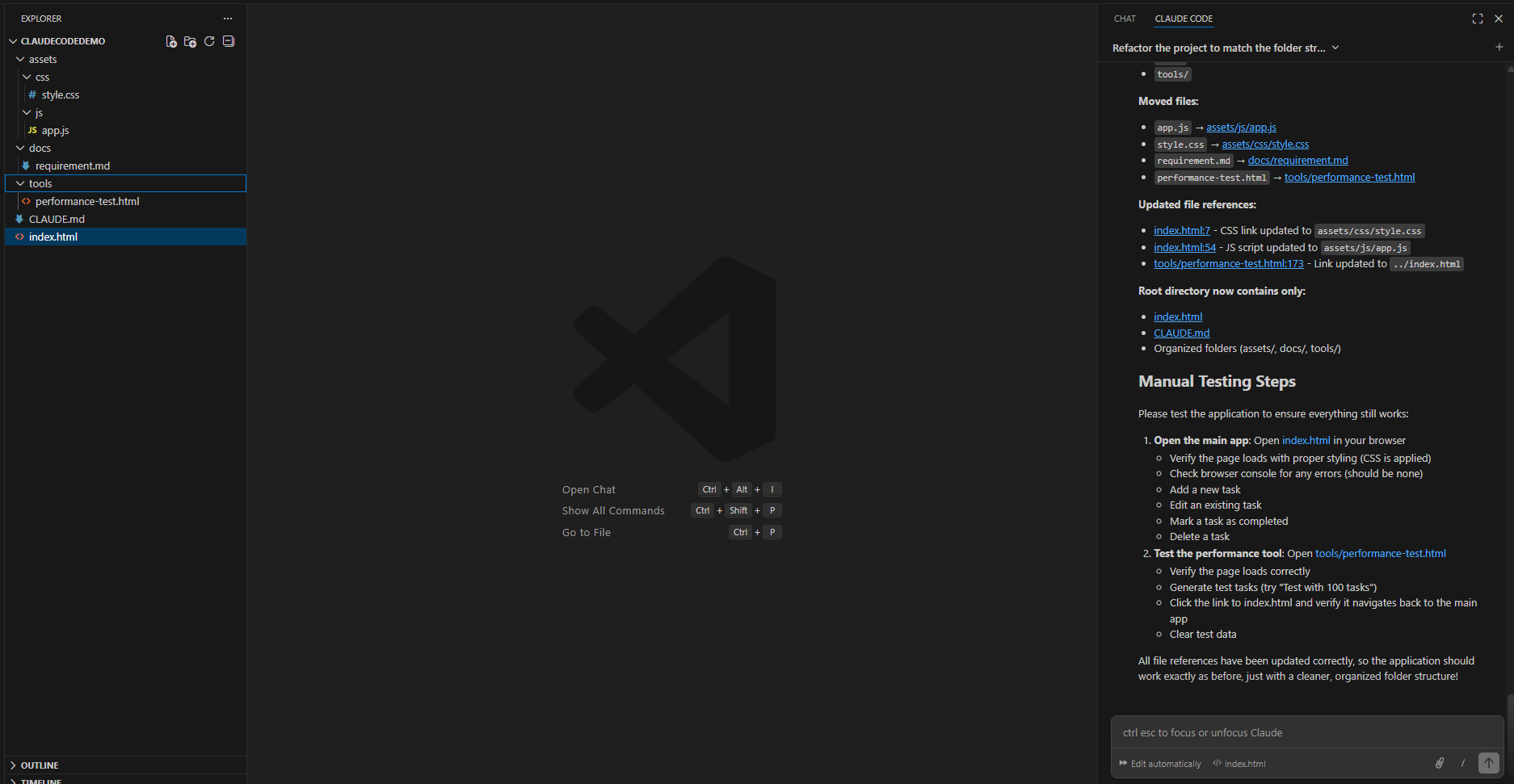
Refactor the project to match the folder structure defined in CLAUDE.md. Move files into the correct folders and update all file references. Ensure the app still runs by opening index.html.
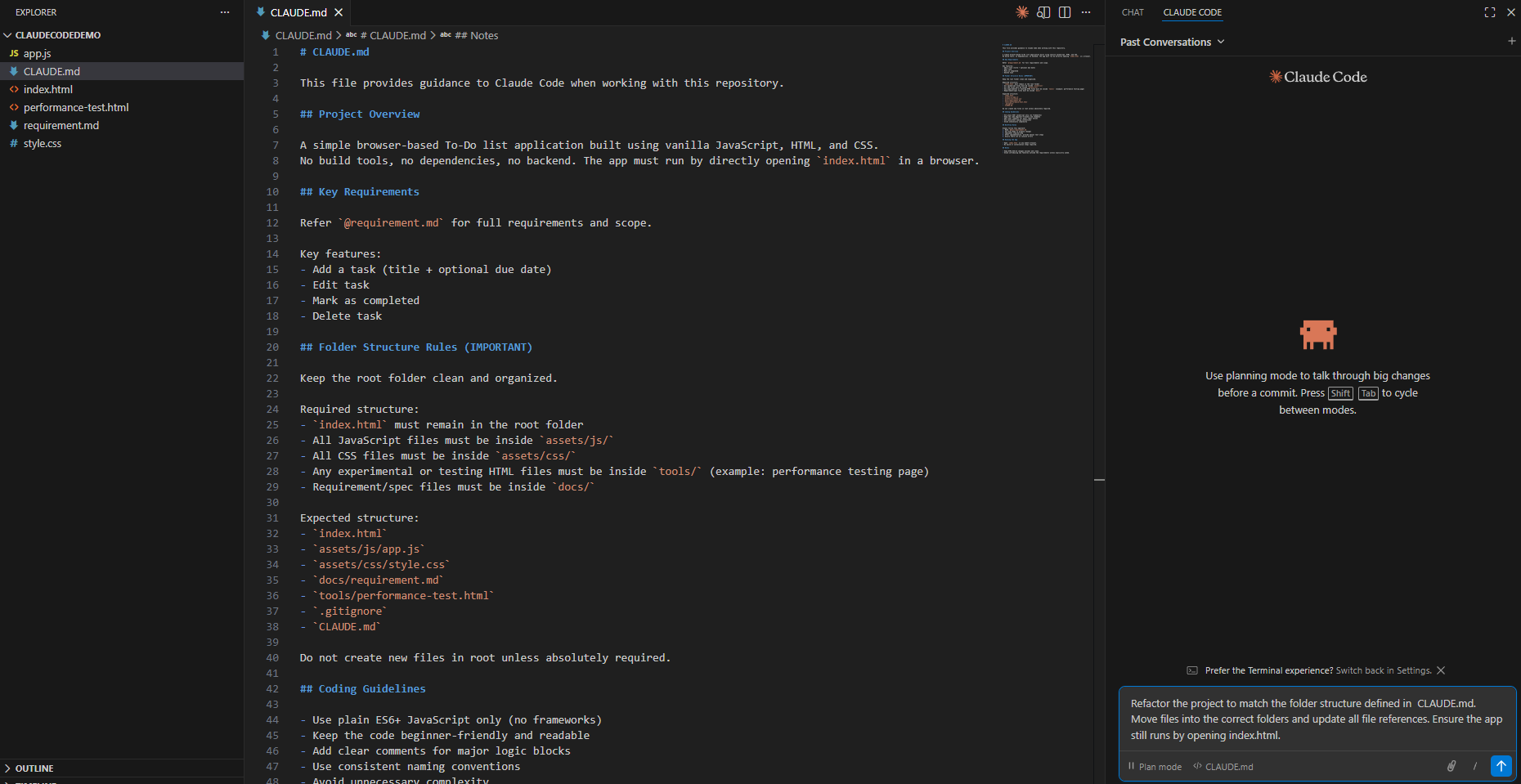
- Claude Code generates a plan. Accept the plan if you are fine.
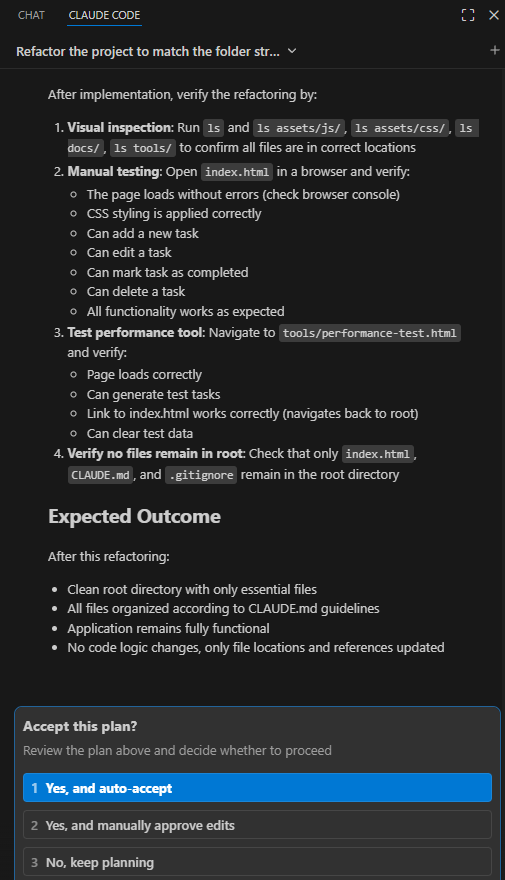
- Claude Code refactored the folders and files and updated references accordingly.(Refer screen below).
- If you are starting a fresh project, it is even easier: run
/initearly, then add your project-specific instructions inCLAUDE.md.
That’s it! By using CLAUDE.md, we can enforce folder structure, coding standards, and best practices so Claude Code generates cleaner and more maintainable projects.
🙂



 Rajeev Pentyala – Technical Blog on Power Platform, Azure and AI
Leave a comment