In this article, I will explain the Entities and Slot Filling in agents concept using a simple, use case. I will mainly focus on Regular expression (regex) entities.
Scenario:
Let’s say we are building a Registration Help Desk agent.
- Users contact the agent to check their registration status.
- To proceed, the agent must collect the registration number from the user.
- All registration numbers in the system follow a specific pattern, for example: ABC-12345
- User may say things like:
- “Here is my number ABC-21222”
- “My registration number is ABC-12345”
- “ABC-11212 is my event number”
- So the expectation from our agent is:
- It should be smart enough to extract the registration number from a natural user response.
- It should be able to validate whether the number follows the expected format.
- If the user provides an incorrect format, the agent should stop and clearly tell the user that the number is invalid.
This is exactly where Regex-based Entities and Slot Filling become very useful in Copilot Studio.
Lets first start with the basics of Entities.
What are ‘Entities’ in agents:
- An Entity in Copilot Studio represents a specific type of information that the agent can recognize from user input.
- Copilot Studio supports a set of prebuilt entities
- You can also create Custom entities of following types:
- Closed list entities : These entities are best used for small lists. Example, hiking and yoga is the list in ‘Camping activity‘ entity.
- Regex entities : Let you define logical patterns that you can use to match and extract information from an input
Coming back to our use case, since our agent needs to identify the ‘Registration Number’ in a specific pattern, we will use a Regex entities.
Create a Regex Entity:
- Go to the Settings page for your agent and select Entities.
- In Create an entity, select Regular expression (regex).
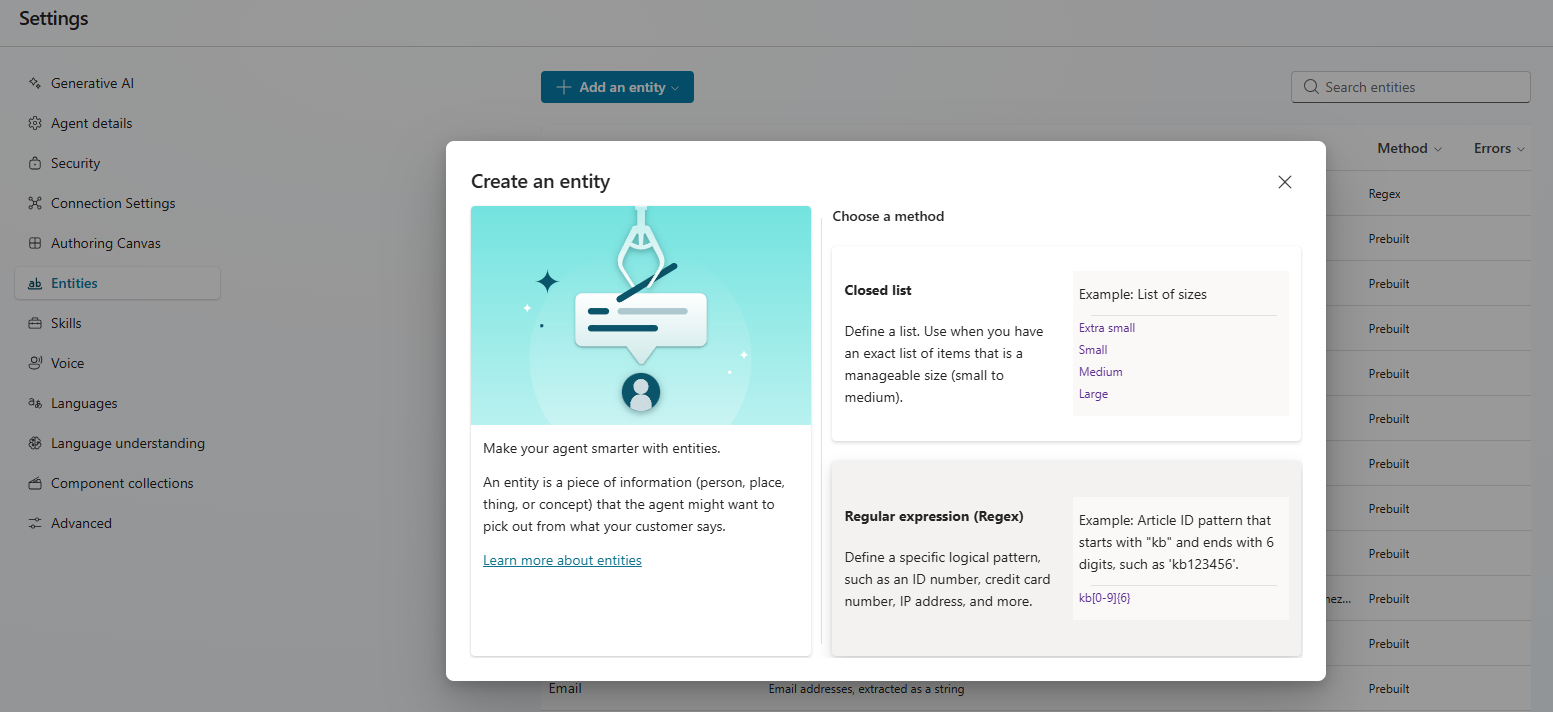
- In the panel that opens, enter a name for your new entity. Enter the regular expression pattern that should be used to match and extract entity items from the input.
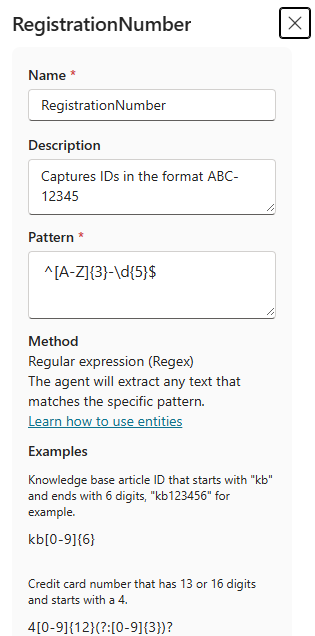
- I used ^[A-Z]{3}-\d{5}$ as pattern, which matches to my registration number pattern.
- Select Save
Now that we have created the RegistrationNumber Regex entity, let’s use it inside a Topic.
Configuring Topic:
- Create a new Topic named Registration Status Checker with Trigger as The agent chooses
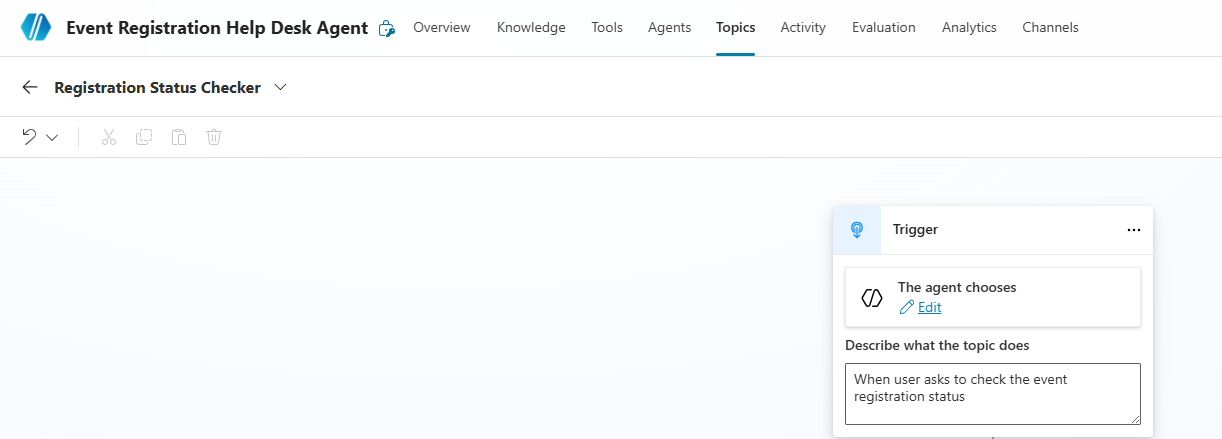
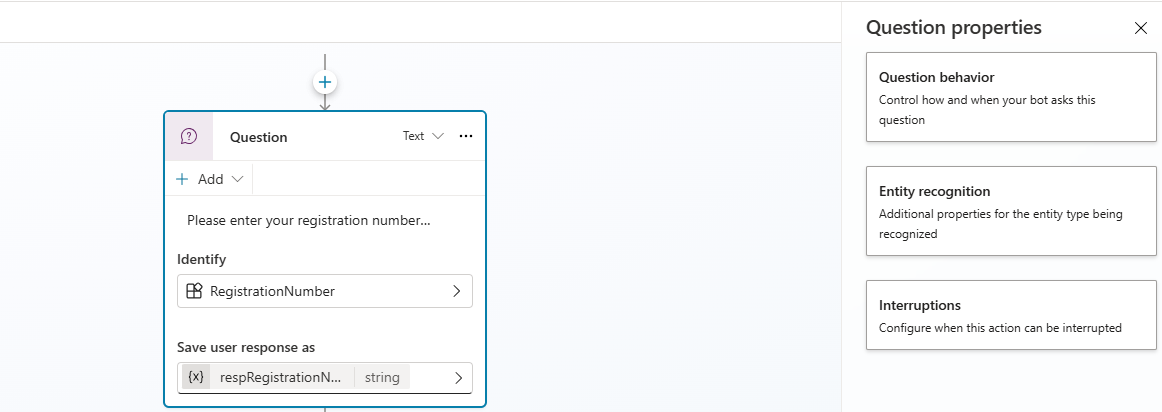
- Next, we will be using Question to ask the user to provide Registration Number and capture the user response using the RegistrationNumber RegEx entity. This is exactly what the slot filling concept is.
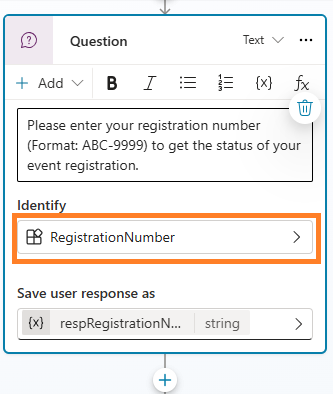
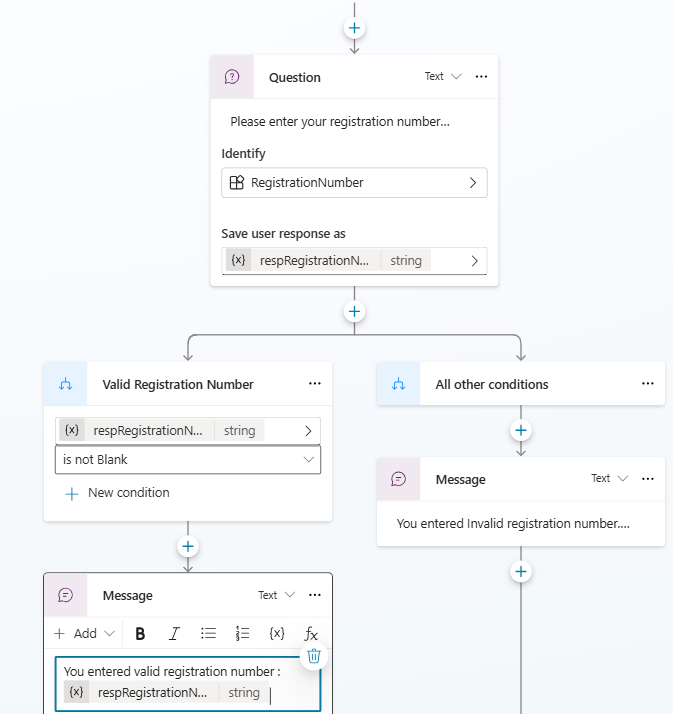
- The Question node attempts to extract the registration number from the user’s response.
- If the input matches the Regex pattern, the value is stored in the variable: r
espRegistrationNumber - If the variable
respRegistrationNumberis not blank, we display a message saying the user provided a valid registration number. - Else, we display a message informing the user that the registration number format is invalid and ask them to recheck.
Set Question Properties:
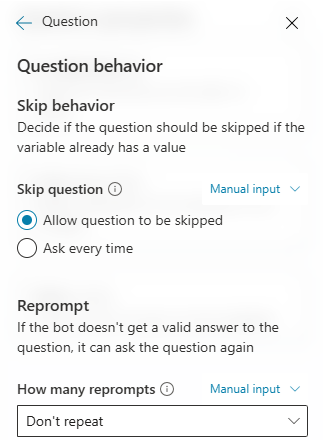
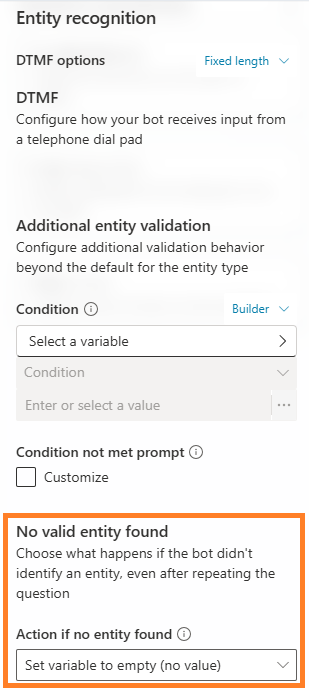
Since we want the agent to continue the flow even when the user provides an invalid pattern, we need to configure a couple of properties in the Question node.
- Go to Question > Properties
- Choose Question behavior and set How many reprompts to Don’t repeat
- Next, choose Entity recognition and set Action if no entity found as Set variable to empty (no value)
- Next add a Condition control to check:
- If the respRegistrationNumber variable value is not blank; Show message to user that valid event registration number pattern provided.
- Else; Show message to user that invalid valid event registration number and recheck.
- Save the Topic
We have successfully configured both RegEx entity and a Topic. Its time to test the agent.
Test the agent:
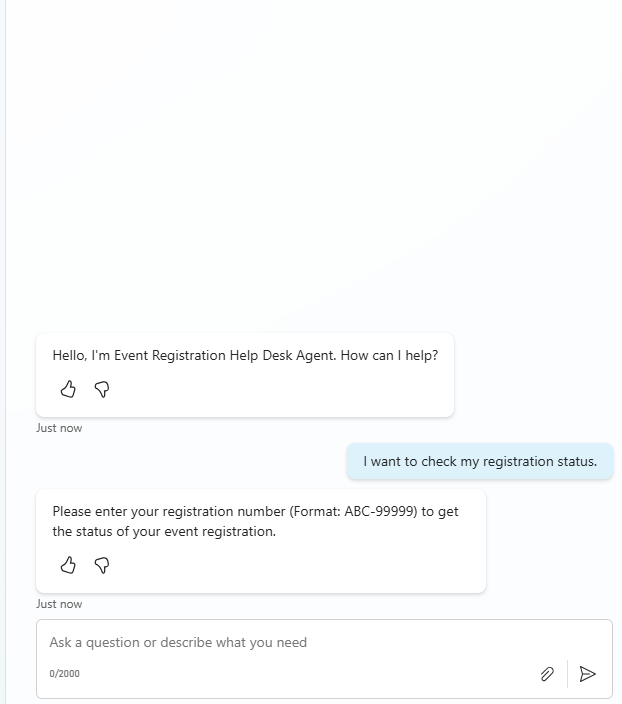
- Ask the agent : I want to check my registration status.
- Agents prompts the user to provide registration number.
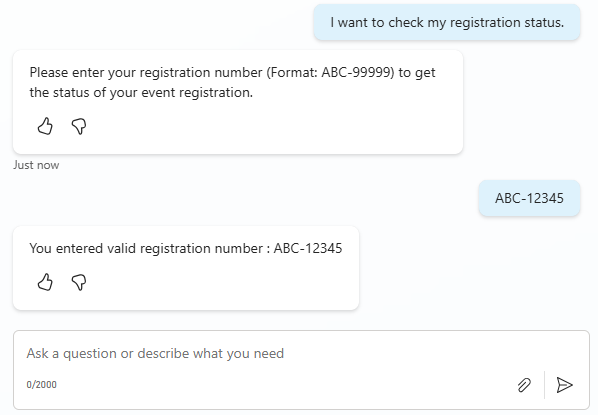
- User provides a valid registration number.
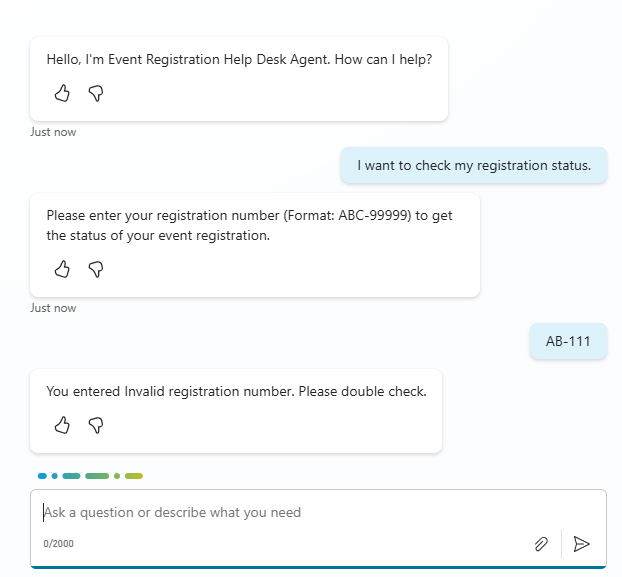
- When user provides an invalid pattern agent prompts user to recheck.
Hope you have learnt the basics of Entities and Slot Filling in Copilot Studio, especially how to use Regex entities with a simple use case 🙂


![[Step by Step] Beginner : Create a PCF control and add it to a custom page](https://rajeevpentyala.com/wp-content/uploads/2024/12/image-49.png)
 Rajeev Pentyala – Technical Blog on Power Platform, Azure and AI
Leave a comment