In Copilot Studio, you can create a test set of test cases to evaluate the performance of your agents with Create test cases to evaluate your agent (preview).
Using the results from the test set, you can optimize your agent’s behavior and validate that your agent meets your business and quality requirements.
Lets see how we can create test cases and evaluate the Agent. I will be using my Running Event Registration agent
Create a test set:
- Sign in to Copilot Studio.
- Navigate to Agents → Open agent that you want to evaluate.
- On the top menu bar, go to Analytics.
- If you didn’t publish your agent, select Start evaluation.

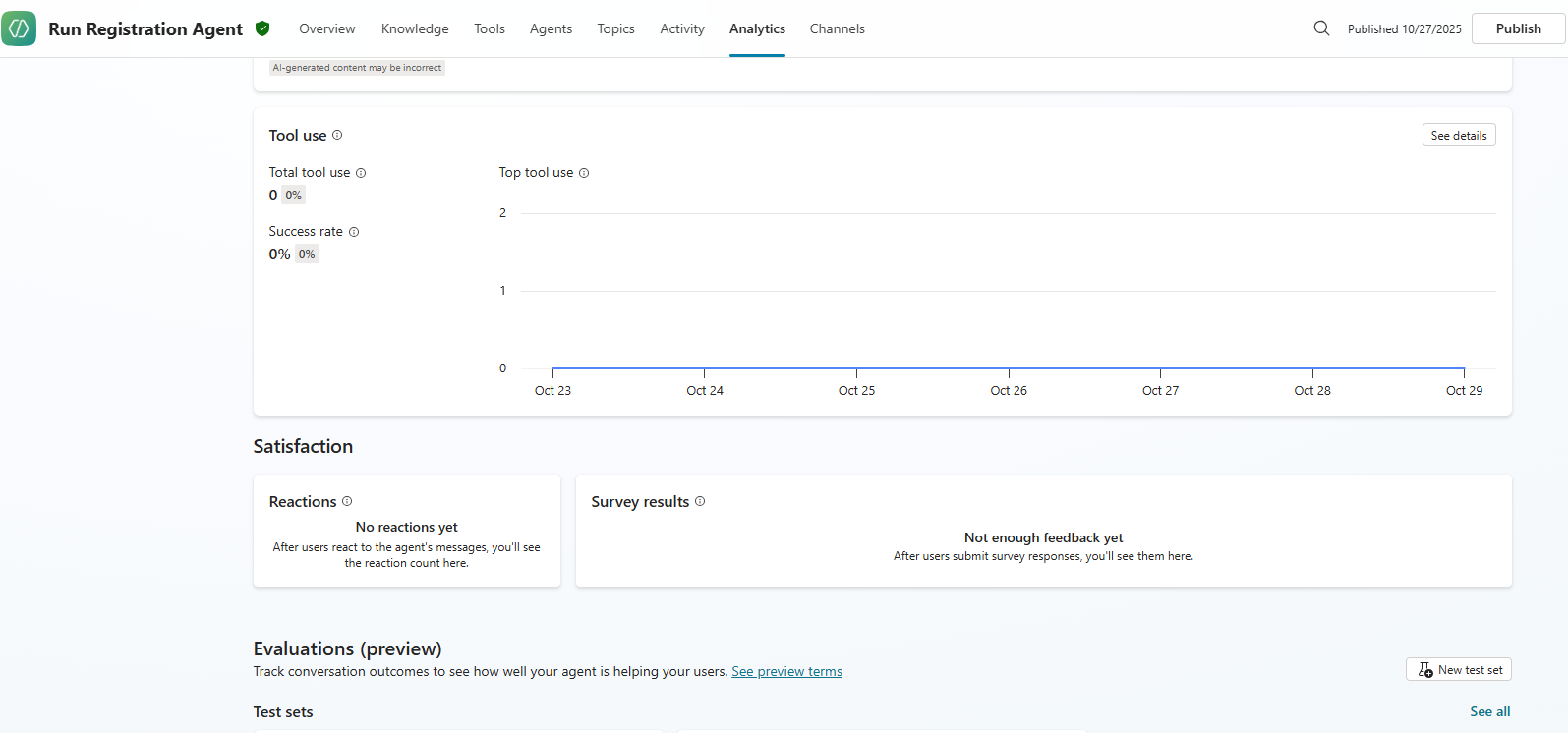
- If you published your agent, go to the Evaluations section and select New test set.
- In the New test set page, choose the method you want to use to create your test set:
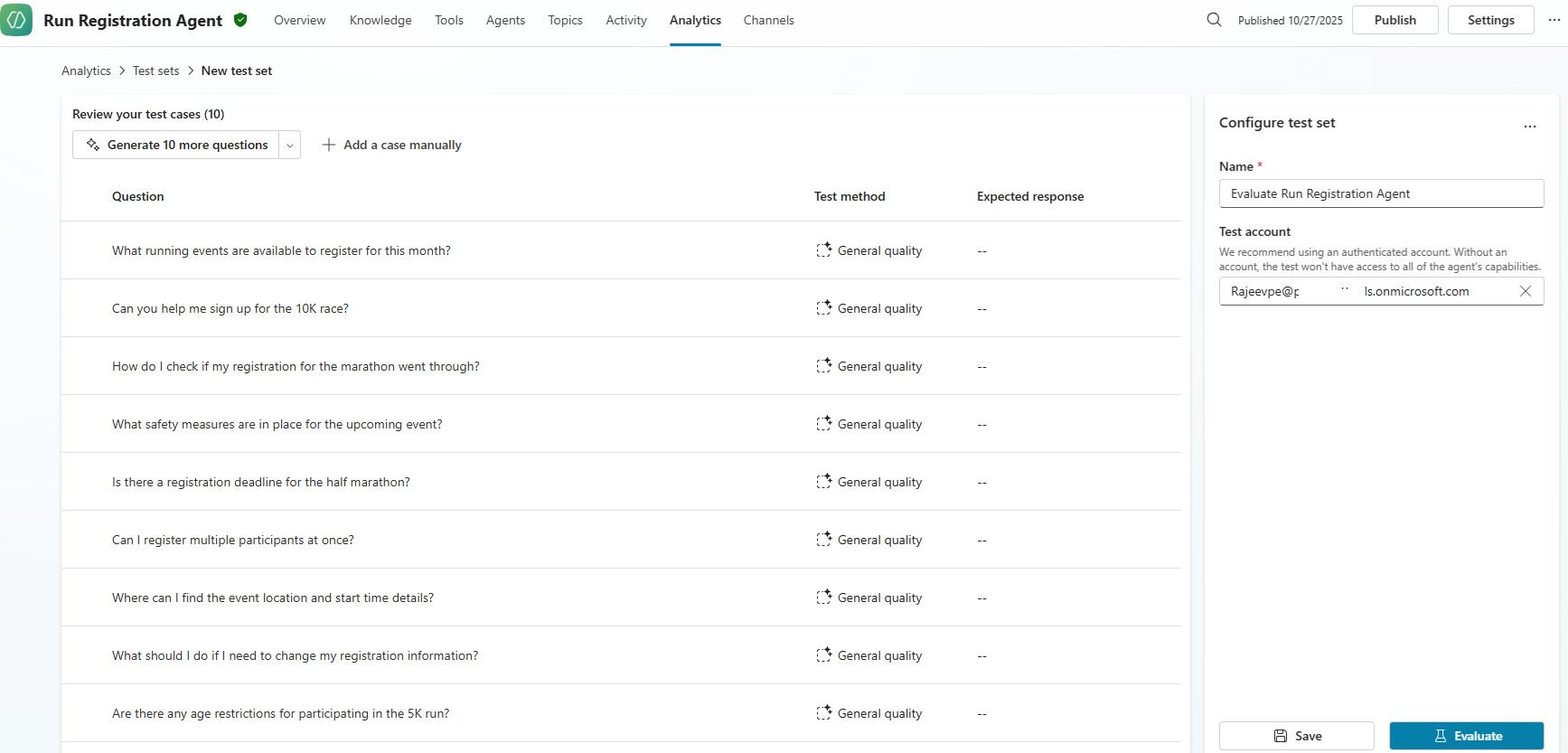
- Select Generate 10 questions to have Copilot Studio create test cases automatically based on what your agent can do.
- Select Use your test chat conversation to automatically populate the test set with the questions you provided in your test chat.
- Select Manually add to manually provide your test case.
- Import test cases from a file by dragging your file into the designated area or select Browse to upload a file.

- I’ve chosen the Generate 10 questions option and test cases created automatically as shown below.
- Clicked on Evaluate and the test cases execution initiated.

- After a minute the execution completed.

- For some reason, all my test cases failed with Something unexpected happened error.

- There may be a product-level issue at the moment. I’ll rerun the test cases after some time.
- So, I went and created a new Agent using the OOB Website Q&A template.

- Followed the above mentioned steps and chosen the Generate 10 questions option. This time test case executed and got 90% pass rate.

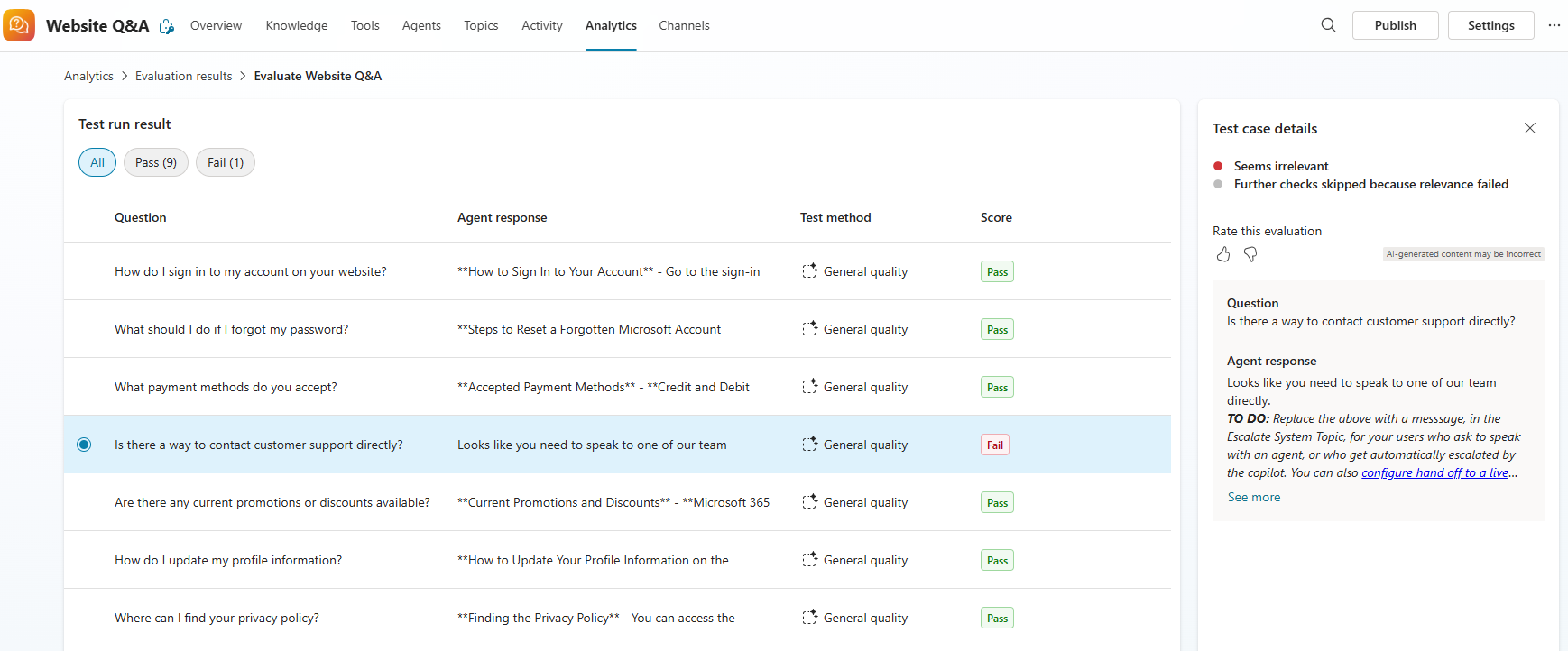
- Click on the result which will take us to Test run result page.
- The Pass test case looks as below with Question and Agent response.

- The Fail test case looks as below with Question, Agent response and TO DO.
I hope this gave you an idea of how to evaluate your agent. For more details, refer to the documentation: Create test cases to evaluate your agent (preview)
🙂



 Rajeev Pentyala – Technical Blog on Power Platform, Azure and AI
Leave a reply to Copilot Studio: Integrate Agent into a C# Console App Using the Agents SDK – Rajeev Pentyala – Technical Blog on Power Platform, Azure and AI Cancel reply