In my previous blog post : Detecting User’s Sentiment in chat I explained how to create a Prompt actions to determine the user’s sentiment and use it with in a topic.
However, the Prompt Action was specific to that agent. If I receive a similar requirement in another agent, I would need to recreate the Prompt Action from scratch.
In this article, let’s explore how to create a Tool that can be shared across multiple agents.
Create a new tool:
- Sign-in to Copilot Studio and choose Tools tab.

- Click on + New tool
- For this example, I will be choosing the Prompt
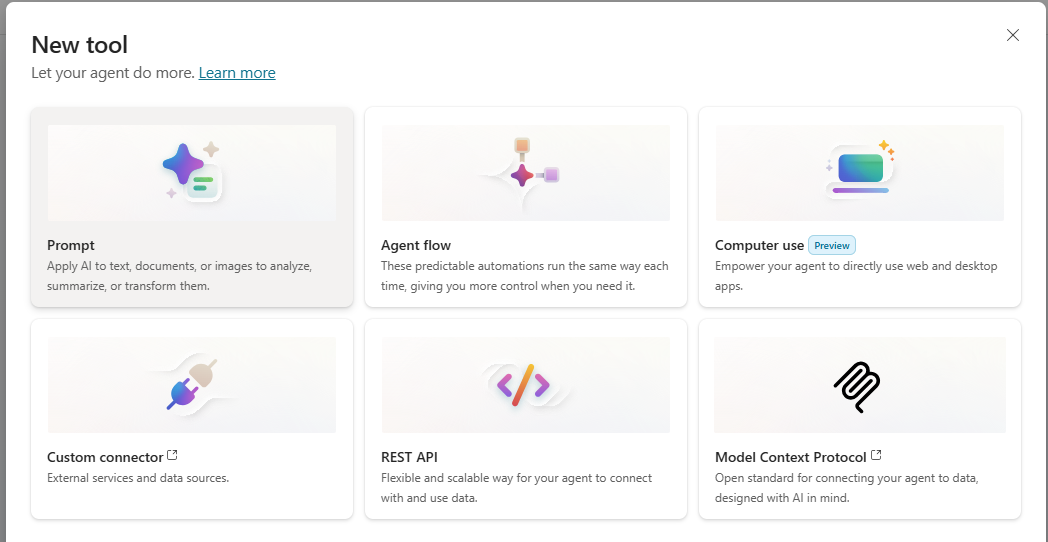
- Click on the Prompt and you will see the prompt builder screen.
- I will be choosing a prompt text from Prompt library. Click on Prompt library

- Choose Run sentiment analysis on text

- Provide a name and save the Prompt.
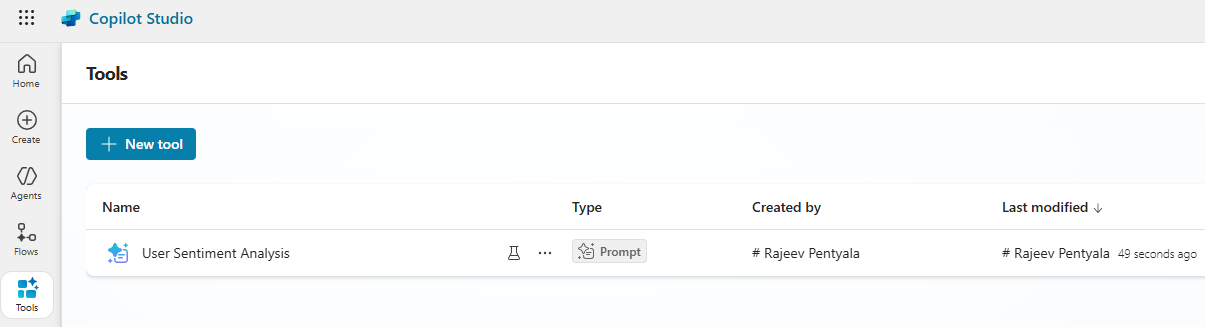
We’ve now created a Tool that can be used across multiple agents. Let’s see how to use this shared tool in an agent.
Use the shared tool in an Agent:
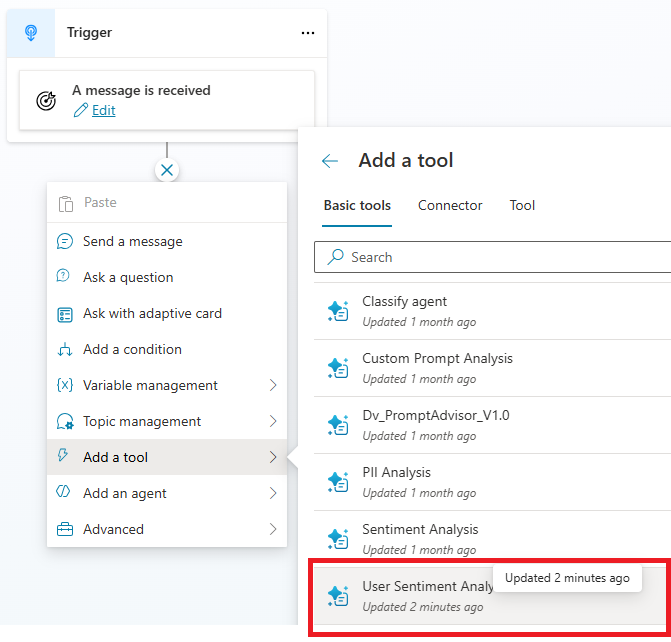
- Open the Agent and create a new Topic
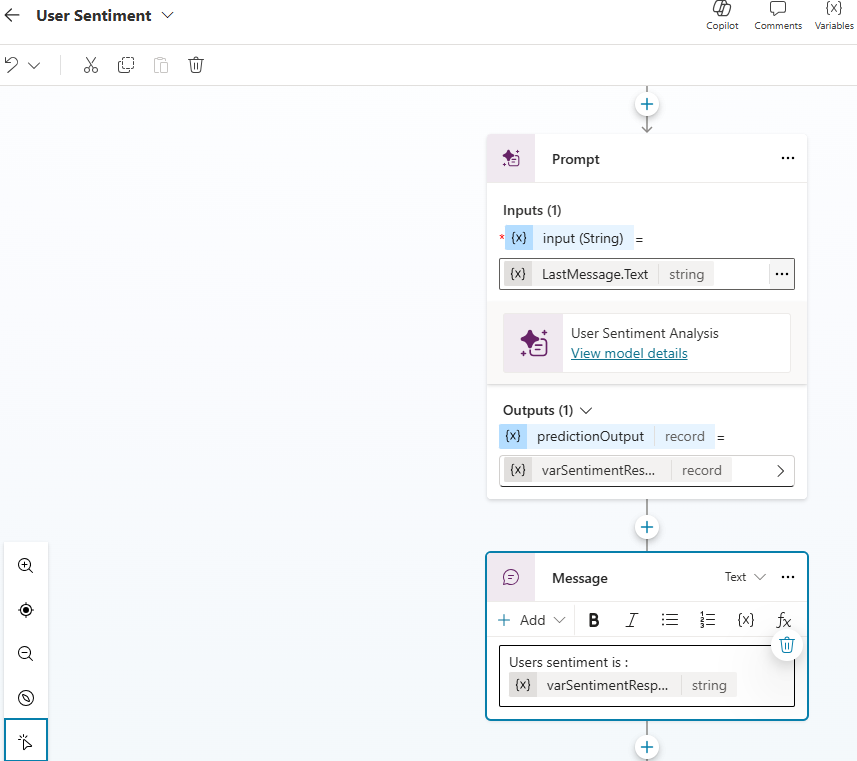
- In the Add a tool you will find the shared topic we created
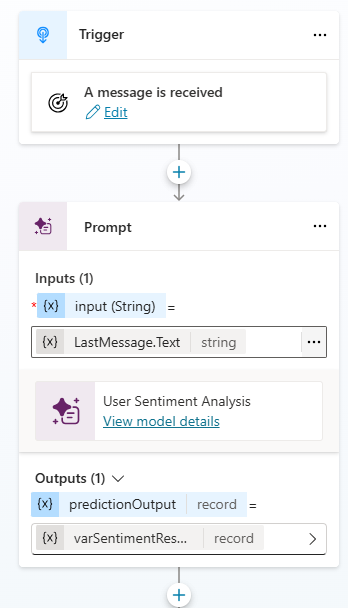
- Configure the Prompt by passing input and capturing the output
- Save the Topic
- Now test the agent as shown below:

That’s it. The Tools page provides a centralized place for makers to create and manage functionality that can be used across agents within an environment.
🙂




 Rajeev Pentyala – Technical Blog on Power Platform, Azure and AI
Leave a comment