In this short article, I’ll explain how to connect to an environment using a Service Principal with the KingswaySoft connector in an SSIS project.
Steps to create the connection:
- Open SSIS project, go to Connection Managers > New Connection
- Choose the DynamicsCRM type provided by Kingswaysoft as shown below and click Add…

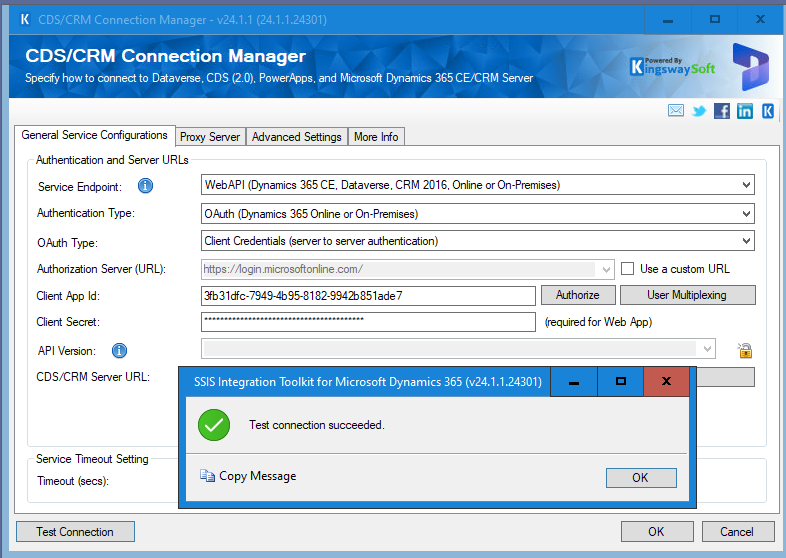
- In the CDS/CRM Connection Manager popup:
- Set Authorization Type > Client Credentials (server to server authentication)
- Enter the required details as shown below.

- Click on Test Connection button and ensure it shows the Test connection succeeded.
🙂


 Rajeev Pentyala – Technical Blog on Power Platform, Azure and AI
Leave a comment