When testing a cloud flow in a Production environment, the following error appeared:
“The flow’s owner needs a Power Automate premium license.”
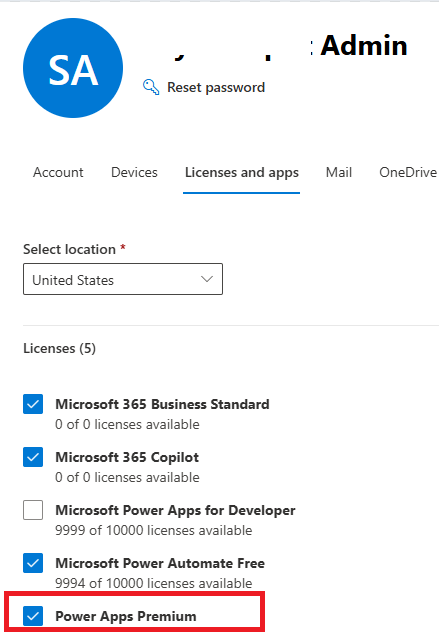
This happened even though the flow owner already had a Power Apps Premium license.
The flow was manually triggered and used a Dataverse Unbound Action. Interestingly, the same flow worked without any issue in a Developer environment.
Lets understand following points:
Why does the flow work in a Developer environment but not in Production?
Why does the flow throw an error even though the owner has a Power Apps Premium license?
Why It Worked in the Developer Environment:
Developer environments are meant for personal use, learning, and testing.
You get free access to Dataverse and Premium connectors, without needing a paid Power Automate Premium license.
Flows using premium features like Dataverse can run without restrictions.
Why the Flow fails in Production Environment:
In Production/Sandbox environments:
If a flow uses a premium connector like Dataverse and is triggered directly (manually or scheduled), a Power Automate Premium license is required, even if you have a Power Apps Premium license.
Scheduled flows that use premium connectors will fail to turn on if the flow owner does not have a Power Automate Premium license.
However, the flow would run successfully if it is triggered from a Power App, because in that case, the flow runs under the Power Apps Premium license, as it is executed within the context of the Power App.
In summary, Flows using premium connectors work with Power Apps Premium license, only when triggered through a Power App. If triggered manually or scheduled, a Power Automate Premium license is required in Production.




 Rajeev Pentyala – Technical Blog on Power Platform, Azure and AI
Leave a comment