If you are new to Power Apps component framework , please refer to the PCF Beginner Guide and PCF React Control blog posts.
I got a requirement to convert Markdown(MD) format to HTML format. In this article, I will explain how to achieve this using Showdown library.
Below is an example of the completed PCF control. It takes MD format as input, and upon clicking Convert to HTML it outputs the response in HTML format.

Let’s start by understanding a bit about Showdown library before diving in to the PCF logic.
Showdown library:
- Showdown is a JavaScript Markdown to HTML converter.
- Showdown can be used on the client-side (in the browser) or server-side (with Node.js).
- Use this link to live test the MD to HTML conversion : http://demo.showdownjs.com/
Now that we understand what is Showdown js library, lets get started with PCF control.
Build PCF control:
I will be focusing on conversion of MD format to HTML in this blog post. If you are looking to learn how to get started with PCF, please refer to the PCF Beginner Guide and PCF React Control blog posts.
Coming back to our topic. Follow these steps to use Showdown js library in the PCF control.
- Install the Showdown package by triggering the command
npm install showdown @types/showdown --save-dev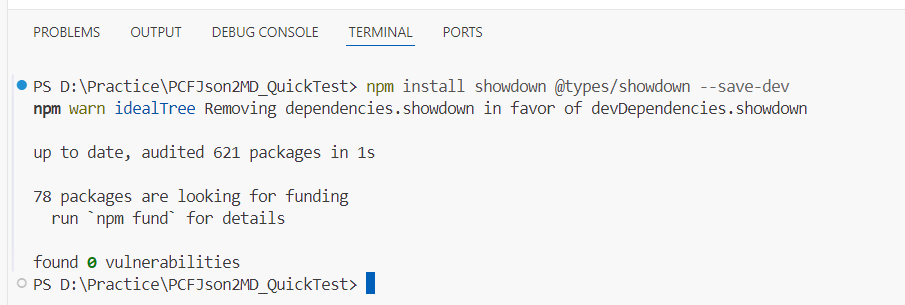
- Open index.ts file and make following changes.
- Add Import showdown package statement.
import * as showdown from "showdown";
- Add UI elements in init() mehtod.
public init(context: ComponentFramework.Context<IInputs>, notifyOutputChanged: () => void, state: ComponentFramework.Dictionary, container: HTMLDivElement): void {
        this.container = container;

        // Create Textarea for Markdown Input
        this.textarea = document.createElement("textarea");
        this.textarea.placeholder = "Enter your Markdown input here...";
        this.textarea.style.width = "100%";
        this.textarea.style.height = "100px";
        this.textarea.style.fontSize = "14px";
        this.textarea.style.marginBottom = "10px";
        this.textarea.addEventListener("input", (event) => {
            this.userInput = (event.target as HTMLTextAreaElement).value;
        });

        // Create Button for HTML Conversion
        this.buttonToHtml = document.createElement("button");
        this.buttonToHtml.textContent = "Convert to HTML";
        this.buttonToHtml.style.padding = "10px 20px";
        this.buttonToHtml.style.marginTop = "10px";
        this.buttonToHtml.style.marginBottom = "10px";
        this.buttonToHtml.addEventListener("click", () => {
            this.convertToHtml();
        });

        // Create HTML Label
        this.htmlLabel = document.createElement("div");
        this.htmlLabel.style.marginTop = "10px";
        this.htmlLabel.style.padding = "10px";
        this.htmlLabel.style.border = "1px solid #ccc";
        this.htmlLabel.style.borderRadius = "5px";
        this.htmlLabel.style.whiteSpace = "pre-wrap";
        this.htmlLabel.style.backgroundColor = "#f9f9f9";
        this.htmlLabel.textContent = "HTML output will appear here.";

        // Append elements to the container
        this.container.appendChild(this.textarea);
        this.container.appendChild(this.buttonToHtml);
        this.container.appendChild(this.htmlLabel);
}- Add a function to convert the MD to HTML by calling ShowDown library functions.
private async convertToHtml(): Promise<void> {
        try {
            // This is required to convert MD 'table' elements
            const converter = new showdown.Converter({ tables: true });

            // Convert Markdown to HTML
            const htmlContent = converter.makeHtml(this.userInput);

            // Display the HTML content as plain text
            this.htmlLabel.textContent = htmlContent;
        } catch (error) {
        }
}- That’s it. We are done with required logic.
- Trigger npm run build and npm start watch commands to test the control.
- Provide MD content and click the Convert to HTML button. You can also test the generated HTML in html viewer.

- Here is the complete index.ts file for your reference
import { IInputs, IOutputs } from "./generated/ManifestTypes";
import * as showdown from "showdown";

export class pcfjson2md implements ComponentFramework.StandardControl<IInputs, IOutputs> {

    private container: HTMLDivElement;
    private textarea: HTMLTextAreaElement; // Input text area for Markdown
    private buttonToHtml: HTMLButtonElement; // Button to convert Markdown to HTML
    private htmlLabel: HTMLDivElement; // Label to display converted HTML

    private userInput: string = ""; // Holds the Markdown input
    private htmlOutput: string = ""; // Holds the HTML output

    constructor() {}

    public init(context: ComponentFramework.Context<IInputs>, notifyOutputChanged: () => void, state: ComponentFramework.Dictionary, container: HTMLDivElement): void {
        this.container = container;

        // Create Textarea for Markdown Input
        this.textarea = document.createElement("textarea");
        this.textarea.placeholder = "Enter your Markdown input here...";
        this.textarea.style.width = "100%";
        this.textarea.style.height = "100px";
        this.textarea.style.fontSize = "14px";
        this.textarea.style.marginBottom = "10px";
        this.textarea.addEventListener("input", (event) => {
            this.userInput = (event.target as HTMLTextAreaElement).value;
        });

        // Create Button for HTML Conversion
        this.buttonToHtml = document.createElement("button");
        this.buttonToHtml.textContent = "Convert to HTML";
        this.buttonToHtml.style.padding = "10px 20px";
        this.buttonToHtml.style.marginTop = "10px";
        this.buttonToHtml.style.marginBottom = "10px";
        this.buttonToHtml.addEventListener("click", () => {
            this.convertToHtml();
        });

        // Create HTML Label
        this.htmlLabel = document.createElement("div");
        this.htmlLabel.style.marginTop = "10px";
        this.htmlLabel.style.padding = "10px";
        this.htmlLabel.style.border = "1px solid #ccc";
        this.htmlLabel.style.borderRadius = "5px";
        this.htmlLabel.style.whiteSpace = "pre-wrap"; // Preserve line breaks
        this.htmlLabel.style.backgroundColor = "#f9f9f9";
        this.htmlLabel.textContent = "HTML output will appear here.";

        // Append elements to the container
        this.container.appendChild(this.textarea);
        this.container.appendChild(this.buttonToHtml);
        this.container.appendChild(this.htmlLabel);
    }

    public updateView(context: ComponentFramework.Context<IInputs>): void {
        // No update logic needed for unbound controls
    }

    public getOutputs(): IOutputs {
        // Return an empty object since no outputs are required
        return {};
    }

    public destroy(): void {
        // Cleanup resources
        this.textarea.remove();
        this.buttonToHtml.remove();
        this.htmlLabel.remove();
    }

    private async convertToHtml(): Promise<void> {
        try {
            // Initialize the showdown converter with table support
            const converter = new showdown.Converter({ tables: true });

            // Convert Markdown to HTML
            const htmlContent = converter.makeHtml(this.userInput);

            // Display the HTML content as plain text
            this.htmlLabel.textContent = htmlContent;
        } catch (error) {
            // Handle errors
            this.htmlLabel.textContent = "Error: Unable to convert Markdown to HTML.";
        }
    }
}
🙂


![[Step by Step] Beginner : Create a PCF control and add it to a custom page](https://rajeevpentyala.com/wp-content/uploads/2024/12/image-49.png)
 Rajeev Pentyala – Technical Blog on Power Platform, Azure and AI
Leave a comment