Imagine you’re new to Power Platform and eager to learn from others’ experiences in app development. Did you know that you can explore and download amazing apps/solutions of others from a sample gallery?
Go to Microsoft Adoption portal and navigate to Solutions > Sample Solution Gallery.
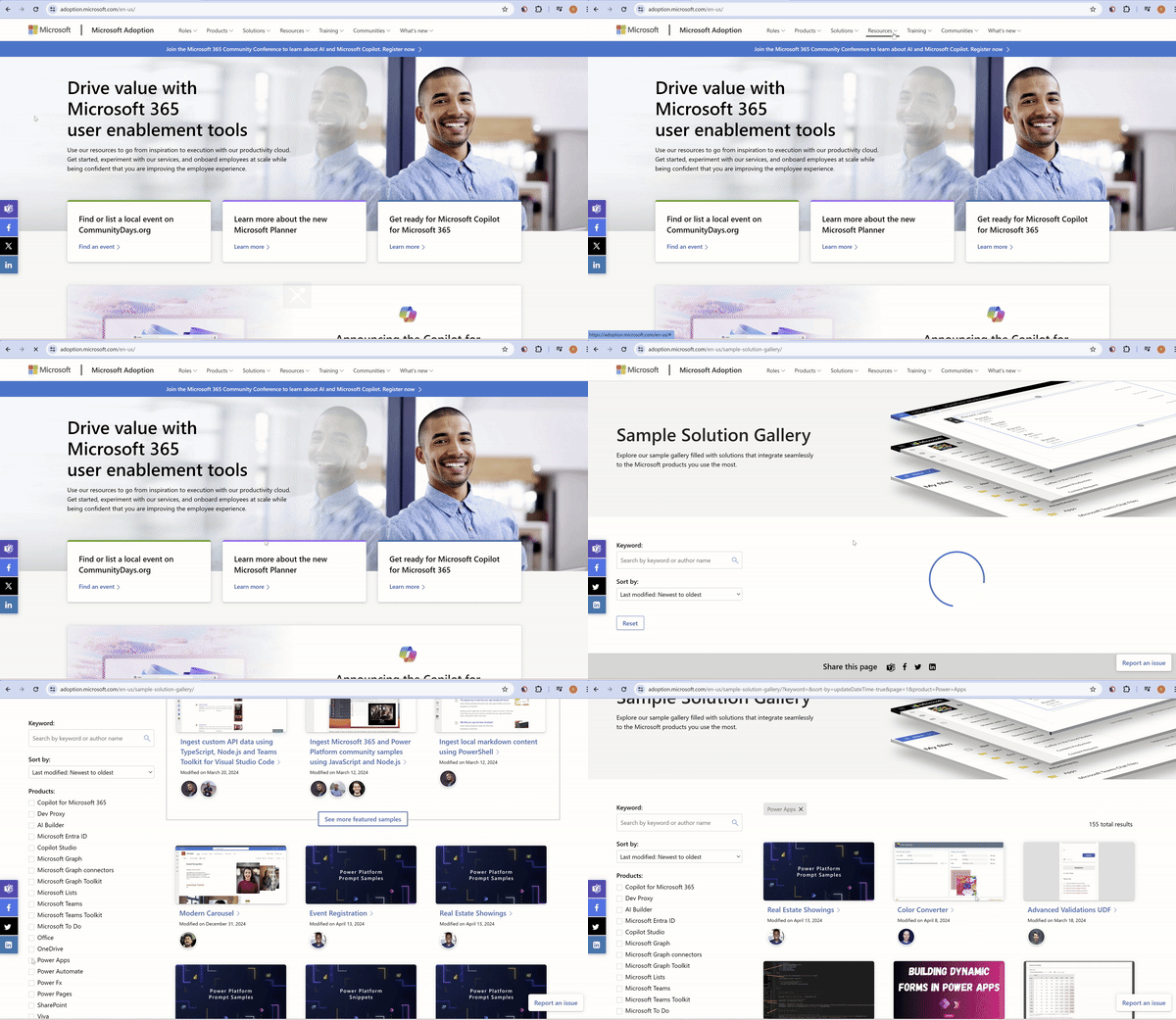
Let’s discover how to explore and find a Power Apps solution, then put it to use.
Steps to find a Power App solution and download:
- Open the Microsoft Adoption portal and navigate to Solutions > Sample Solution Gallery
- Filter by Products > Power Apps
- Select the app you’re interested in and navigate to its GitHub page.
- Review the selected app’s summary from the README.md file.
- Download the solution and install it in your environment.

- Likewise, you can also find sample solutions for other Microsoft products.
Happy exploring 🙂



 Rajeev Pentyala – Technical Blog on Power Platform, Azure and AI
Leave a comment