What is ‘Power BI Desktop developer mode’:
- With the Power BI Desktop Developer Mode (Preview), Power BI Desktop now lets you save your work as a Power BI Project (PBIP).
- When saving as a project, report and dataset artifact definitions are saved as individual plain text files in a simple, intuitive folder structure.
- When you save as a project, Power BI Desktop saves report and dataset artifacts as folders, each containing text files that define the artifact. You see the following:

Now the TMDL in Power BI Desktop developer mode (Preview) feature announces the adoption of Tabular Model Definition Language (TMDL) as the semantic model file format for the Power BI Project files(PBIP).
Why TMDL?
- Instead of a big JSON file like Tabular Model Scripting Language (TMSL), TMDL has a folder structure with separate files for each table, perspective, role, and culture.
- This makes it easier to work with others, and to understand the semantic model structure by just looking at the folder and files.
- This leads to a great source control and co-development experience when dealing with git diff’s and merge conflicts.
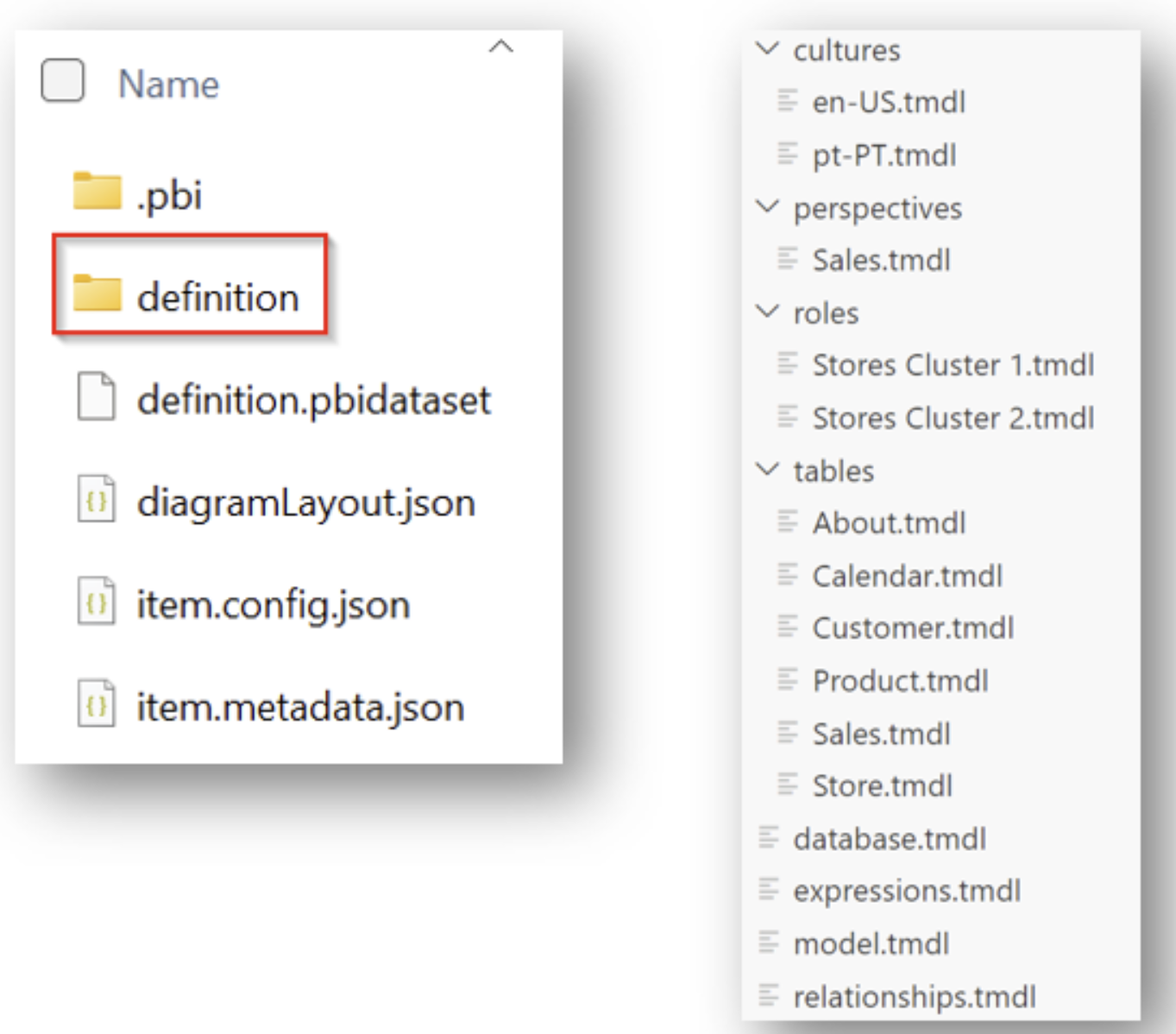
- When saving as PBIP, your semantic model will be saved as a TMDL folder named “\definition” with separate files for each table, perspective, role and culture:
- During the Public Preview of Power BI Desktop developer mode, TMDL format will be opt-in, and TMSL will continue to be the default format. At General Availability, TMDL will become the default semantic model file format.
Please refer this official blog post for more details.
🙂



 Rajeev Pentyala – Technical Blog on Power Platform, Azure and AI
Leave a comment