Are you aware that you can enable/disable organization settings directly from the Power Apps maker portal?
For example, I’ve added a Copilot control to my Canvas App and by default, App users can provide feedback by selecting Like (thumbs up) or Dislike (thumbs down) button for each response that Copilot provides.
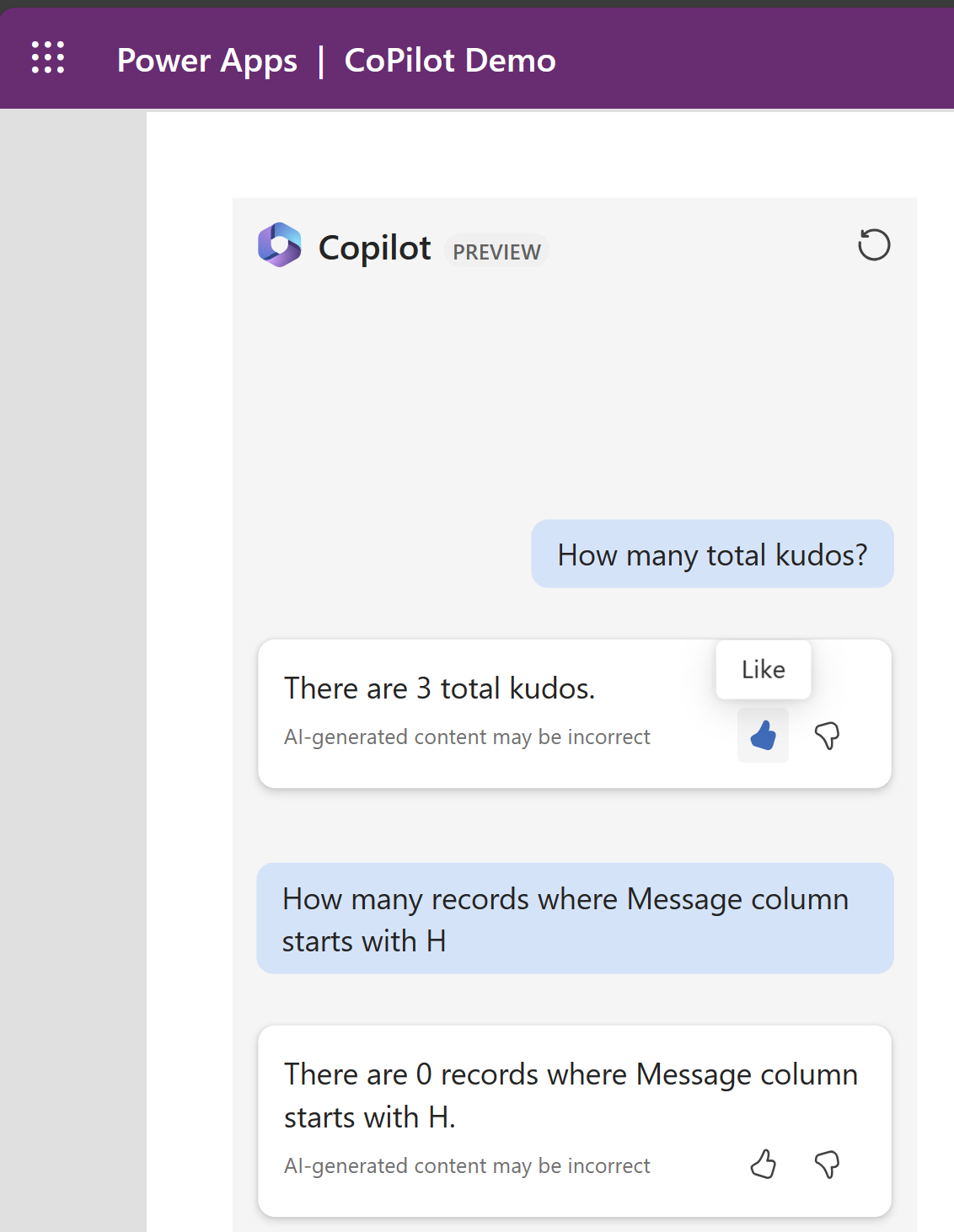
Now, what if I want to disable the option to provide feedback?. Admins can do so by,
- Sign in to Power Apps.
- On the left navigation pane, select Tables > Organization.
- In the Organization columns and data section, select the list of columns and search for Allow users to provide feedback for App Copilot.
- Set the toggle to No.
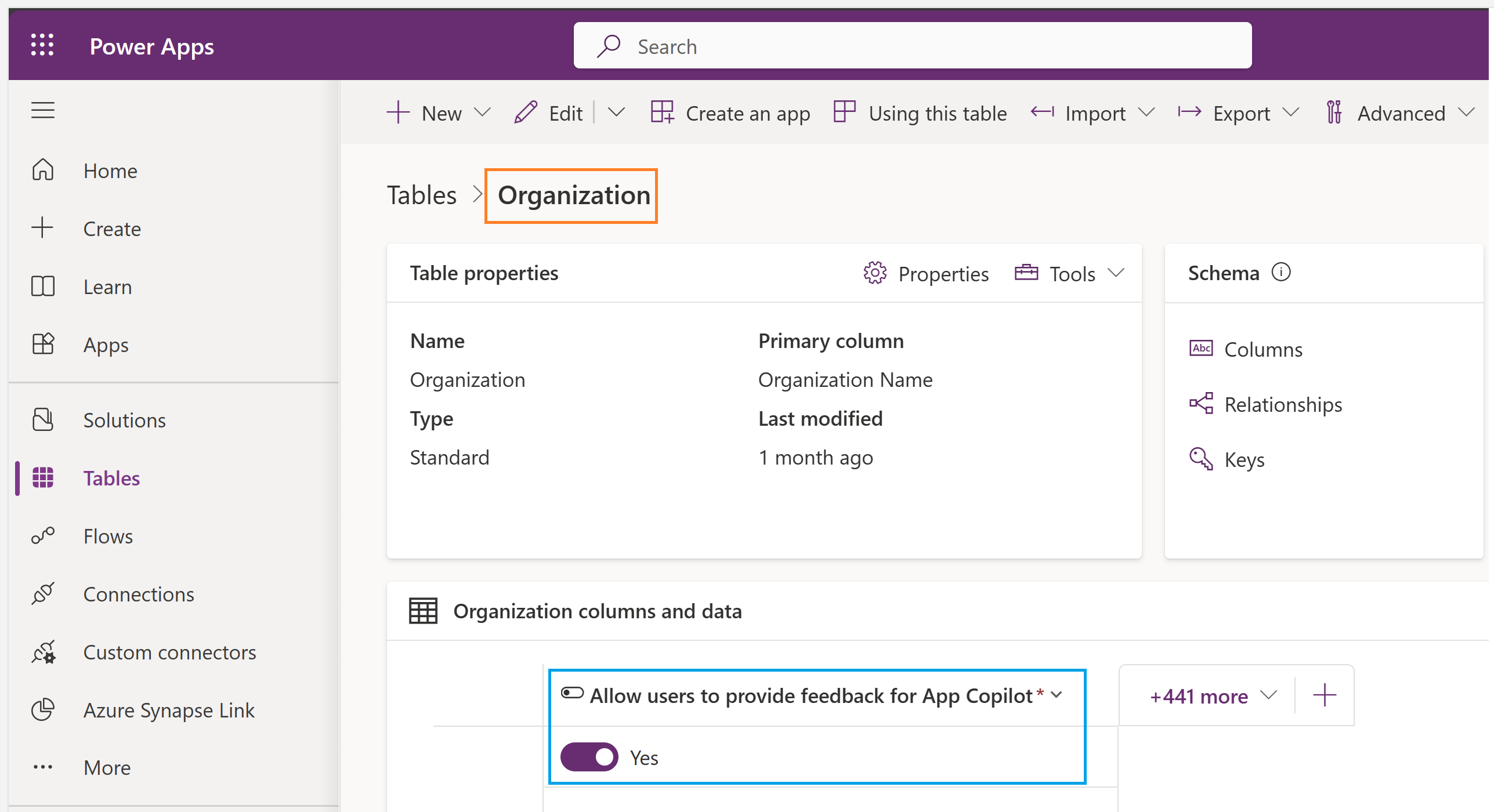
Similar to the example above, you can change the properties of settings using the Organization table, listed here.
🙂


![[Step by Step] Beginner : Create a PCF control and add it to a custom page](https://rajeevpentyala.com/wp-content/uploads/2024/12/image-49.png)
 Rajeev Pentyala – Technical Blog on Power Platform, Azure and AI
Leave a comment