Audit data is now stored separately from customer records so an organization’s audit log can grow to many terabytes in size without limiting available Database capacity.
Audit Retention Policy:
- In the ‘Admin Center’, on the ‘Environment’ page now we have ‘Auditing -> Manage’ option to set the Audit Retention Policy.
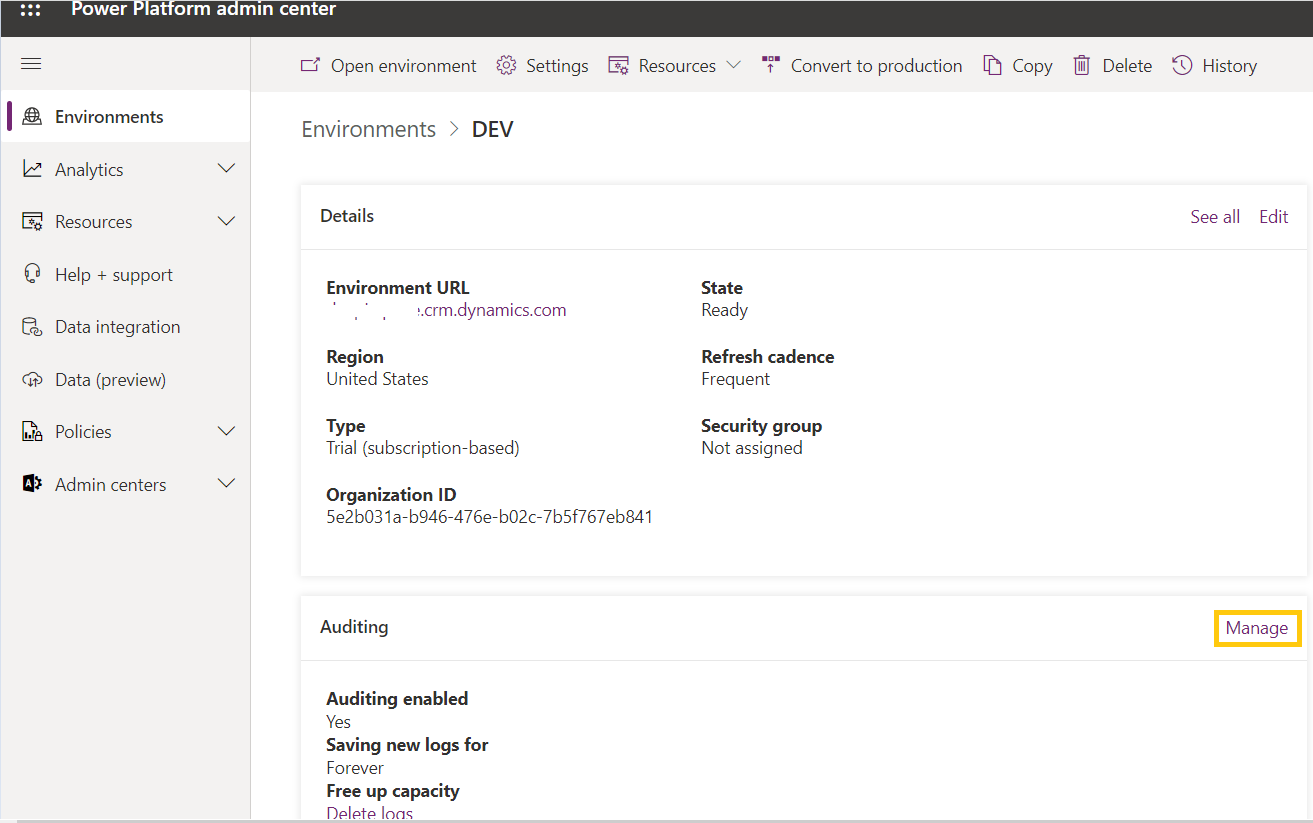
- Select one of the options from the dropdown to set the retention duration.

- Audit records are automatically deleted after the retention period is over, relieving administrators from the burden of deleting audit data manually.
- It is also possible to keep the audit log indefinitely by not specifying a retention period.
Free up capacity:
- With the new audit deletion options, Administrators can delete the logs of one or more audited tables, delete the user access logs, or delete logs up to a specific date in order to free up storage space.

Refer the docs link for more insights.



 Rajeev Pentyala – Technical Blog on Power Platform, Azure and AI
Leave a comment