If you encountered following exception while embedding Canvas app in Model Driven App, then this article is for you.
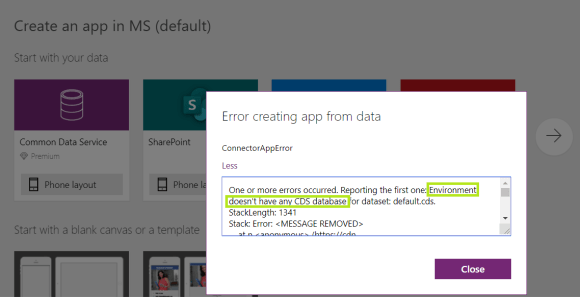
Reason:
- You must have a CDS database in your environment to configure Embed Canvas App, as the Canvas App metadata gets stored in CDS database.
Fix:
- Connect to PowerApps Admin Center
- Open the ‘default’ environment.
- Click on ‘Add database’.
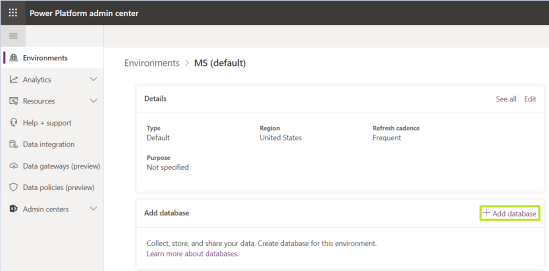
- Give it sometime to complete the database setup.
- Once done, you would get ‘Database version’ rendered as below:
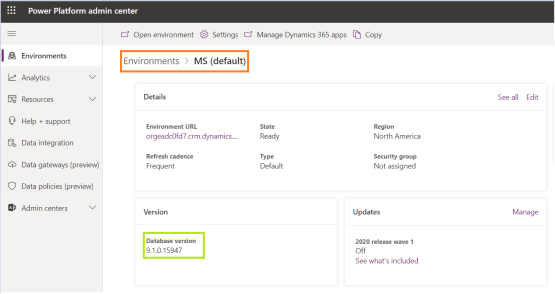
- Retry embedding Canvas app.
Refer article for step by step details to embed Canvas app in Model driven app.
🙂


![[Step by Step] Beginner : Create a PCF control and add it to a custom page](https://rajeevpentyala.com/wp-content/uploads/2024/12/image-49.png)
 Rajeev Pentyala – Technical Blog on Power Platform, Azure and AI
Leave a comment