To know more about ‘Unified Interface Only mode’ refer my previous article
Below are the steps to access environment settings, customization’s and solutions when the ‘Unified Interface Only mode’ turned on.
- Click on ‘Advanced Settings’ from the ribbon
 .
.

- It will open up ‘Settings’ tab in classic web mode.
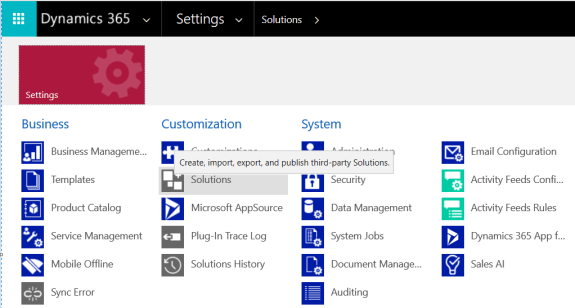
- You can access your solutions and make customizations how you used to do earlier.
Refer the documentation to know more about ‘Unified Interface’.
🙂


![[Step by Step] Beginner : Create a PCF control and add it to a custom page](https://rajeevpentyala.com/wp-content/uploads/2024/12/image-49.png)
 Rajeev Pentyala – Technical Blog on Power Platform, Azure and AI
Leave a comment