I was getting below ‘Cryptographic operation’ error while opening ADX portal from IIS.

From the error, it’s clear that ADX portal encountered issue while decryption of Password.
Points to ponder:
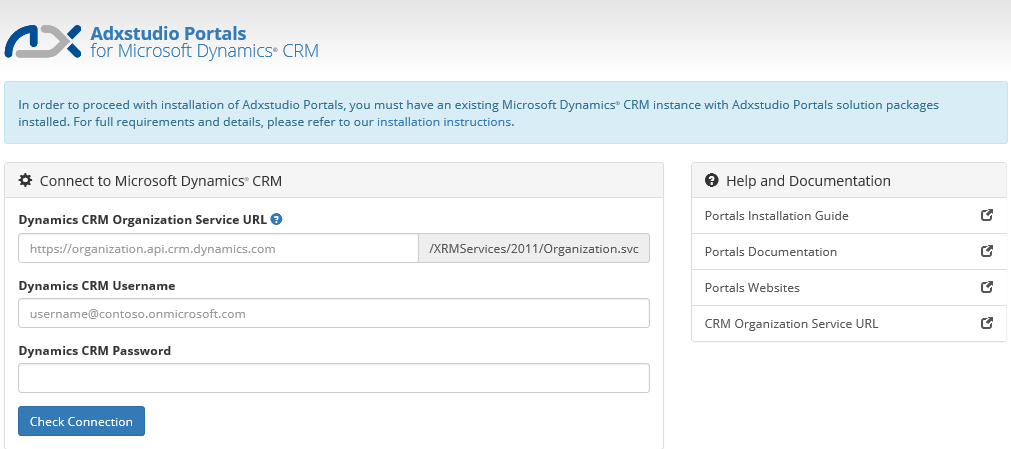
- When you run ADX portal for the first time, it opens Configuration screen to capture CRM organization credentials.
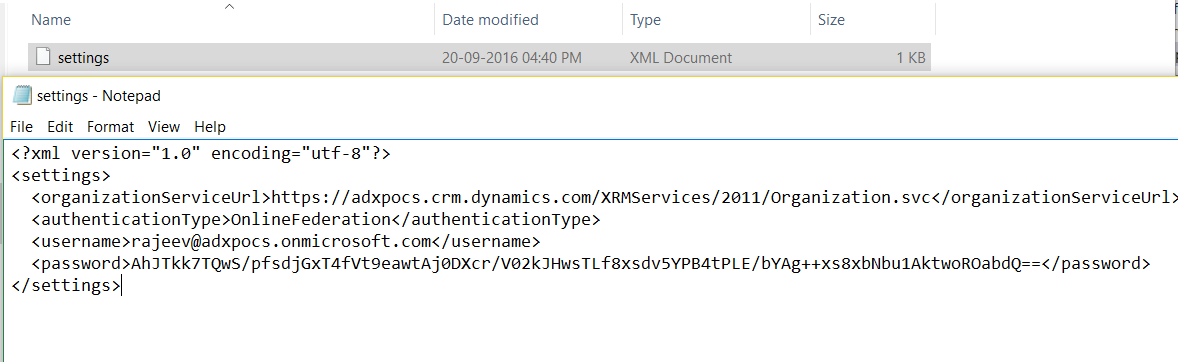
- Credentials provided in Configuration screen will get saved under “../App_Data/settings.xml” file.
- Password will be encrypted in Base64 string.
Reason:
- In my case, “../App_Data/settings.xml” file got corrupted.
Fix:
- Delete the ‘settings.xml’ file from your visual studio solution’s “../App_Data” folder.

- Browse the portal
- This time Portal, opens Configuration screen and creates a new “../App_Data/settings.xml”
🙂


![[Step by Step] Beginner : Create a PCF control and add it to a custom page](https://rajeevpentyala.com/wp-content/uploads/2024/12/image-49.png)
 Rajeev Pentyala – Technical Blog on Power Platform, Azure and AI
Leave a comment