We have an Account form hosted in ‘CRM Page’ hosted control on USD. We got a requirement to navigate another page on CRM form Save event.
Below are the steps I initially followed
- Created a new Hosted Control of type ‘CRM Page’

- Go to ‘Events’ from Command Bar and open ‘Saved’ event

- On ‘Saved’ event of Hosted Control, added a new ‘Action’ to Navigate to Bing
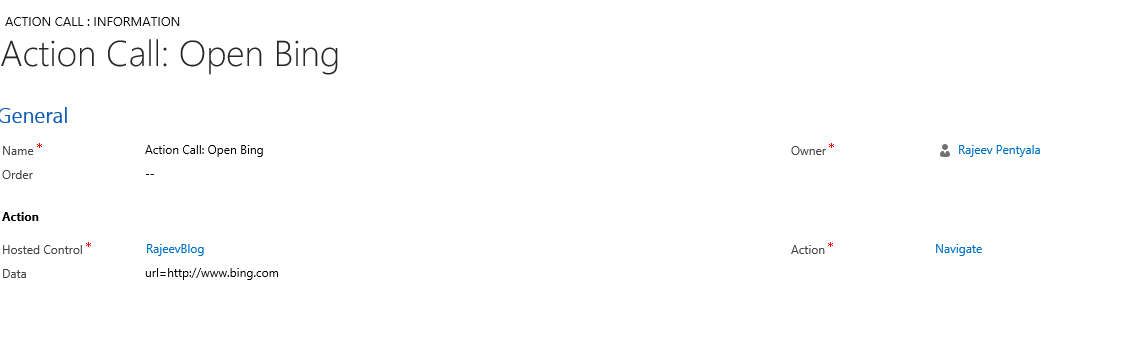
- Save and close
- Open the USD and open ‘Account’ record
But the ‘Saved’ event did not trigger when I click Save button from CRM page.
Reason –
- Looks like this is known issue with my USD version (Got fixed in latest USD version)
Fix –
To fix this, below are workaround steps to hook the ‘Saved’ event to CRM hosted control.
- Open ‘PageLoadComplete’ event of Hosted Control
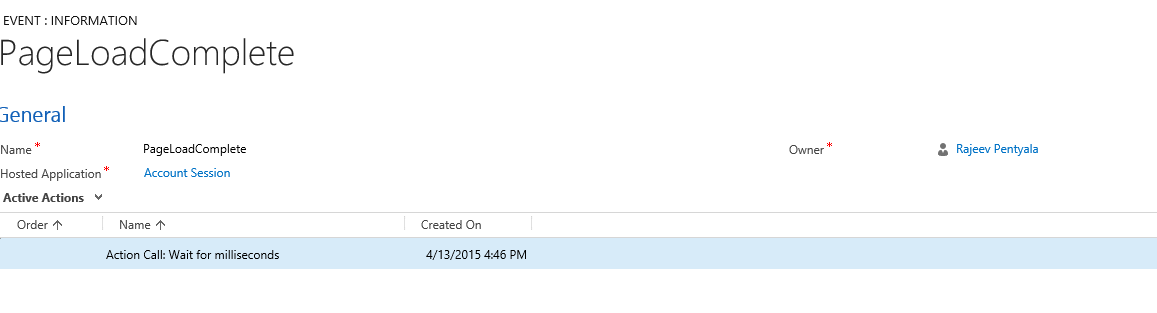
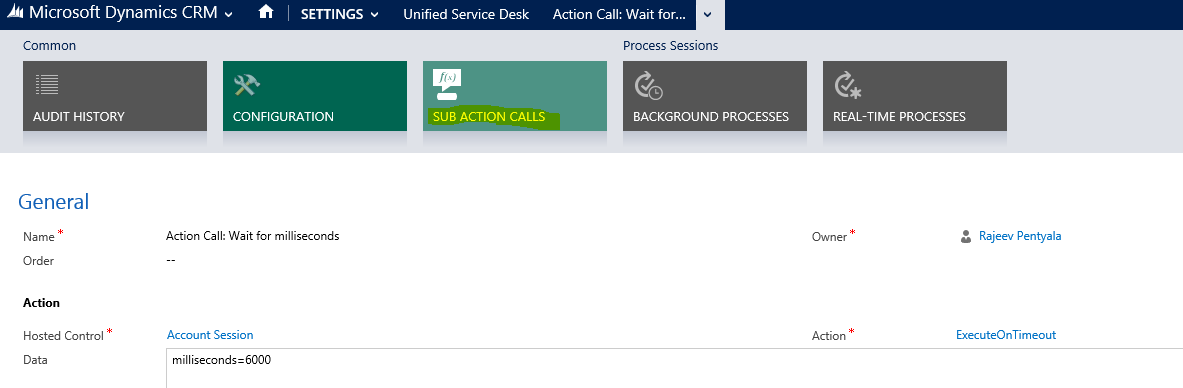
- Create a new ‘Action Call’
- Action : ExecutionTimeout (Note : Create a new UII action if you can’t find ExecutionTimeout)
- Data : milliseconds=6000

- Create a new ‘Sub Action Call’
- Add below Script using ‘RunXrmCommand’ Action
Script :
function hookSavedEvent(execContext)
{
window.open(“http://event/?eventname=Saved”); // notify USD of save
setTimeout(“top.ScanForData();”, 4000);
}
// Add ‘hookSavedEvent’ to Save event of CRM form
Xrm.Page.data.entity.addOnSave(hookSavedEvent);

- Save & Close the forms
- Close and reopen the USD client application to test the behavior now
- Open ‘Account’ form, click on ‘Save’
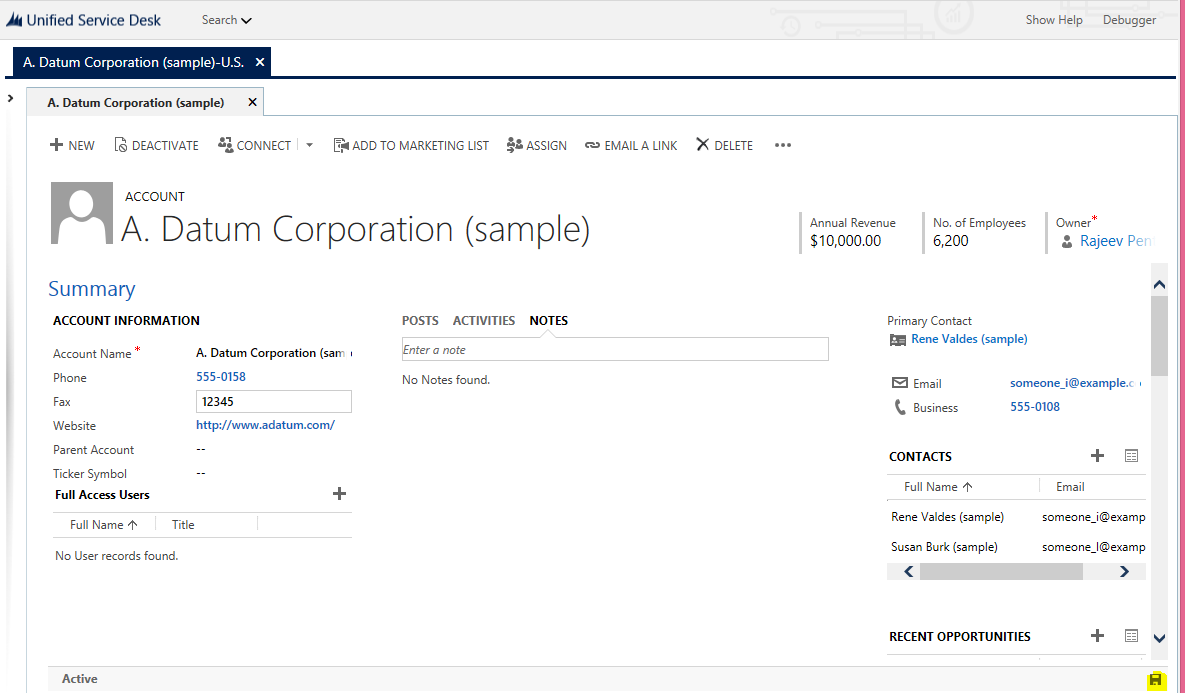
- We get a new tab with Bing page

🙂




 Rajeev Pentyala – Technical Blog on Power Platform, Azure and AI
Leave a comment