Today I was trying to delete one of my “Personal View” and to my surprise I had to spend some time to figure out the delete option.
Below are the steps to delete “Personal Views” in CRM 2011
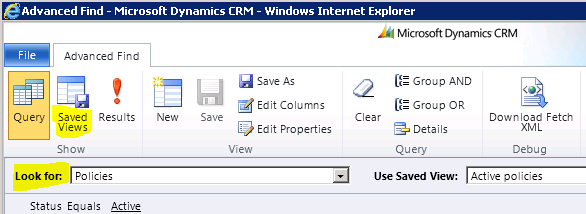
- Go to “Advanced Find”
- Choose the entity which you have Personal View as “Look For”
- Click on “Saved Views” ribbon button
Look For – Adv Find
- Choose the view and you can delete or deactivate it !
Saved views button

🙂


![[Step by Step] Beginner : Create a PCF control and add it to a custom page](https://rajeevpentyala.com/wp-content/uploads/2024/12/image-49.png)
 Rajeev Pentyala – Technical Blog on Power Platform, Azure and AI
Leave a comment