To access CRM application using either Browser or Outlook and perform common tasks all users must be assigned at least one security role with below minimum privileges.
Below is the matrix
Entity Name
Privilege(s)
Access Level
Security role “Tab” Name
User Entity UI Settings
Create, Read, Write
User
Core Records
User Settings
Read
User
Business Management
Customizations
Read
Organization
Customization
System Form
Read
Organization
Customization
View
Read
Organization
Customization
Web Resource
Read
Organization
Customization
Below are minimum privileges you need to define for some common tasks
Access CRM using Browser:
To render the Home page: prvReadWebResource, prvReadCustomization
To render an Entity grid (that is, to view lists of records and other data): Read privilege on the entity, prvReadUserSettings, prvReadQuery
To view single Entitie in detail: Read privilege on the entity, prvReadSystemForm, prvCreateUserEntityUISettings, prvReadUserEntityUISettings
Access CRM using Outlook:
To render navigation for CRM and all CRM buttons: prvReadEntity, prvReadQuery
To render an Entity grid: Read privilege on the entity, prvReadCustomization, prvReadWebResource, prvReadUserQuery
To render Entities: Read privilege on the entity, prvReadSystemForm, prvCreateUserEntityUISettings, prvReadUserEntityUISettings, prvWriteUserEntityUISettings
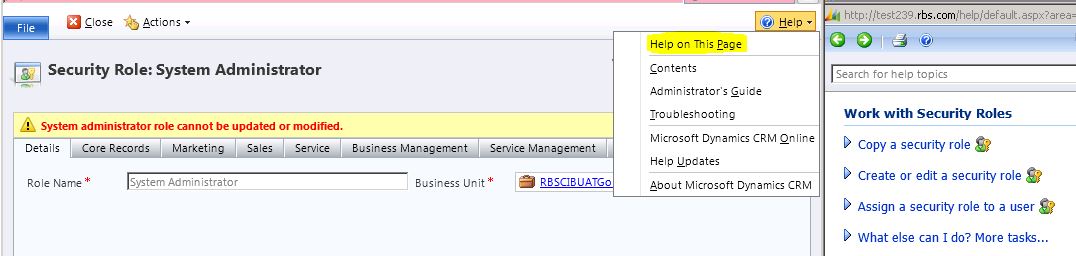
We can get more information in the Helper page from “Security Role” form (Refer Navigation below)



 Rajeev Pentyala – Technical Blog on Power Platform, Azure and AI
Leave a comment