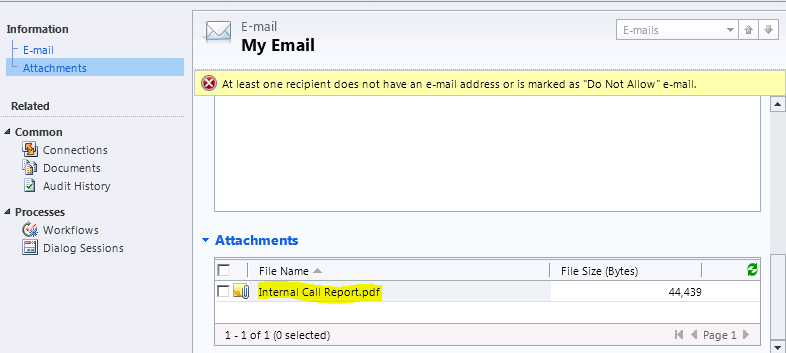
[…] The other day I was getting “Invalid file name” error when I try to create an attachment with .pdf file and associating to Email, in my plug-in. (link) […]
Hi Rajeev,
I am rendering a Report using Plugin and emailing it as an attachment.
I face an issue of blank data in Report, though it runs and renders fine from CRM.
And all the required parameters are passed.
Actually the data where Filtered View is not used in the Dataset is coming fine, but for other entities- ACtivity Pointer and a Custom entity, I get no data when using FilteredView, and error while trying to use without Filtered.
I am running the Plugin as an Adminiastrator,
The Credentials for the REport Execution SErvice is- rs.Credentials = System.Net.CredentialCache.DefaultCredentials
Hi,
Since you are authenticating Report server from your Plug-in make sure the Plug-in context user has rights to the Report Server.
You can troubleshoot by explicitly providing credentials of User who has access to Report sever.
reportService.UseDefaultCredentials = false;
reportService.Credentials = new NetworkCredential(UserId,Password,Domain);
You can check the User’s accessibility to your report server using Report services configuration manager in Report Server. You can also browse http://servername/ReportServer.
Thank you very much Rajeev,
Some how It seems there’s problem with taking the running User for Report in case of a Plugin, When I switched to a Workflow, it worked fine!
nitesh
I uses same code for creating attachment .. and my attachment body is coming from my WCF service in byte[] .. this is ok .. I am able to create attachment on create of email using plugin … but when I send this email (manually click on save) it gives me error “Unexpected error is occurred” .. if I save the attachment and remove the attachment .. again attach the same attachment from saved location.. mail sent without error .. what could be the reason of this….
Hi Rajeev,
I getting error while creating a new record in annotation error: 0x8004021f The parent’s object type is invalid.\n Platform\n”
I am converting pdf file into ToBase64 and creating a new record in notes which i can use further, i am using plug-in CRM 4.0
Hope you read ‘Notes’ section in the article and passing valid ‘objecttypecode’.
Note:
•In the above code the property “objecttypecode” is slight misleading, as it expects “EntityLogicalName” rather than “EntityTypeCode”
•So make sure to set attachment[“objecttypecode”] = EntityLogicalName (i.e., email)




 Rajeev Pentyala – Technical Blog on Power Platform, Azure and AI
Leave a reply to Rajeev Pentyala Cancel reply