John,
Please make sure you are setting right values using “queryStringParams”. Post the values you are passing and error text to find out cause of issue.
hi Rajeev,
I used your code set to field of email form.It sets the value.But when i click on the link it opens the create new record,even if the record exists.
Hi Rajeev,
Thanks for your code it worked.
I Used code below and it is working fine.
var o1 = new Array();
o1[0] = new Object();
o1[0].id =fieldid;
o1[0].name = tofieldname ;
o1[0].entityType = ‘account’;
Xrm.Page.getAttribute(“to”).setValue(o1);
Is there a way to make use of this party list field in any of our custom entity in crm 2011?
If so please guide to proceed, that will be really really helpful for me.
Hi Rajeev,
Thanks for this great post. I would like to add a ressource to a service activity using soap endpoint, but I don’t seem to get it right …
var CRMObject = new Object();
var partlistData = new Array();
partlistData[0] = new Object();
partlistData[0].id = MyUser[0].id;
partlistData[0].name = MyUser[0].name;
partlistData[0].entityType = “SystemUser”;
CRMObject.Resources = partlistData;
What’s wrong with my configuration ?? thanks in advance
I have a requirement when user create email activity from custom entity (contract) then in “To” field of email activity form, user can see the all the contacts associated to contract account (means account is parent of contract record) . So here i have to create one filtered custom view on Contact associated to Account. Can you help me , how to achieve this?
The following alteration worked for setting email’s to attribute in CRM 2015, the only change is object’s type is to be set and not entitytype.
var partlistData = new Array();
partlistData[0] = new Object();
partlistData[0].id = Xrm.Page.context.getUserId();
partlistData[0].name = Xrm.Page.context.getUserName();
partlistData[0].type = 8;
Xrm.Page.getAttribute(“to”).setValue(partlistData);
Hi Rajeev,
Thanks for posting this useful blog.
I’m trying to insert multiple participants into the email “to” field when users click on “Reply All” email. However I need to remove certain email address from the To line. So I put the original To into an array and then loop and get all the email addresses except the one that needs to be removed.
However the problem here is I only see the first participant is listed on the Reply All email form. Could you please advise on how to populate multiple email participants? Appreciate your help in this, thanks in advance.
Here’s my code:
var toParty = Xrm.Page.getAttribute(“to”).getValue();
var partyListArray = new Array();
for (var indxAttendees = 0; indxAttendees < toParty.length; indxAttendees++) {
//using oData to get participant email address
var email = getParticipantEmail(toParty[indxAttendees].entityType, toParty[indxAttendees].id);
if (email != "test@test.com") {
partyListArray[indxAttendees] = new Object();
partyListArray[indxAttendees].id = toParty[indxAttendees].id;
partyListArray[indxAttendees].name = toParty[indxAttendees].name;
partyListArray[indxAttendees].entityType = toParty[indxAttendees].entityType;
}
}
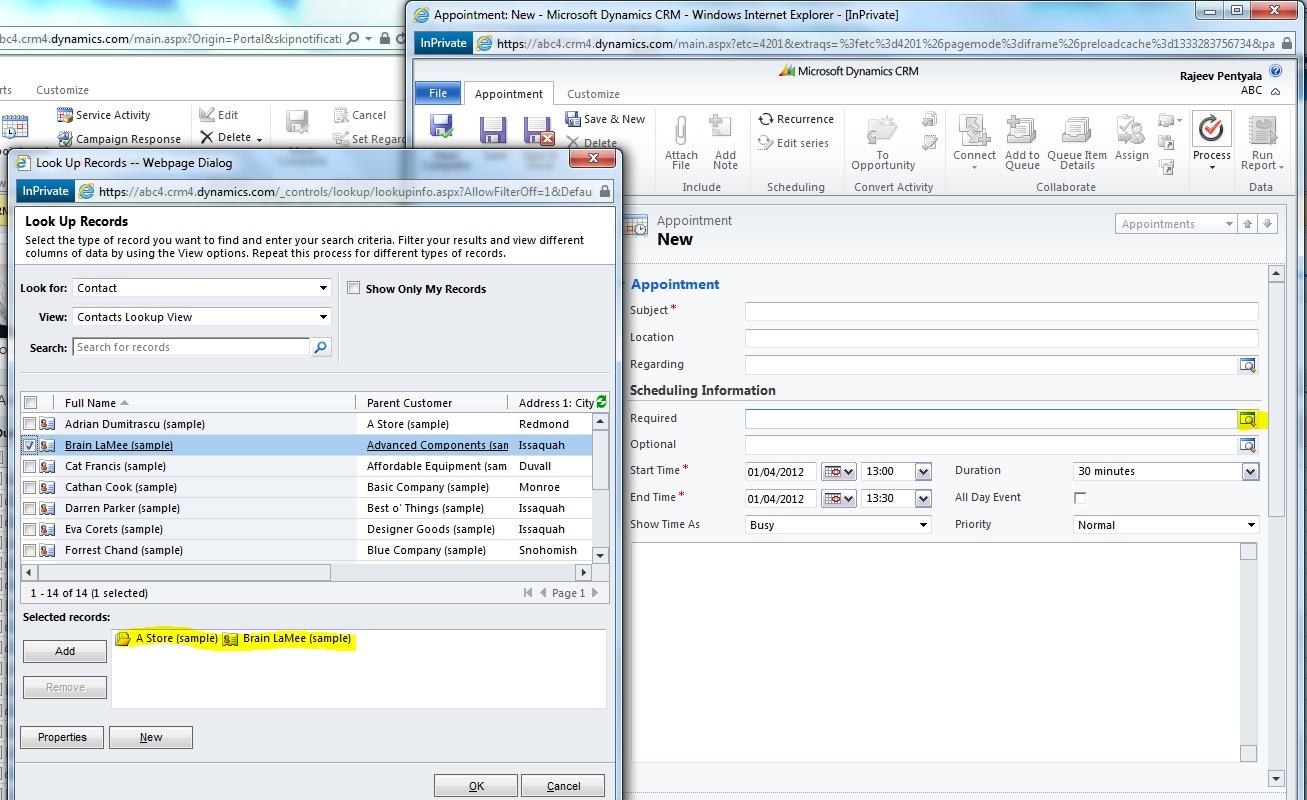
When I enter values in “Required” field in Appointment and then while converting the appointment to Case the pop-up auto populates the “Customer” value with the “Required” value in appointment. That is working fine.
But when I do the same for a custom activity, then the “Customer” field is not getting populated with the “Required” filed value on custom activity.
Is that the expected behavior for a custom activity or we need to do anything else ?



 Rajeev Pentyala – Technical Blog on Power Platform, Azure and AI
Leave a reply to Sunil R Cancel reply