Recently I was working on a Power Apps Code App and rendering images using <img> tags with external URLs inside a grid.
But the images were not loading and the browser console showed errors like below.

Loading the image 'https://conn-afd-prod-endpoint-bmc9bqahasf3grgk.b01.azurefd.net/releases/..../icon.png' violates the following Content Security Policy directive: "img-src 'self' data:". The action has been blocked.
Reason:
Power Apps Code Apps enforce Content Security Policy (CSP) by default.
- By default, the
img-srcCSP directive is set to'self' data:, which only allows images loaded from the same origin or base64 data URIs. - Any image loaded from an external URL (e.g., Azure Front Door, CDNs, third-party hosts) is blocked by the browser.
- In my case, the images were connector icons hosted on Microsoft’s Azure Front Door CDN (
*.b01.azurefd.net), which is still treated as an external origin.
💡 Note: Microsoft began enforcing strict CSP for Code Apps from January 2026. If your app loads images from external URLs, you must explicitly allowlist those domains.
Fix — Configure the img-src CSP Directive:
You need to add your image domain to the img-src
- Navigate to Power Platform Admin Center
- Select your Environment → Settings → Product → Privacy + Security → Content Security Policy
- Click the
Apptab — this tab controls settings for Code Apps
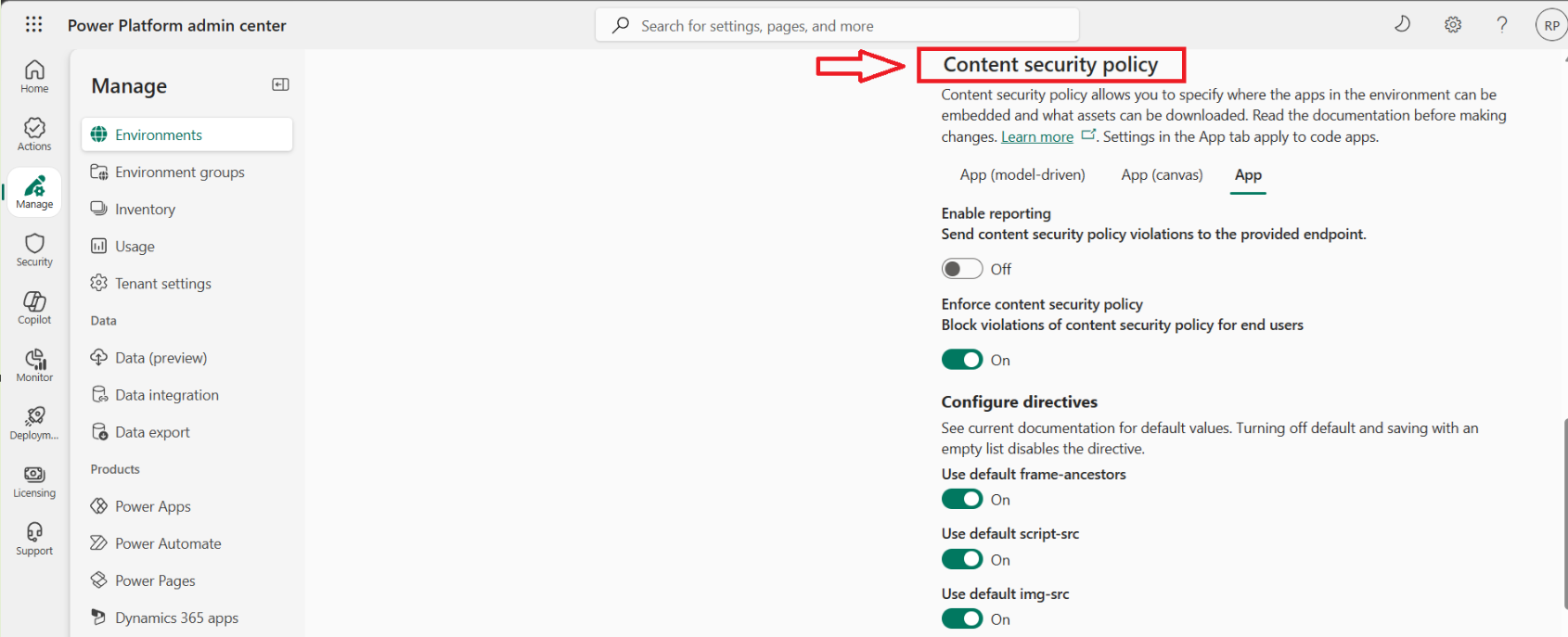
- Under “Configure directives”, locate
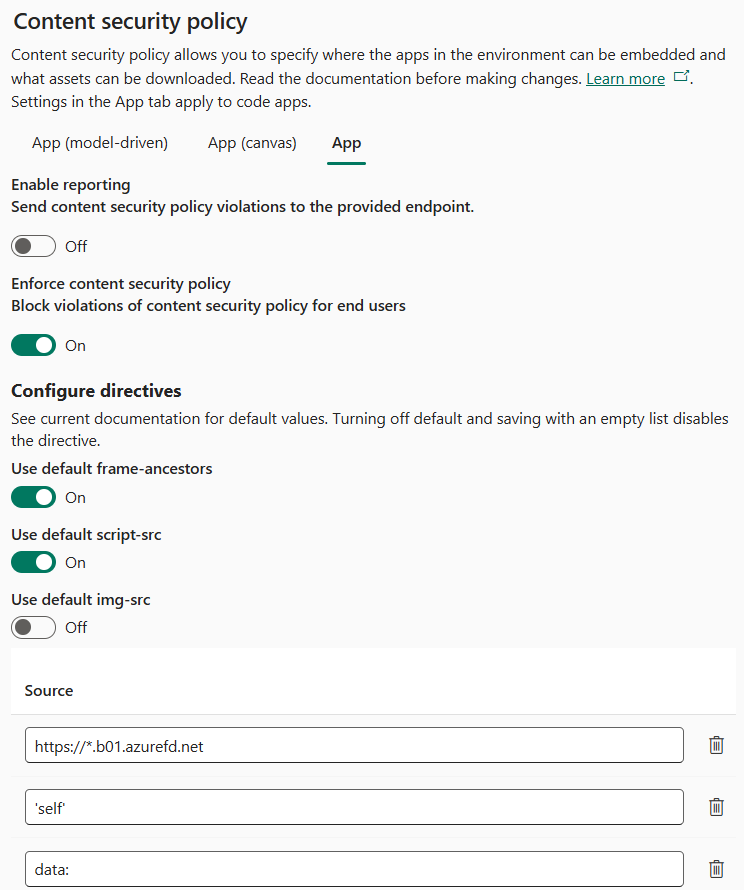
Use default img-srcand toggle it Off - In the Source list that appears, add the following entries:
'self'data:https://*.b01.azurefd.net
- This is how it looks after configuration:
- Click Save
- Hard refresh your Code App (
Ctrl+Shift+R), your images should load correctly.
🙂



 Rajeev Pentyala – Technical Blog on Power Platform, Azure and AI
Leave a comment