If you recently installed Node.js on your Windows machine and tried running the npm command, you might have encountered an error like this:
File C:\Program Files\nodejs\npm.ps1 cannot be loaded because running scripts is disabled on this system. For more information, see about_Execution_Policies

This issue happens because of a PowerShell security restriction. By default, PowerShell blocks script execution for security reasons.
How to fix it?
To fix this, we need to allow PowerShell to run trusted scripts for the current user.
- Open PowerShell or terminal and run the below command:
Set-ExecutionPolicy -ExecutionPolicy RemoteSigned -Scope CurrentUser
- Now try running:
npm
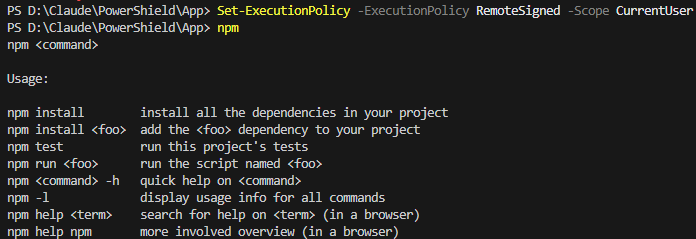
🙂


![[Step by Step] Beginner : Create a PCF control and add it to a custom page](https://rajeevpentyala.com/wp-content/uploads/2024/12/image-49.png)
 Rajeev Pentyala – Technical Blog on Power Platform, Azure and AI
Leave a comment