If you are new to configuring Azure AD B2C as Identity Provider in Power Pages, refer Power Pages : Set up Azure AD B2C
After completing the setup, you might encounter the following error while signing in:
The provided application with ID ‘xxxxxx-xxx-xxxx-xxxxxxx’ is not valid against this service
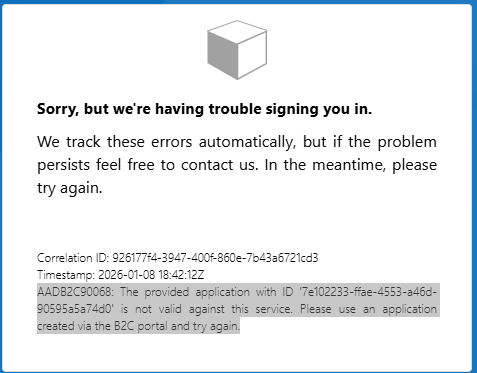
When you see this error, it usually means that the app registration was not created under Azure AD B2C, or it was created with an incorrect account type.
How to Fix the Issue:
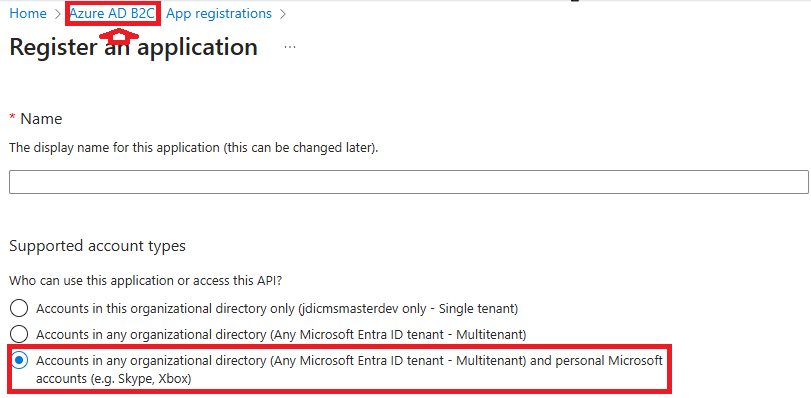
Make sure that you create the App Registration under Azure AD B2C (not Azure Active Directory) and select the correct option under Supported account types, as shown below.
🙂


![[Step by Step] Beginner : Create a PCF control and add it to a custom page](https://rajeevpentyala.com/wp-content/uploads/2024/12/image-49.png)
 Rajeev Pentyala – Technical Blog on Power Platform, Azure and AI
Leave a comment