If you are familiar with CoE Starter Kit Inventory feature, you know it provides a centralized view of all your apps and flows across the tenant, as shown below:

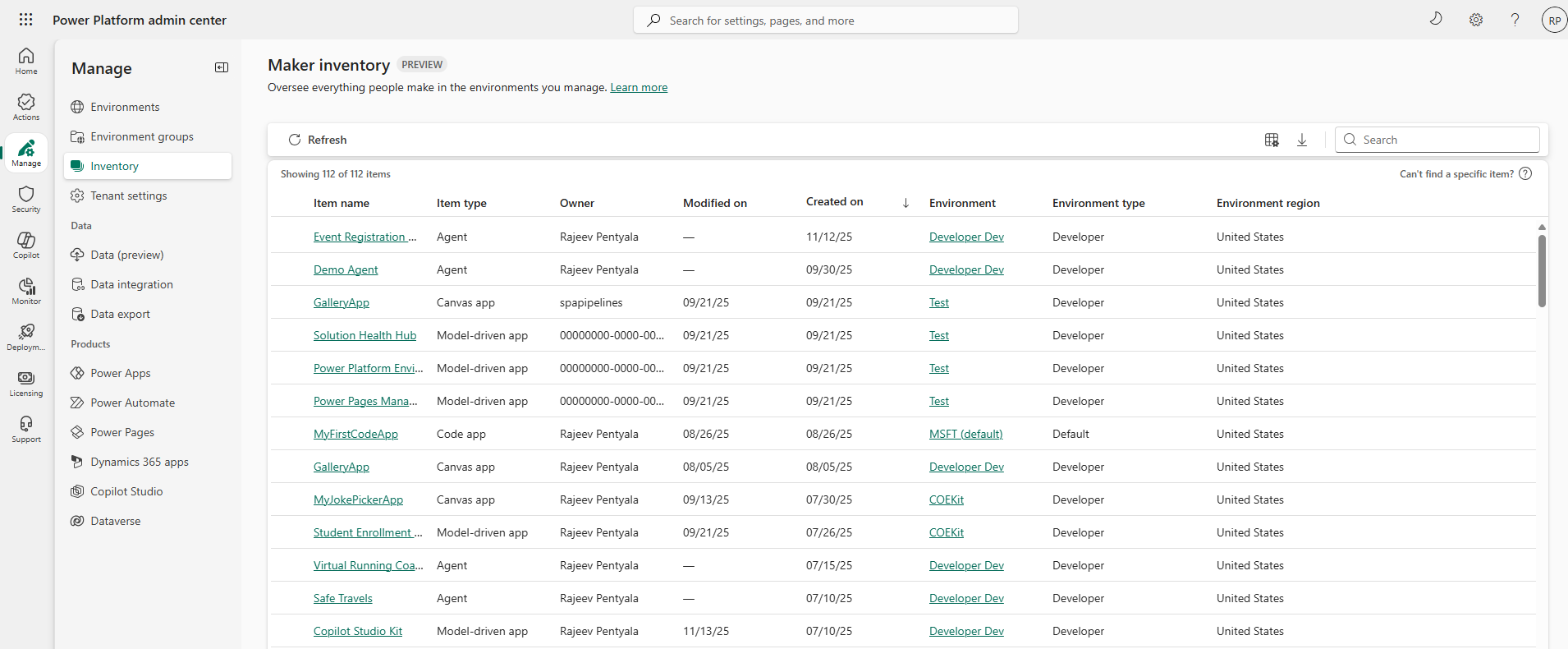
Now, the Power Platform admin center offers tenant administrators a comprehensive, unified view of all key resources—agents and apps—across their organization with Power Platform inventory.
To access it, go to: Power Platform admin center > Manage > Inventory
Supported resource types
The Power Platform inventory includes:
- Agents: All agents created in Copilot Studio.
- Apps: All apps created in Power Apps, including canvas apps, model-driven apps, and code apps.
Other resource types, such as flows, are planned for future updates.
Known limitations
- Classic chatbots: Classic chatbots aren’t included in the new inventory page, but can still be found by selecting Manage > Copilot Studio > Classic chatbots.
- Environment name: Filtering by environment requires the full environment name. Partial matches or substrings aren’t supported.
- Modified on and Last modified by columns: These columns are currently nonfunctional for agents and must be populated with the – (dash) character.
- Un-published model-driven apps: Only published, model-driven apps are captured.
- Model-driven apps in the default environment: The default environment comes with three pre-installed model-driven apps: Power Platform Environment Settings, Power Pages Management, and Solution Health Hub. These don’t appear in the inventory initially unless they are edited and re-published.
Refer the documentation for more details : Power Platform Inventory
🙂



 Rajeev Pentyala – Technical Blog on Power Platform, Azure and AI
Leave a comment