Did you know you can disable a flow action without removing it entirely by turning on the Enable Static Result toggle? When the flow runs, this treats the action as successful without actually executing it.
Let’s look at a simple example. I have a Power Automate cloud flow with two actions.

When I test the flow, the Send an email notification (V3) action failing due to a known issue.
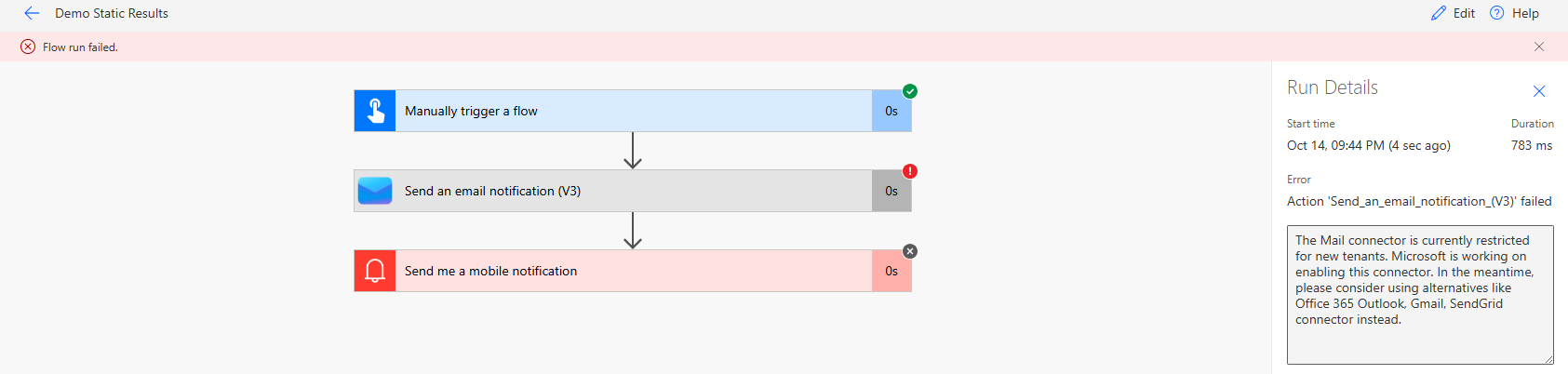
Lets say, I want to skip the execution of Send an email notification (V3) action and proceed to test the next action, Send me a mobile notification.
One option is to delete the Send an email notification (V3) action from—but that’s not ideal.
A better alternative is to use Enable Static Result, which allows you to skip the action without deleting it.
Now, lets see how to use the Enable Static Result in an action.
Steps to enable ‘Static Result’ for an action:
- Select the action, then choose Static result (Preview) from the menu.
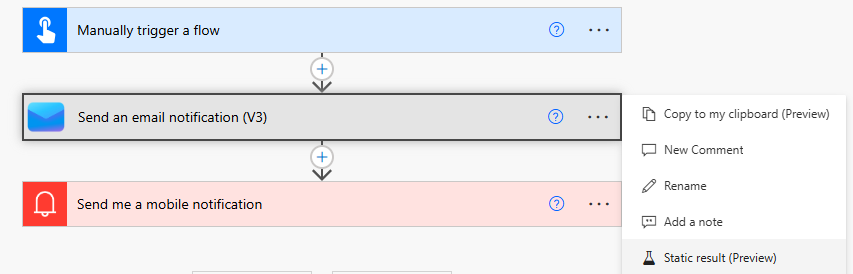
- Turn on the Enable Static Result toggle and click on Done.
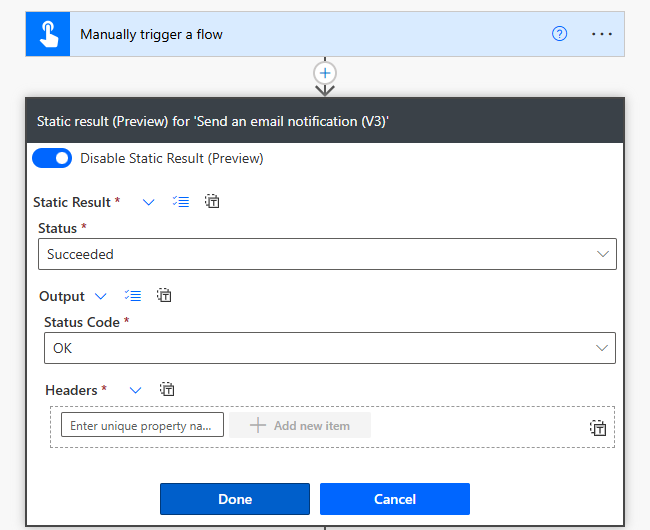
- You’ll see a message and icon on the action saying, “This action has static result configured.”
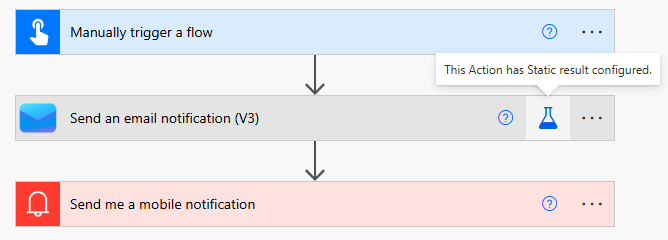
- Now, test the flow. The Send an email notification (V3) action will execute without errors, allowing the flow to continue to the next actions.
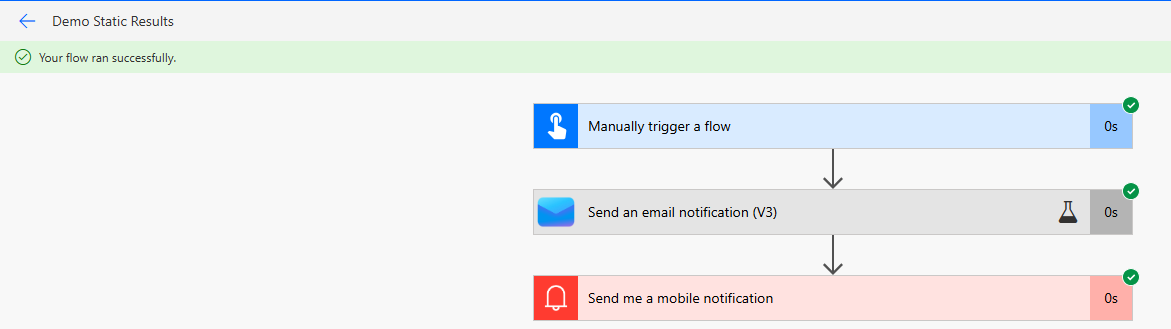
This is one example of how static results can be useful. Now, let’s explore other ways you can take advantage of this feature.
What is ‘Static Result’:
- The static result/static outputs option in Power Automate lets you run an action with mock data.
- When the flow runs, it essentially treats the action as successful without actually running it.
- It’s a good way to test different parts of your flow without executing the entire process each time.
Static result testing offers several advantages:
- You can bypass long-running actions and focus on testing specific sections of your flow.
- Mock action outcomes let you simulate various scenarios and conditions without needing the actual data or events to occur.
- Controlling the output of specific actions helps you isolate and troubleshoot issues in your flow more effectively.
🙂



 Rajeev Pentyala – Technical Blog on Power Platform, Azure and AI
Leave a comment