COPILOT function in Excel allows you to enter a natural language prompt in your spreadsheet, reference cell values as needed, and watch Copilot instantly generate AI-powered results.
How to use:
To use we enter this code into any cell: =COPILOT(prompt_part1, [context1], [prompt_part2], [context2], …)
The COPILOT function syntax has the following arguments:
- Prompt_part: Text that describes the task or question for the AI model.
- Context (optional): A reference from the grid that provides context or data for the AI model. This can be a single cell or a range.
Now lets see few examples.
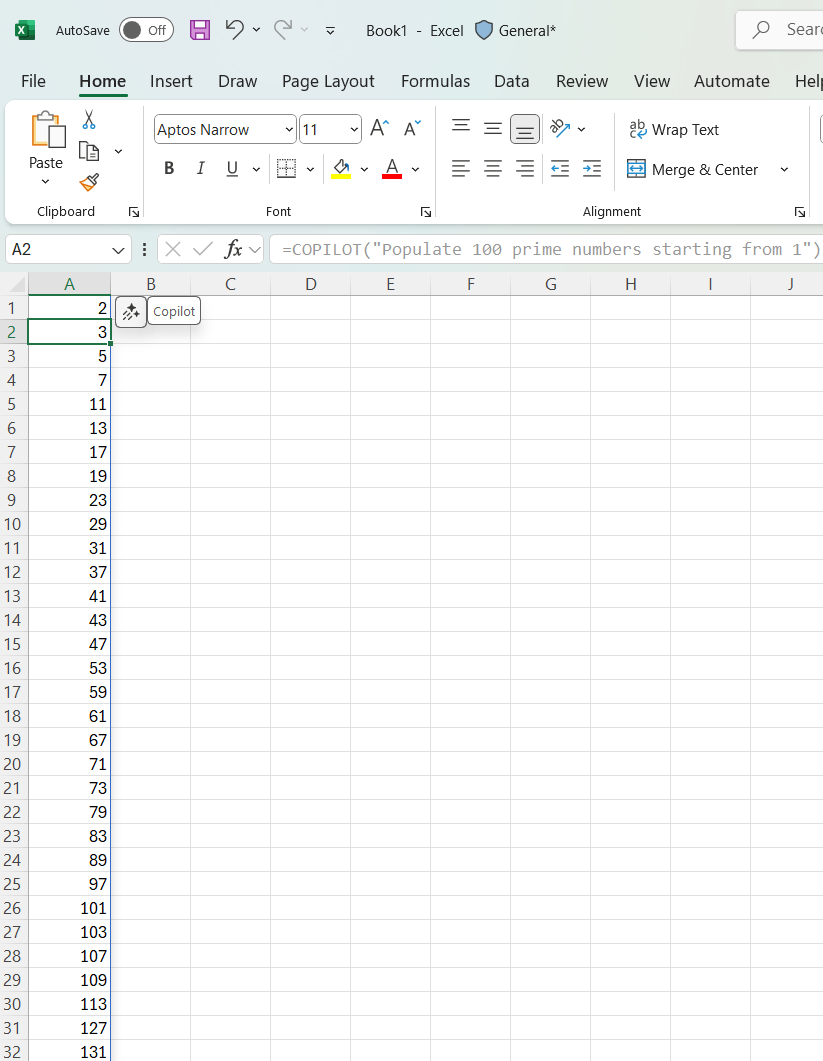
Example 1: =COPILOT(“Populate 100 prime numbers starting from 1”)

The values will be populated as shown below
Example 2 : =COPILOT(“Classify this feedback”, B1:B5)
In this example we are referencing cells in COPILOT function to populate values.

Got the response filled as shown below

Refer this article for more details 🙂



 Rajeev Pentyala – Technical Blog on Power Platform, Azure and AI
Leave a comment