In my previous blog post “Getting Started with Semantic Kernel and Ollama – Run AI Models Locally in C#”, I explained how to run language models entirely on your local machine using C# and Ollama.
In this post, I’ll walk you through building a Retrieval-Augmented Generation (RAG) application.
Lets first start with some basics.
What is RAG (Retrieval-Augmented Generation)?
The app we built in the previous article, could chat, summarize, and generate text — all without needing internet access.
But here’s the limitation:
The LLM could only respond based on what it was already trained on. It had no awareness of your own data — like your documents, customer records, or, in our case, movie information.
This is where RAG (Retrieval-Augmented Generation) becomes powerful.
Instead of depending only on the LLM’s memory, RAG first retrieves relevant information from your own data, and then asks the LLM to generate an answer based on that.
Think of it like this:
❌ Without RAG:
The AI tries to answer from memory (even if it’s outdated).
✅ With RAG:
The AI looks up the right info from your dataset, then gives a grounded answer.
What Are Embeddings?
Embeddings are a way for AI to represent the meaning of text using numbers.
For example, the phrase “space adventure” gets turned into a vector with 768 numbers. This lets AI compare different pieces of text based on meaning, not just keywords.
So:
- “space adventure” and “intergalactic mission” → ✅ very similar
- “space adventure” and “talking animals in a jungle” → ❌ very different
We use nomic-embed-text to create these embeddings locally.
What is a Vector Database?
Once we have embeddings for all your documents (like movie descriptions), we need a place to store and search them.
That’s where QDrant comes in.
QDrant is a high-performance, open-source vector database that lets us:
- Store thousands of embeddings,
- Quickly search by semantic similarity,
- Attach metadata (like movie title, director, year),
- Get results in milliseconds.
So when a user asks “superhero movie set in space”, we embed the question, and QDrant finds the closest-matching movie summaries.
What Are We Building?
In this blog post, We’re building a C# console-based chat application, where we’ll create a small movie dataset, embed it, store it in QDrant, and use Gemma LLM to answer natural language queries based on relevant results.
This project runs entirely on your local machine using:
- ✅ Ollama – To host AI models locally
- 🧠 Gemma 3B – The LLM that generates answers
- 🧲 QDrant – A vector database for semantic search
- 🔤 nomic-embed-text – To convert movie text into embeddings
- ⚙️ Semantic Kernel – To orchestrate everything in C#
Now that you understand the basics of RAG, vector databases, embeddings, and LLMs, let’s start building the application.
Install required components:
We’ll begin by setting up all the local components needed for this project.

- Install by pulling nomic-embed-text using ollama as shown below

Install QDrant via Docker
- Use Docker to pull and run QDrant from Docker Hub as shown below:

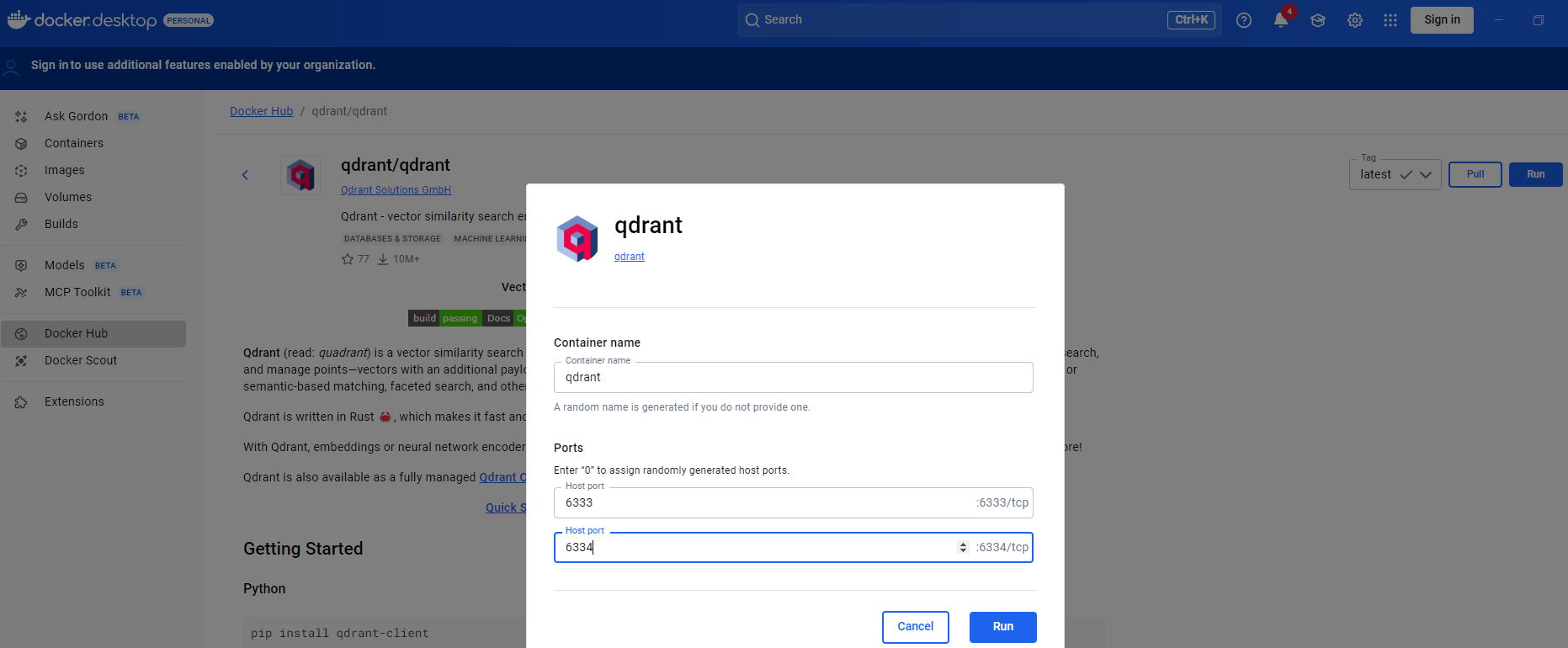
- Run the QDrant

- Once running, open http://localhost:6333 in your browser to confirm QDrant is up — you’ll see the QDrant dashboard.

Now that we have all the required components installed on the machine, let’s move on to creating the C# console chat application.
Create C# Chat application:
Before we begin — a quick shoutout : GitHub Copilot is awesome. I mostly did some “vibe coding” in VS Code and let Copilot handle the scaffolding. Here’s the process I followed:
- Open VS Code and enable GitHub Copilot in Agent mode.
- Use a simple prompt like:
Create a C# console application with no custom code. Install following packages :     <PackageReference Include="Microsoft.Extensions.AI" Version="9.7.1" />
    <PackageReference Include="Microsoft.Extensions.VectorData.Abstractions" Version="9.7.0" />
    <PackageReference Include="Microsoft.KernelMemory.AI.Ollama" Version="0.98.250508.3" />
    <PackageReference Include="Microsoft.KernelMemory.Core" Version="0.98.250508.3" />
    <PackageReference Include="Microsoft.KernelMemory.MemoryDb.Qdrant" Version="0.98.250508.3" />
    <PackageReference Include="Microsoft.SemanticKernel" Version="1.61.0" />
    <PackageReference Include="Qdrant.Client" Version="1.15.0" />
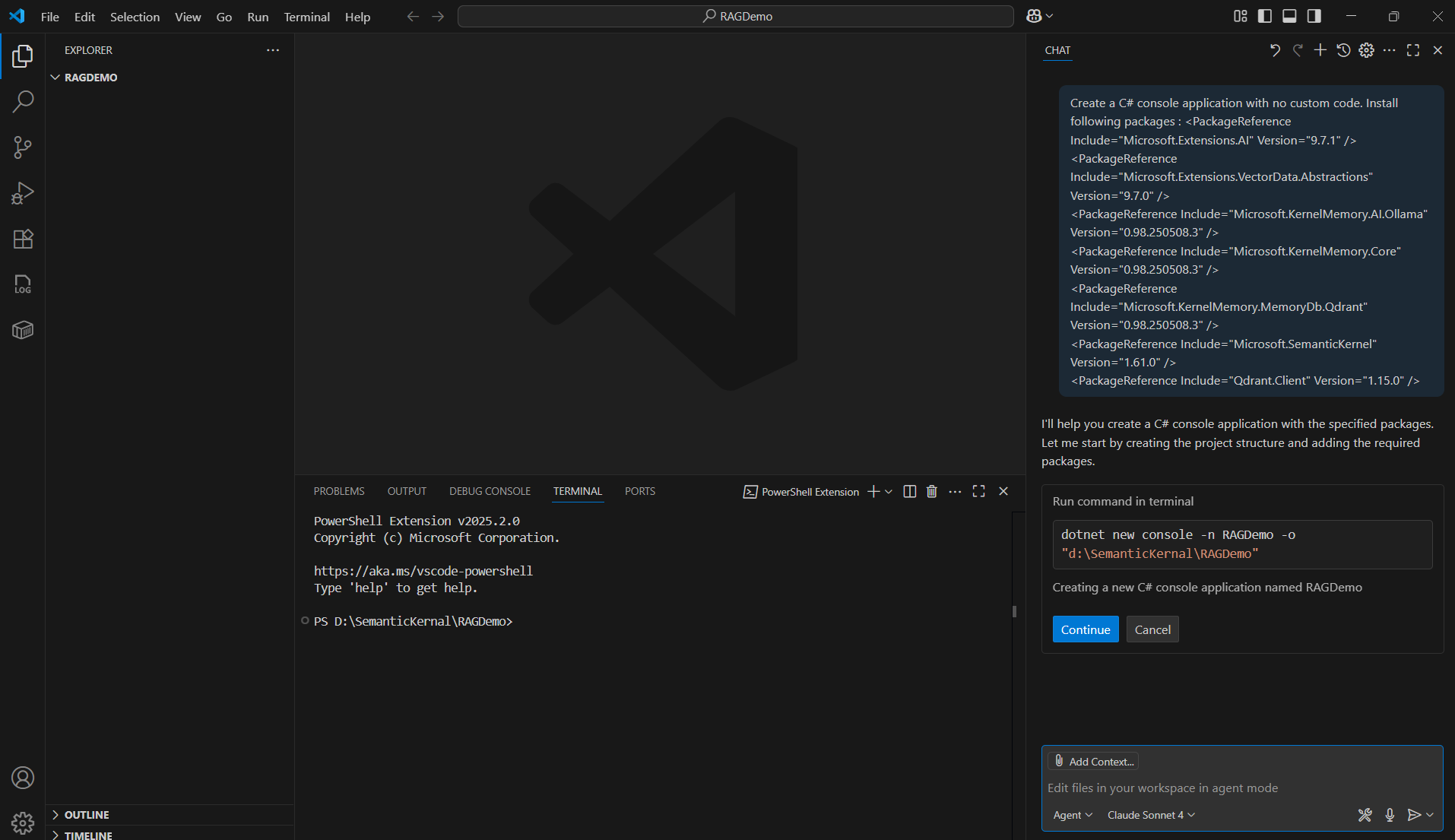
- Give few moments and Copilot creates the C# console project and install all required packages

- Next, add a Movie model C# class with your desired properties.
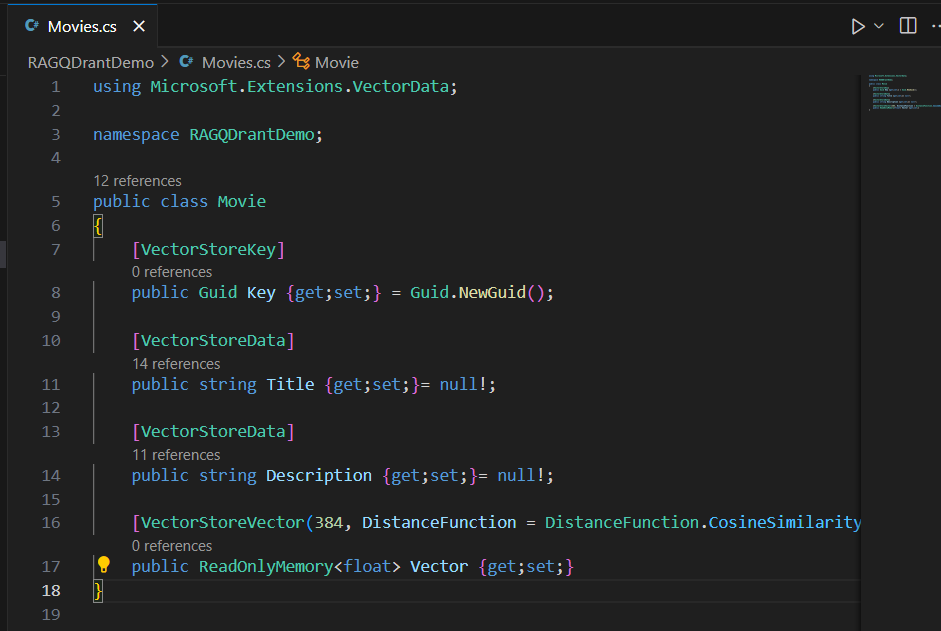
- Add a class to build your movie collection :
I called mineMovieData.cs. You can manually enter the data, or let Copilot generate 8–10 kid-friendly superhero movies. It worked great for me.

- Now that we have Movie collection is ready, we can proceed with RAG logic in Program.cs
- Progam.cs consists three key parts:
- Initialization
- Define URLs for QDrant (
http://localhost:6333) and Ollama (http://localhost:11434) - Set model names (
gemma:3b,nomic-embed-text, etc.)
- Define URLs for QDrant (
- ImportMovieData function
- Converts your movie objects to text
- Embeds them using Nomic
- Stores them in QDrant with document IDs
- StartChatLoop function
- Starts a prompt loop for user questions
- Performs a semantic search in QDrant
- Feeds results to Gemma for generating answers
- Initialization

- Following is the key configuration block where we are initializing Memory Builder with LLMs URL (i.e., http://localhost:11434) and Qdrant URL (http://localhost:6333)

We’re all set with the code — now it’s time to test it out.
Test the application
- Build and run the application.
- Once the application starts:
- The C# movie collection gets embedded and stored in QDrant.

- You can verify the collection by visiting http://localhost:6333 — you should see your new collection listed in QDrant.

- Lets ask something. Now try typing a natural language question like:
How many movies Iron man is part of and who acted?
- You’ll receive a response — along with source information from the retrieved documents.

- The key points here:
- Your LLM (Gemma) is running locally via Ollama at
http://localhost:11434 - It’s retrieving relevant movie data from QDrant, running at
http://localhost:6333 - And generating an accurate, context-aware answer — all on your machine!
- Your LLM (Gemma) is running locally via Ollama at
Source Code:
You can download and try the full project from my GitHub repo: RajeevPentyala/rag-qdrant-demo
🙂



 Rajeev Pentyala – Technical Blog on Power Platform, Azure and AI
Leave a comment