While trying to provision a Dynamics 365 Sales free trial using my work account, I was constantly getting this error ‘We are unable to sign up for the trial at this time’.

With the following steps, I was able to create a trial account.
- Navigate to Microsoft Dynamics 365 Free Trial portal. Click on Try for free under Dynamics 365 Sales.

- Try signing up using a personal email ID. You’ll receive the following warning—click on the Set up link to proceed.

- In the next screen, provide email and click Next

- Proceed with Set up Account

- Provide details and proceed with sign up.

- You’ll also need to provide your card details for verification purposes.

- You will be redirected to confirmation page.
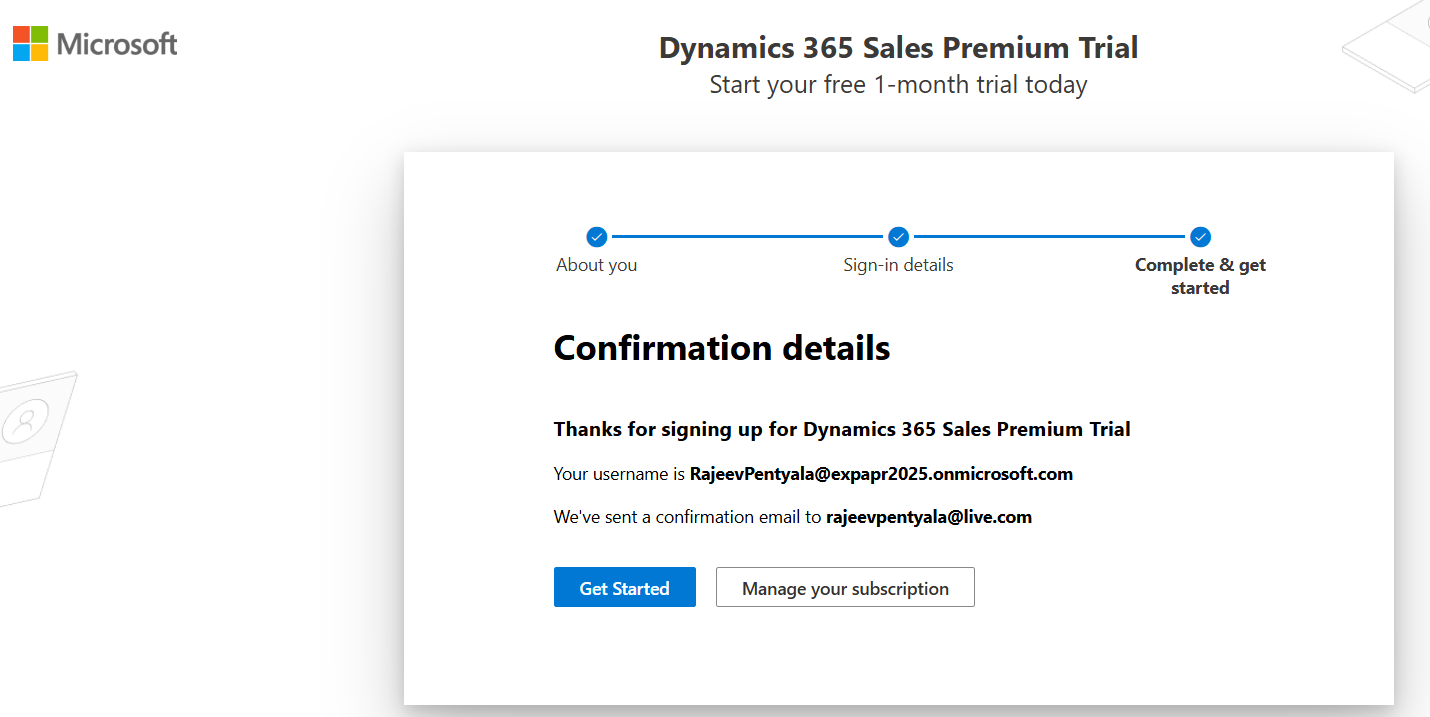
- Click on Get Started will take you Power Platform Admin Center.
- Create a new Environment of type Trial (subscription-based).
- Select Enable Dynamics 365 apps? and choose Sales Enterprise
- Click Save

- Your Trial environment will start provisioning and in few minutes it will be Ready.

🙂



 Rajeev Pentyala – Technical Blog on Power Platform, Azure and AI
Leave a comment