If you’re an experienced Dynamics 365 or Power Platform developer, you’ve likely created Application Users by following the steps : Register an app with Microsoft Entra ID
But did you know you can streamline the entire process outlined in the Register an app with Microsoft Entra ID with a single pac cli command.
If you are new to pac cli, check out my previous blog post : Using pac cli
Now, coming back to this blog post: follow these steps to create an Application User and assign a security role using the pac admin create-service-principal command.
Using pac admin create-service-principal command :
This command adds a Microsoft Entra ID application and associated application user to the Dataverse environment.
- To execute the command, you’ll need the Environment ID of your Dataverse environment. You can copy the Environment ID from the Power Platform Admin Center as shown below. You can also refer to this.

- Next open either PowerShell or Command Prompt.
- Connect to the Dataverse environment using pac auth create command by providing the above copied Environment ID.
pac auth create -env 60d32def-4543-ebc0-a80c-bcfe8490ad19
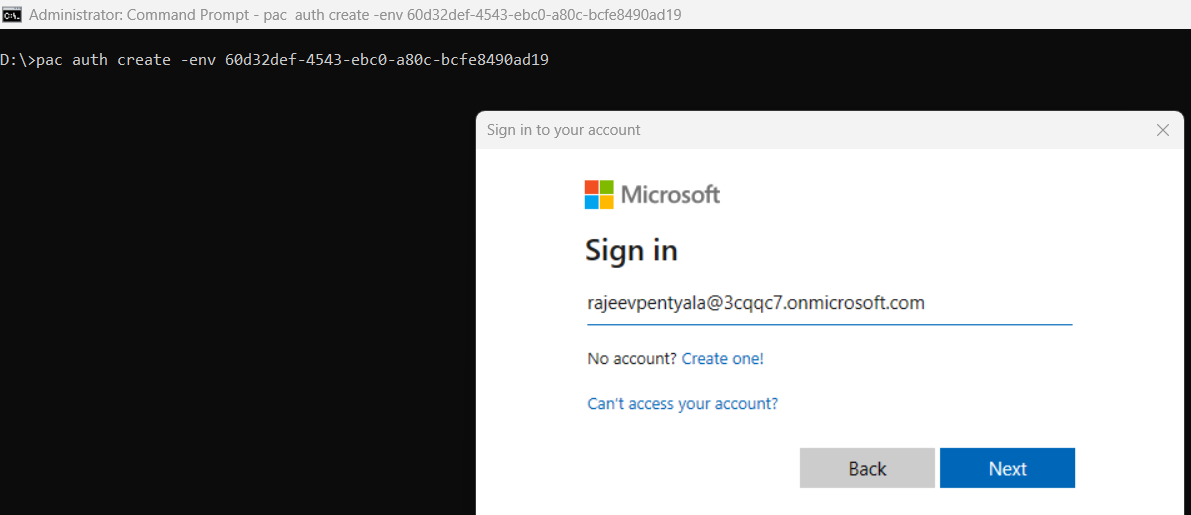
- Upon successful execution, you will see a response similar to the one shown below.

- Next we need to execute pac admin create-service-principal command.
pac admin create-service-principal --environment <environment id>
- Upon successful execution, four columns will be displayed:
- Power Platform TenantId
- Application ID
- Client Secret (in clear text)
- Expiration (Sets to 1 year)

- To confirm the creation, navigate to Power Platform Admin Center. Select the environment and go to Settings > Application Users. You will find the created, Application User with System Administrator role assigned and mapped to root business unit.
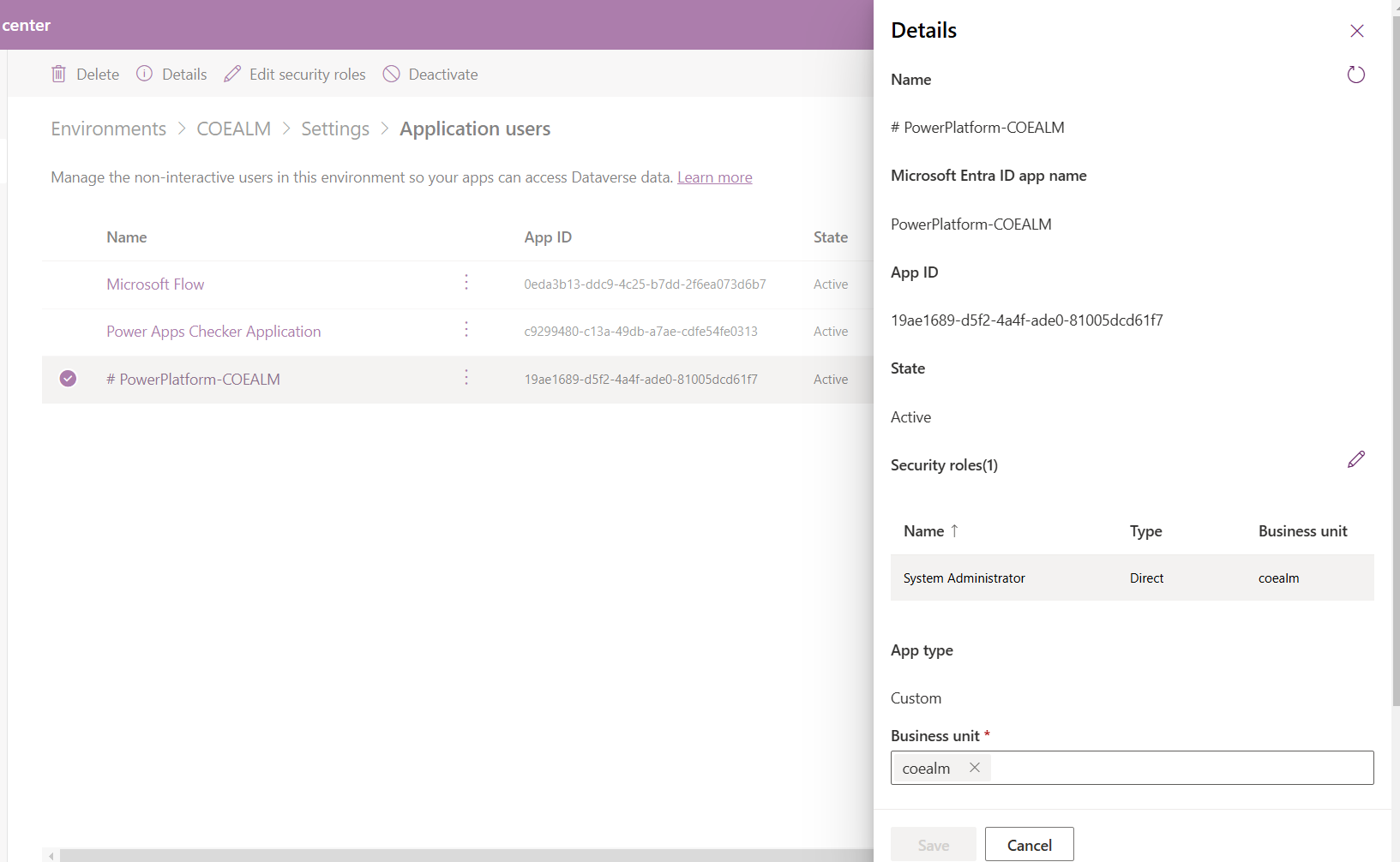
- If you want to give a different security role, tweak the pac admin create-service-principal command by adding –role parameter.
pac admin create-service-principal --environment <environment id> --role <your-desired-role>
That’s it! I hope you’ve learned how to create an Application User with a single pac command.
🙂



 Rajeev Pentyala – Technical Blog on Power Platform, Azure and AI
Leave a comment