Did you know you can turn off guest access for your Power Platform environment? When this setting is enabled, anyone designated as a guest in Microsoft Entra for this tenant will be restricted from accessing content within these environments.
Refer to this article to learn more about Guest accounts in Microsoft 365
Follow these steps to manage guest access from the Power Platform Admin Center.
Manage guest access for Power Platform environment:
- Connect to Power Platform Admin Center
- Turn on the new admin center experience

- Go to the Security tab where you can see the security score of your organization.

- Click on Access Control > Guest access

- Choose your environment and click on Manage guest access

- In the next screen, select Turn off guess access and click Save
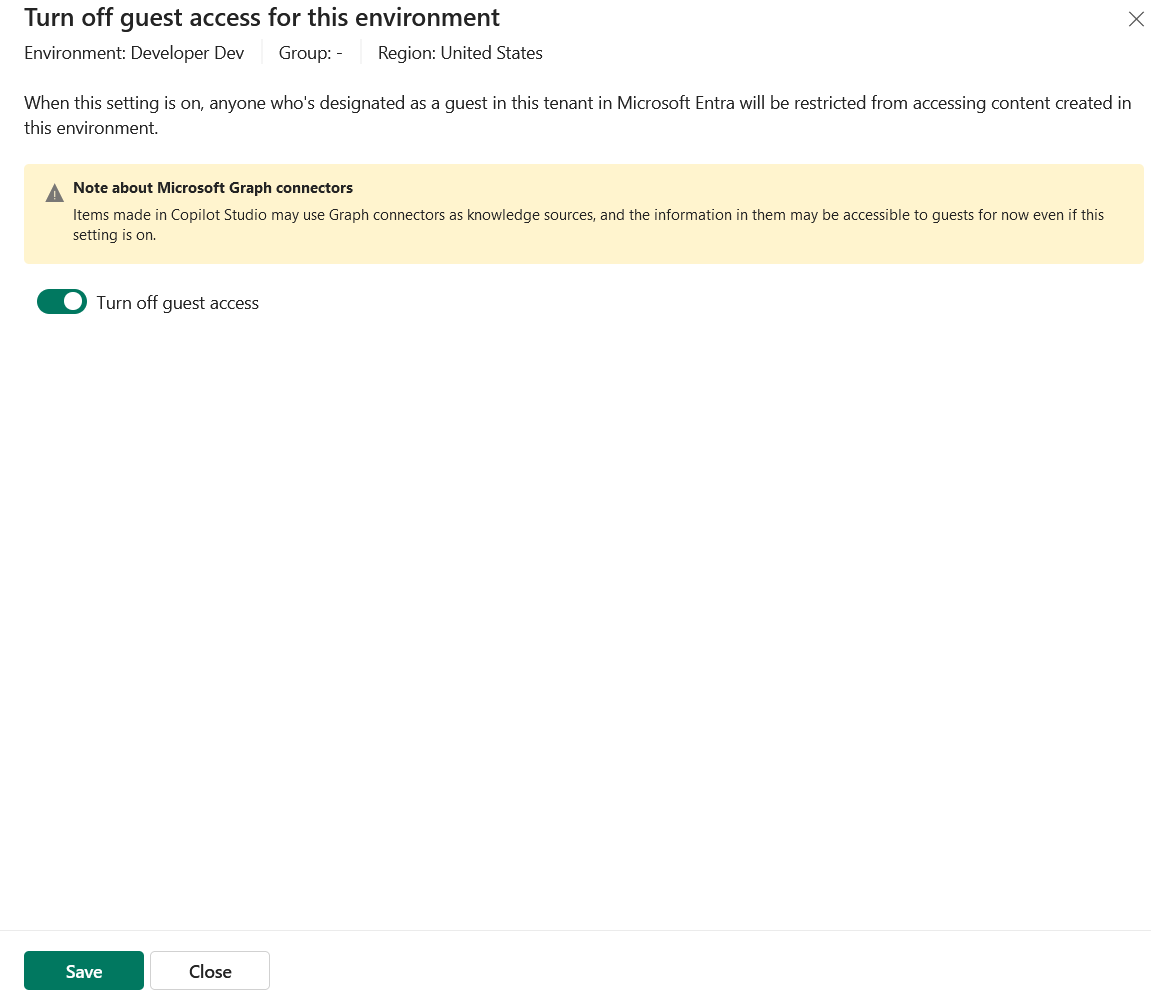
That’s it! Guests will no longer be able to access the configured environment.
🙂


![[Step by Step] Beginner : Create a PCF control and add it to a custom page](https://rajeevpentyala.com/wp-content/uploads/2024/12/image-49.png)
 Rajeev Pentyala – Technical Blog on Power Platform, Azure and AI
Leave a comment