On my new Portal website, I’ve started seeing the ‘AI Summarize’ pane by default on every page, above the List controls. This is a great feature and provides valuable data insights.
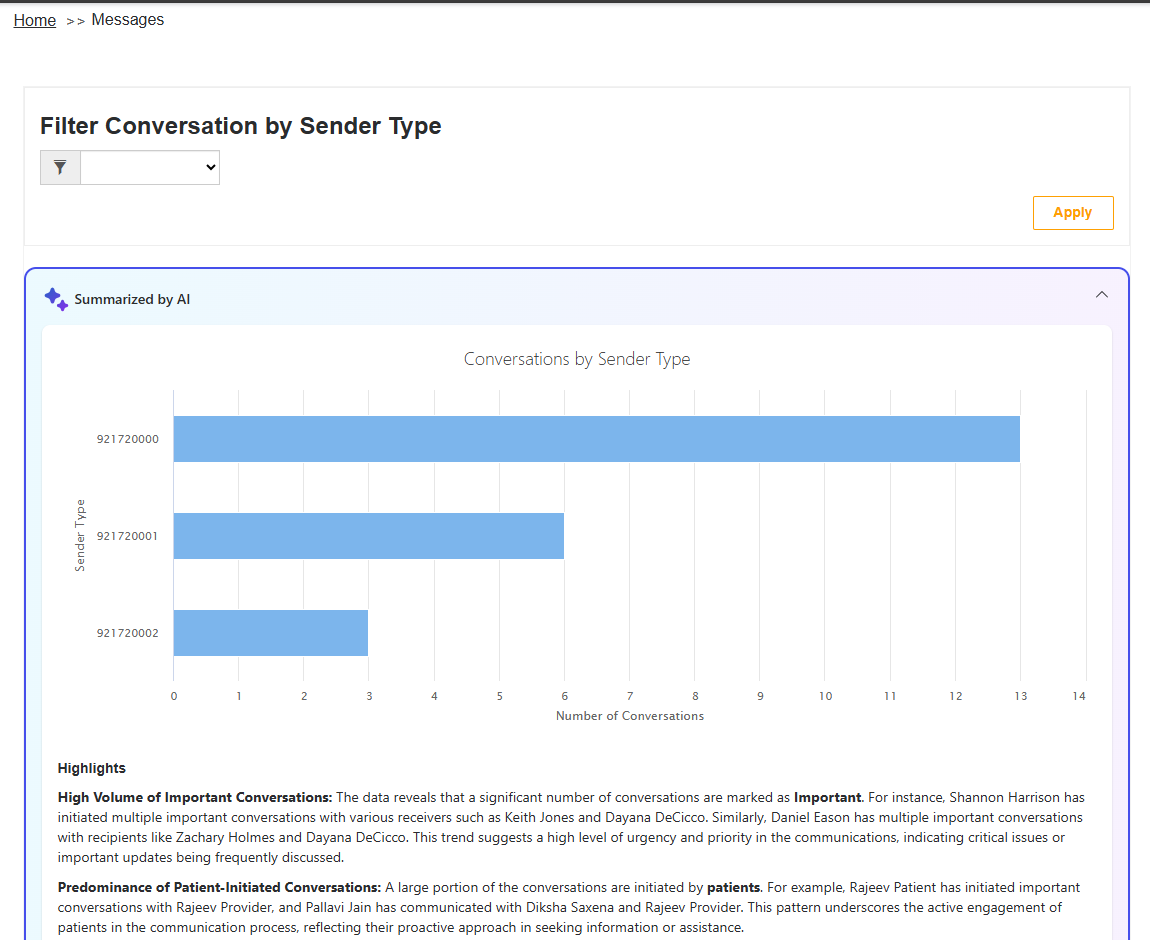
However, the downside is that this feature consumes AI Credits. In this article, I will explain how to control AI-enabled experiences on your website.
How to disable the AI-enabled experiences in the websites:
- Go to the Power Platform admin center.
- From the left-hand menu, navigate to Resources and select Power Pages Sites.
- Select Governance Controls.
- Choose Enable Generative AI usage in websites from the list.
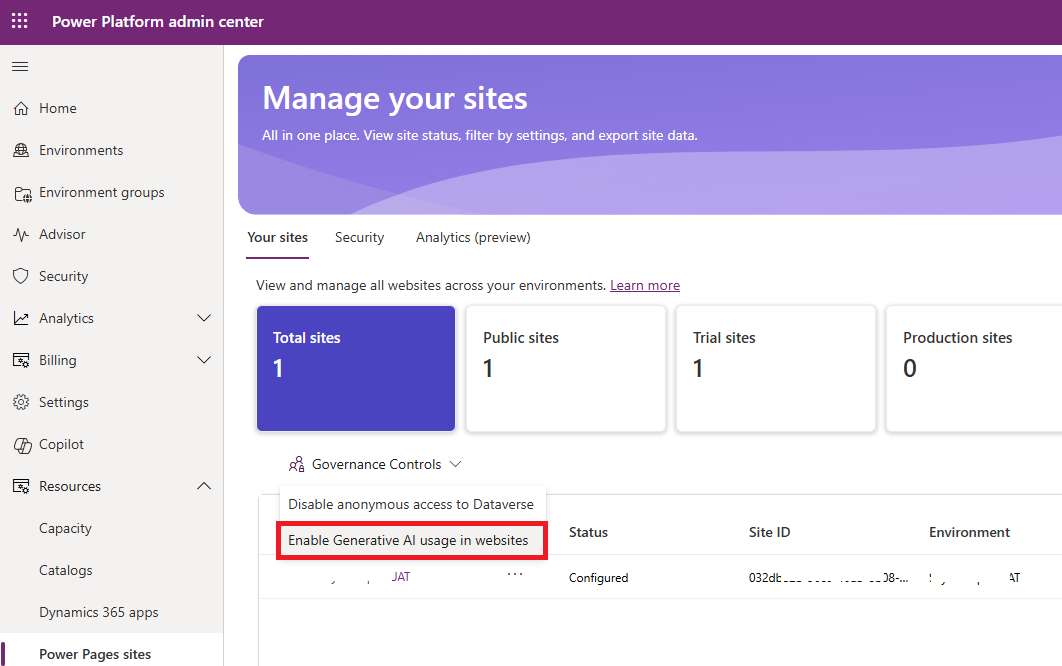
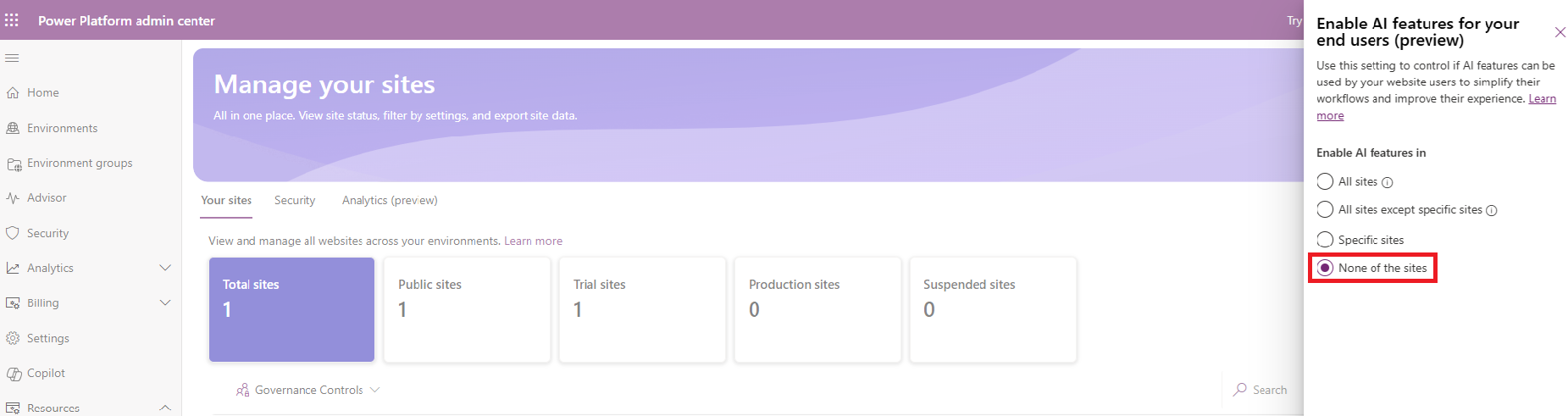
- A slide-out panel appears. You can enable AI features in:
- Since I don’t want any of the site to have this feature, I chosen None of the sites and clicked Apply
- You will receive a save in progress notification as shown below
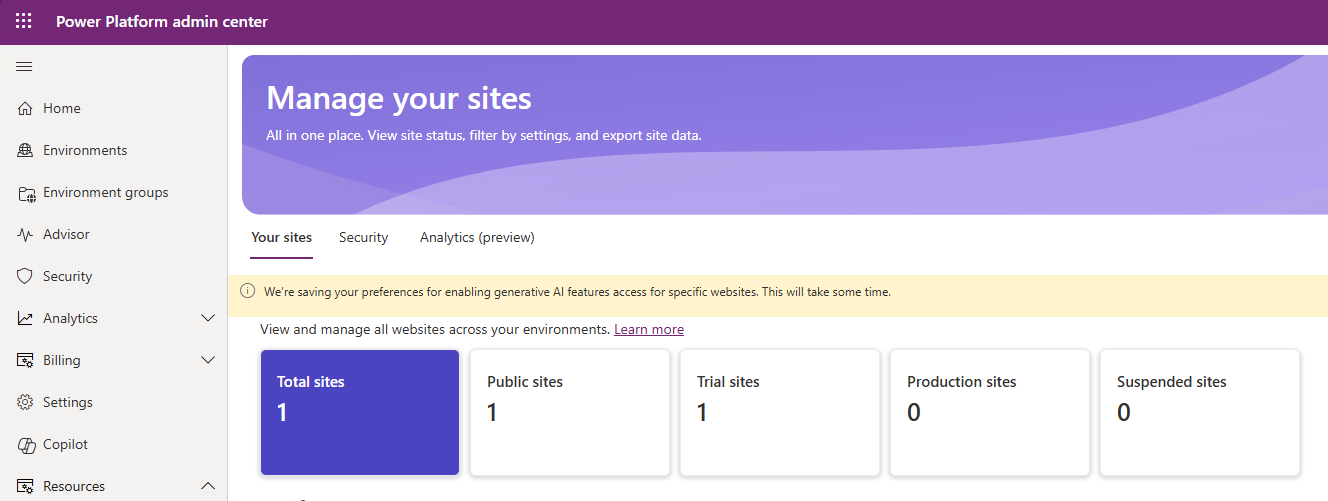
- Once completed, restart the website, and the AI Summarize control should be turned off.

🙂


![[Step by Step] Beginner : Create a PCF control and add it to a custom page](https://rajeevpentyala.com/wp-content/uploads/2024/12/image-49.png)
 Rajeev Pentyala – Technical Blog on Power Platform, Azure and AI
Leave a comment