Did you know that when you use the Lookup function, it retrieves the matching record along with All Columns?
In the screenshot below, I used the Lookup function to find the matching User, and it fetched all the columns from the matched User record.

What if you only need a single column from the matching record instead of all the columns? For example, what if you only need the ‘Full Name’ column and not the others from the matched User record?
You can achieve this by using the optional ReductionFormula property of the Lookup function.
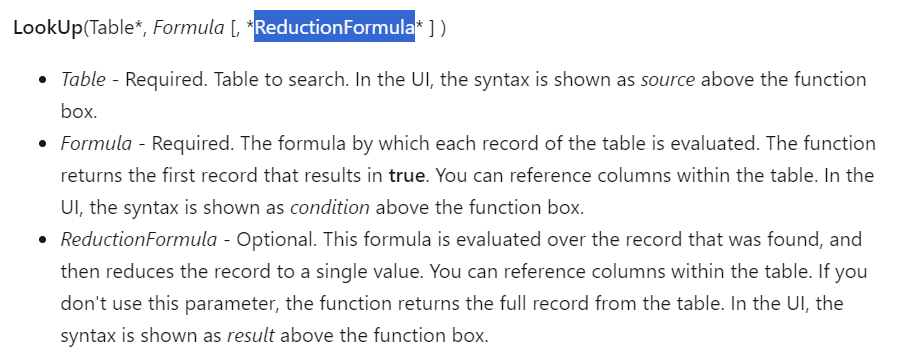
Let’s see how to use the ReductionFormula to fetch only the ‘Full Name’ of the User. Simply pass ‘Full Name’ as the ReductionFormula parameter to the Lookup function.
LookUp(
    Users,
    User().Email = 'Primary Email',
    'Full Name'
)
After executing the formula, you will notice that only the ‘Full Name’ property is returned for the matched user, instead of all the columns.

Additionally, if you want to retrieve a combination of column data, such as Full Name – Primary Email, you can do that as well, as shown below.
LookUp(
    Users,
    User().Email = 'Primary Email',
    'Full Name' & " - " & 'Primary Email'
)

In summary, using the ReductionFormula in the Lookup function is an excellent optimization technique when you only need specific columns or a combination of columns data from the matched record.
🙂



 Rajeev Pentyala – Technical Blog on Power Platform, Azure and AI
Leave a comment