In my previous article, I explained how to trigger a cloud flow from a Power Page, using a ‘Contact Us’ form as an example.
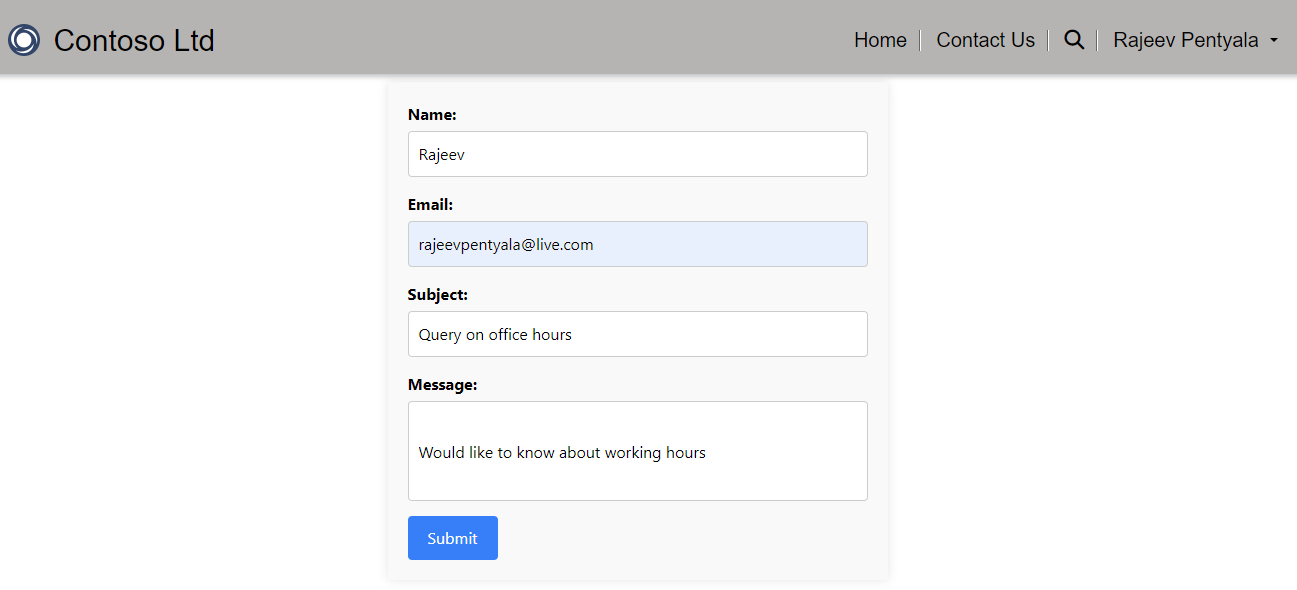
Below is the Contact Us form’s source code.
<div class="row sectionBlockLayout text-start" style="min-height: auto; padding: 8px;">
  <div class="contact-form-container">
    <div class="form-group">
        <label for="name">Name:</label>
        <input type="text" id="txtname" name="name" required>
    </div>
    <div class="form-group">
        <label for="email">Email:</label>
        <input type="email" id="txtemail" name="email" required>
    </div>
    <div class="form-group">
        <label for="subject">Subject:</label>
        <input type="text" id="txtsubject" name="subject" required>
    </div>
    <div class="form-group">
        <label for="message">Message:</label>
        <input type="text" id="txtmessage" name="message" class="large-textbox" required>
    </div>
    <button type="button" class="submit-btn" onclick="SubmitFeedback()">Submit</button>
</div>
  </div>
Issue I’ve encountered:
While designing the Contact Us form, I encountered a strange issue when I set the textbox control’s ID to message.
This is what I’ve noticed: if the textbox’s ID property is set to ‘message’, the textbox control does not render properly, and the second document.getElementById(“message”).value returns null.

The bottom line is: don’t set the ID property of your page’s custom controls as ‘message‘. I am not sure if this is documented as a limitation somewhere, but for now, using ‘message‘ as the ID for any control is causing issues.
It took me an hour to figure this out, so I felt it was worth sharing.
🙂


 Rajeev Pentyala – Technical Blog on Power Platform, Azure and AI
Leave a comment