In this article, let’s learn how to delete a Power Pages website by deleting the following ‘Hello World’ website in my environment.

Delete a Website:
- Go to the Power Pager portal
- Select the Website > … > Delete
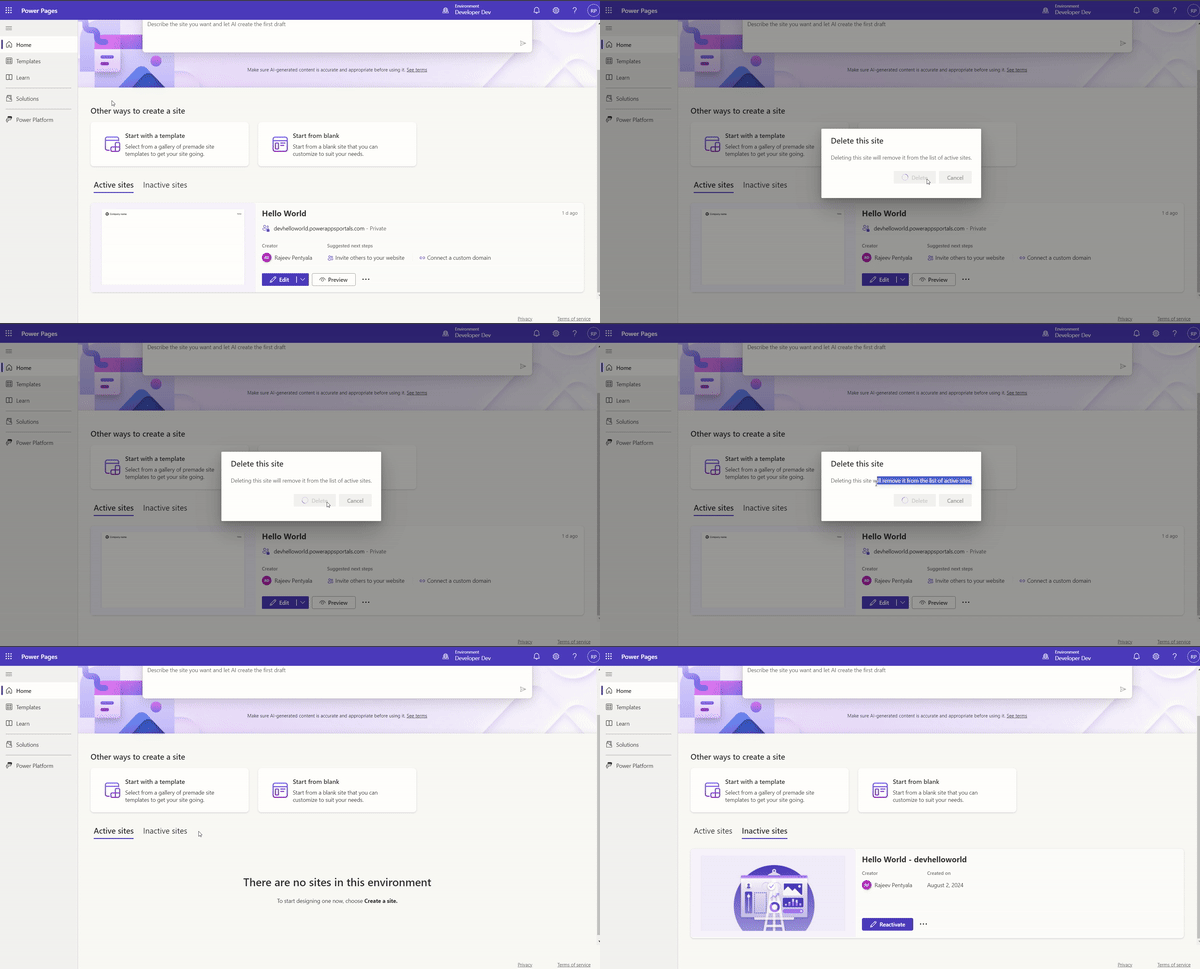
- The above action will only deactivate the website, not delete it entirely. The site will still appear under Inactive sites. If you want you can reactivate.
- To completely delete the website, we need to delete the website record from the Portal Management app.
- Go to Inactive sites, select the site to delete and perform the steps as shown below.

- After deleting the website record, refresh the Power Pager portal, and the site will no longer be visible, confirming that it has been successfully deleted.
🙂


 Rajeev Pentyala – Technical Blog on Power Platform, Azure and AI
Leave a comment