I have a button added to a Gallery control, and I want it to always be positioned to the right side of the gallery.
So, as shown below, I set the X property of the button control to a specific number, which positioned the button to appear on the right side of the gallery.

However, when I play the app and change the resolution, the button moves to the left, which is understandable since we provided a static X property.

To stick the button to the right of the Gallery/Containers, use the following formula:
X : Parent.Width - {current-control-id}.Width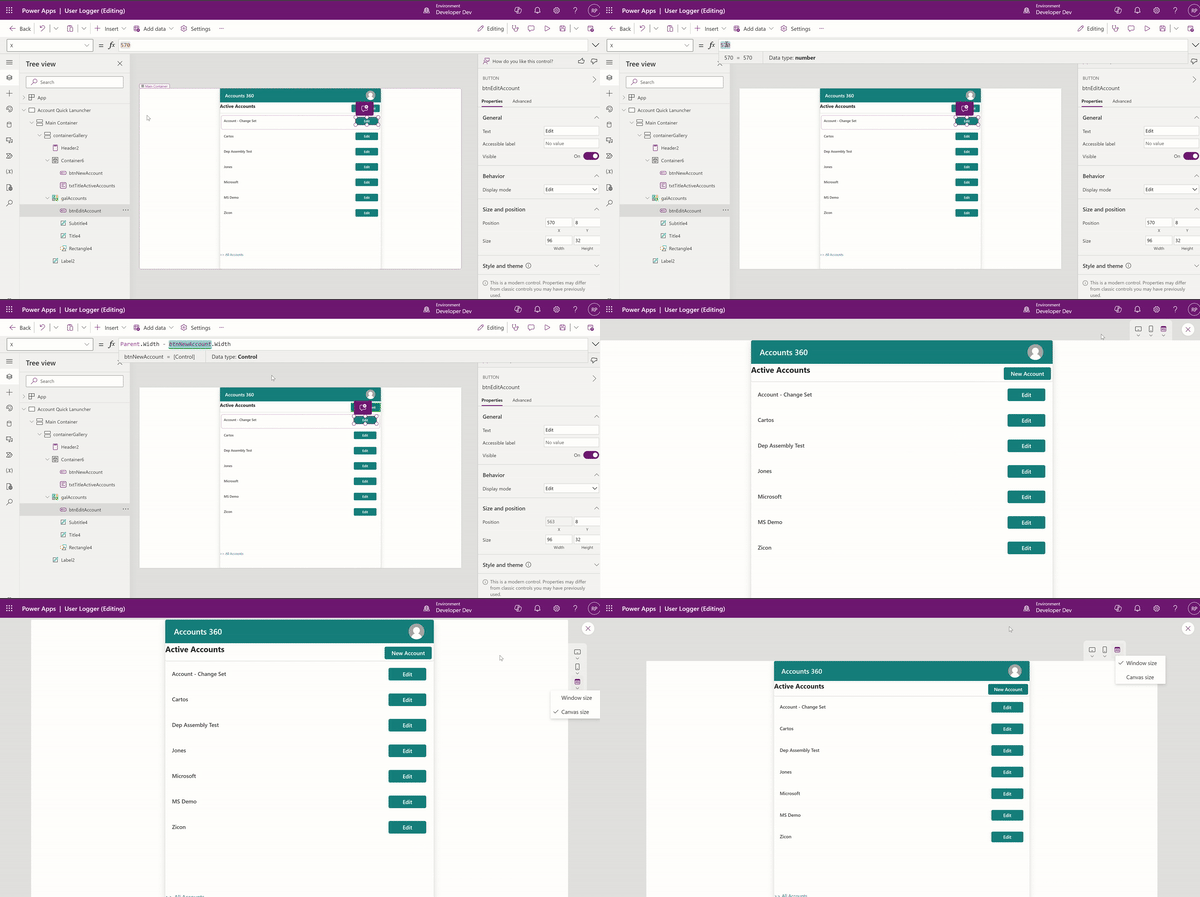
You can even test the custom page on the Model-Driven App, and the button will always stick to the right.

🙂


 Rajeev Pentyala – Technical Blog on Power Platform, Azure and AI
Leave a comment