In one of my previous articles, I showed you how to build a Power App with Co-pilot by providing a prompt. Similarly, you can create complex Power Automate Flows by simply providing the prompt.

Writing an effective prompt plays a significant role, as it impacts the generation of the App/Flow, as seen in the example above.
Power Platform Prompt Library is an open-source GitHub repository that helps you discover GPT prompts for use in the Power Platform.

Leveraging the Prompt Library:
Let’s say you have a requirement to build an event registration flow to collect registration details. Now, let’s explore how we can leverage the prompt library.
- Go to the Power Platform Prompt Library portal, and look for an event registrations related prompt under power-automate folder.

- Copy the prompt from the prompt.md file.
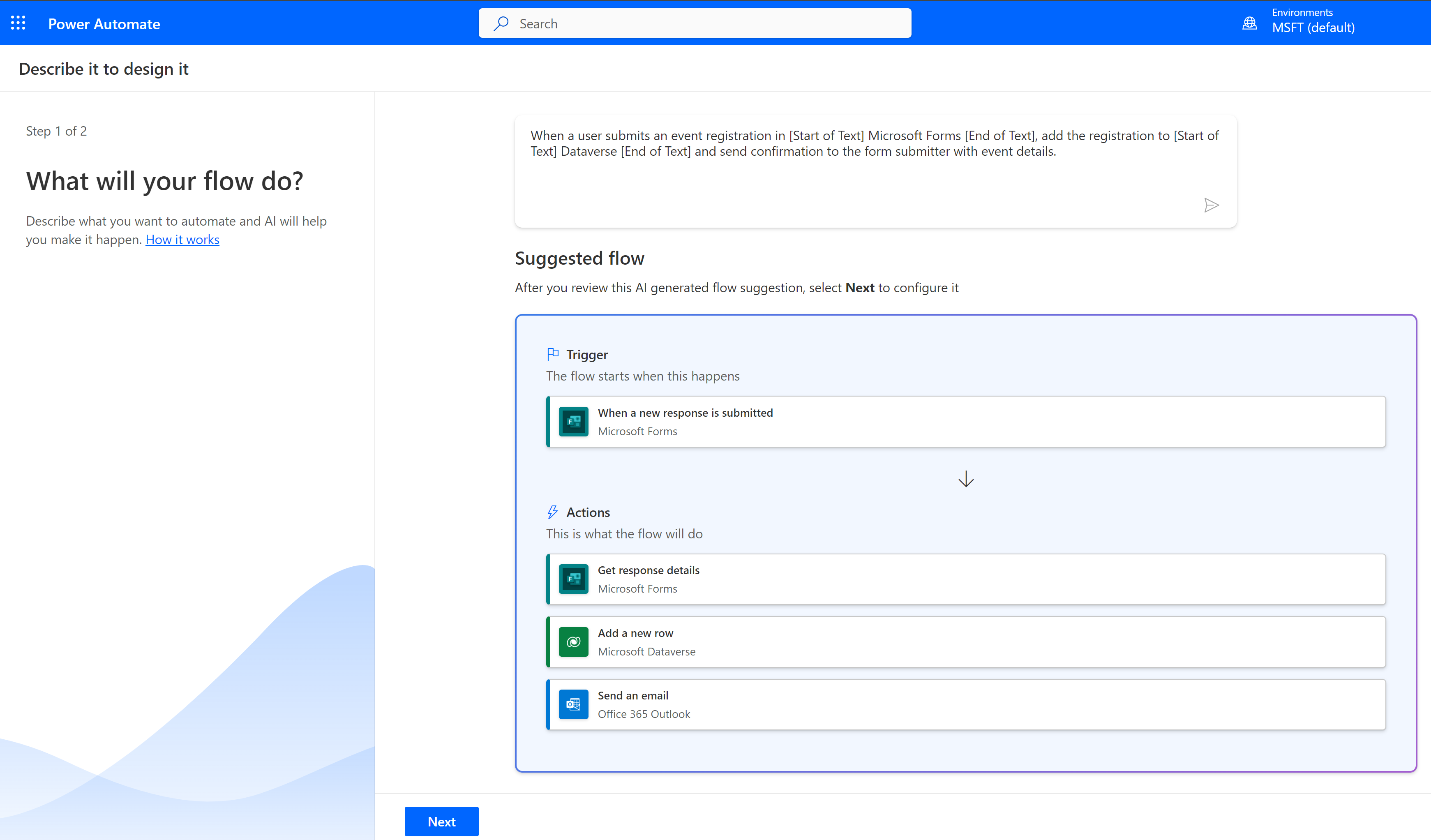
- Now, go to Power Automate Portal and paste the prompt.

- Click on ‘Submit,’ and you will be presented with a suggested flow. As you can see, the prompt library suggests an effective prompt, providing a good starting point. You can then further update the flow according to your requirements.
If you have an effective prompt idea that has worked for you, you can contribute to the Prompt Library by submitting a PR.
🙂


![[Step by Step] Beginner : Create a PCF control and add it to a custom page](https://rajeevpentyala.com/wp-content/uploads/2024/12/image-49.png)
 Rajeev Pentyala – Technical Blog on Power Platform, Azure and AI
Leave a comment