Imagine you need to enable the ‘Power Apps component framework for canvas apps‘ setting in your Power Platform environment. The process is straightforward: connect to the Power Platform Admin Center and go to environment settings and enable it as shown below.
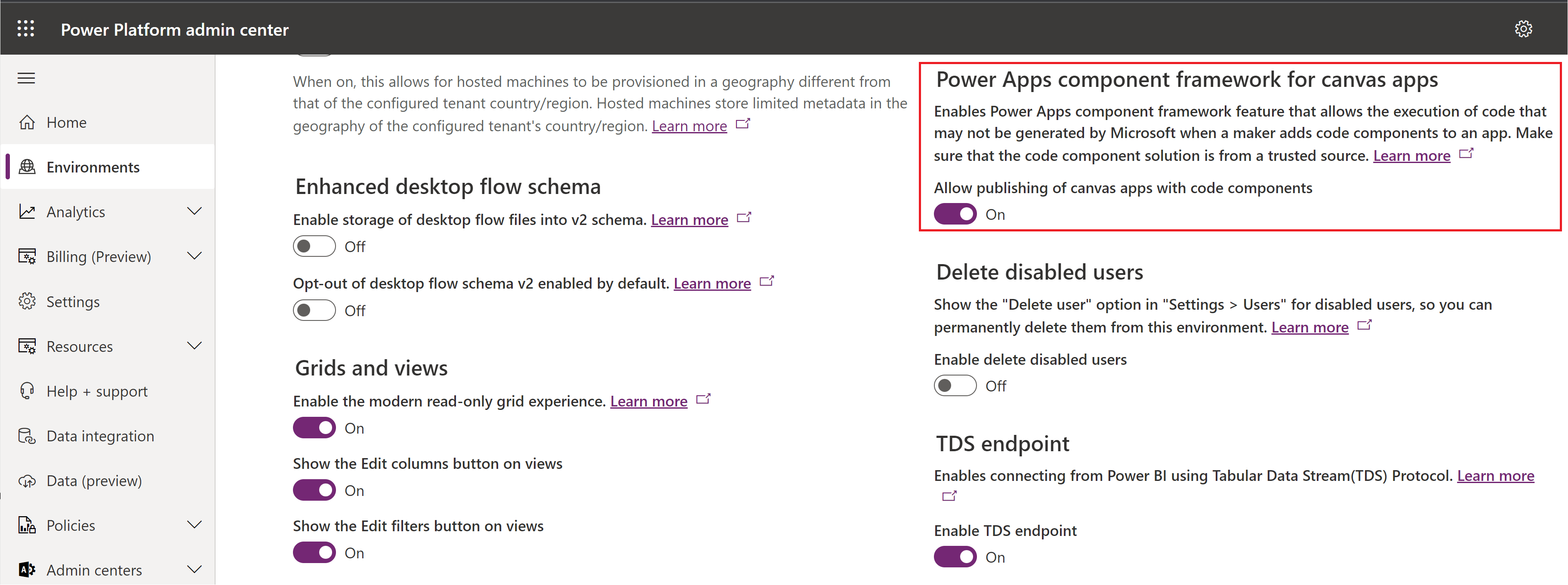
Alternatively, you can use the following code block to enable/disable the setting.
            // Enable PCF for canvas
            var query = new QueryExpression("organization");
            query.ColumnSet.AddColumns("iscustomcontrolsincanvasappsenabled");
            var result = CrmSvc.RetrieveMultiple(query);
            var environmentSettings = result.Entities[0];
            environmentSettings["iscustomcontrolsincanvasappsenabled"] = true;
            // Trigger update
            CrmSvc.Update(environmentSettings);
Did you know you can also enable/disable these settings using the pac org command?. This approach proves useful for admins who are comfortable executing console commands or for integration into DevOps pipelines.
If you are new to pac cli please refer to one of my previous articles on how to get started.
Using pac org commands to enable/disable settings:
- Make sure you connect to the desired environment using the pac auth create command.
- Lets first execute pac org list-settings command to retrieve the list of environment settings.
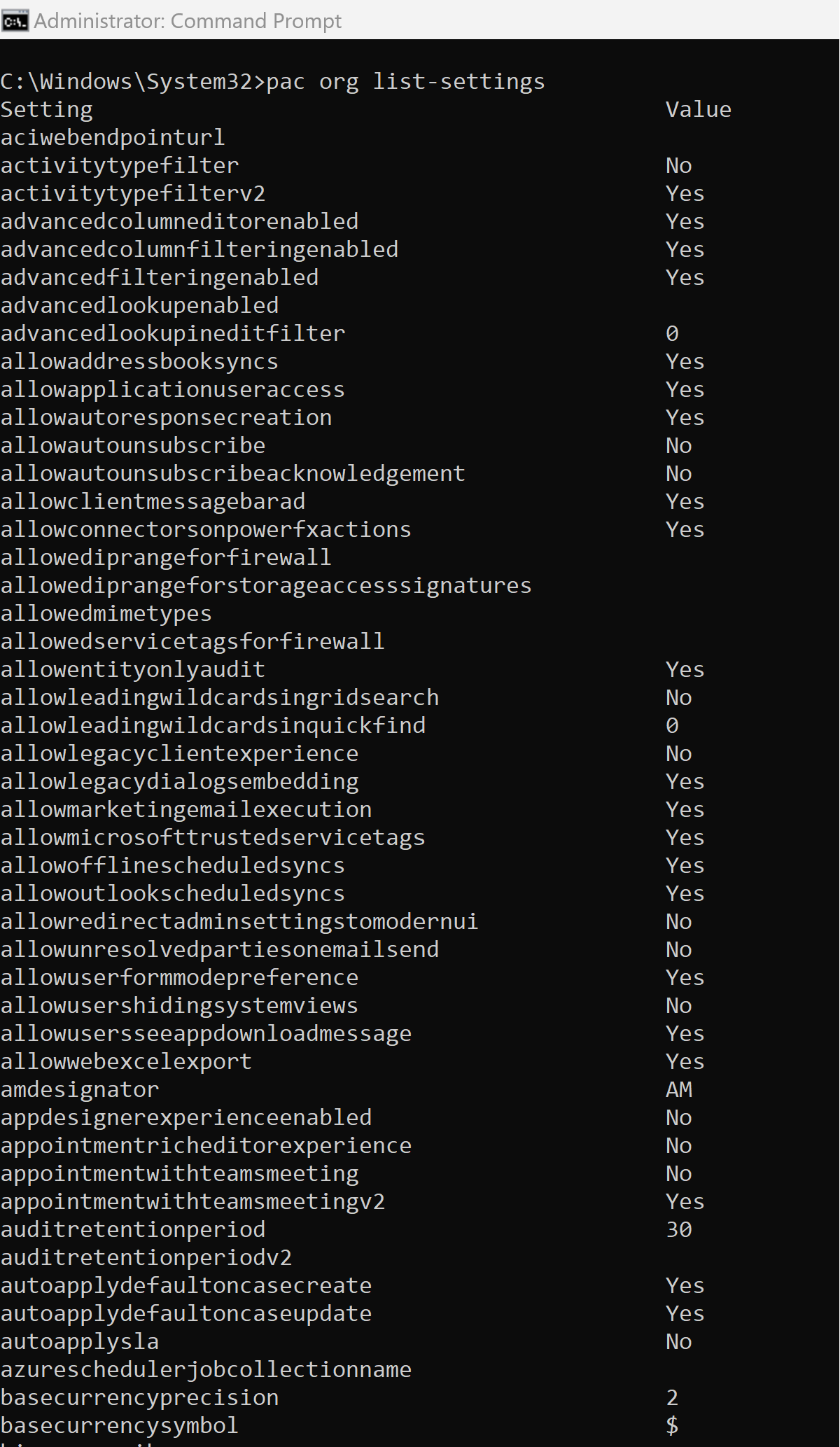
- To update the setting, execute the pac org update-settings command as shown below.

🙂


 Rajeev Pentyala – Technical Blog on Power Platform, Azure and AI
Leave a comment