Did you know that you can extract text from a picture using the Snipping Tool on Windows machines?
Follow the steps below to learn how.
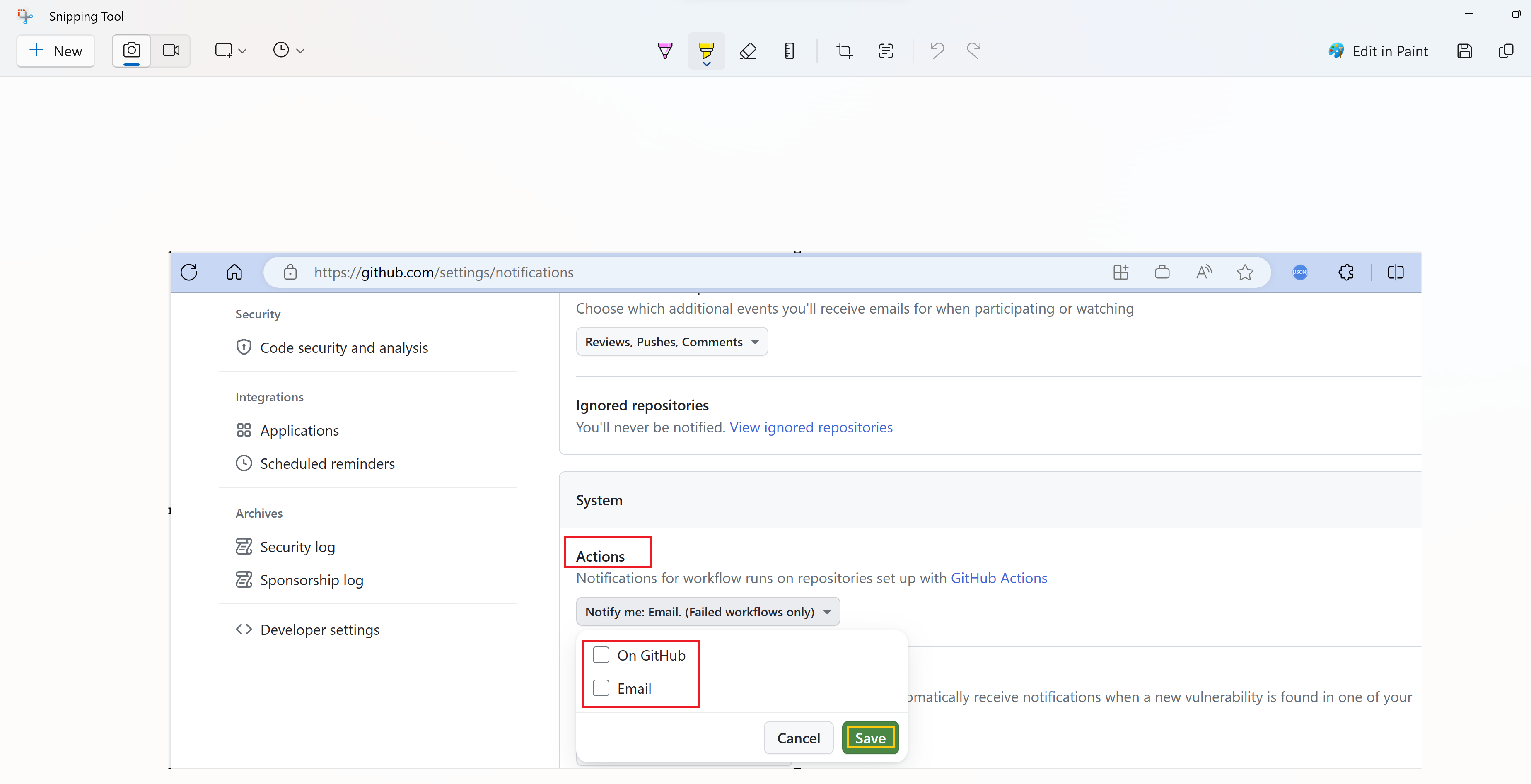
- Capture a picture using the Snipping Tool.
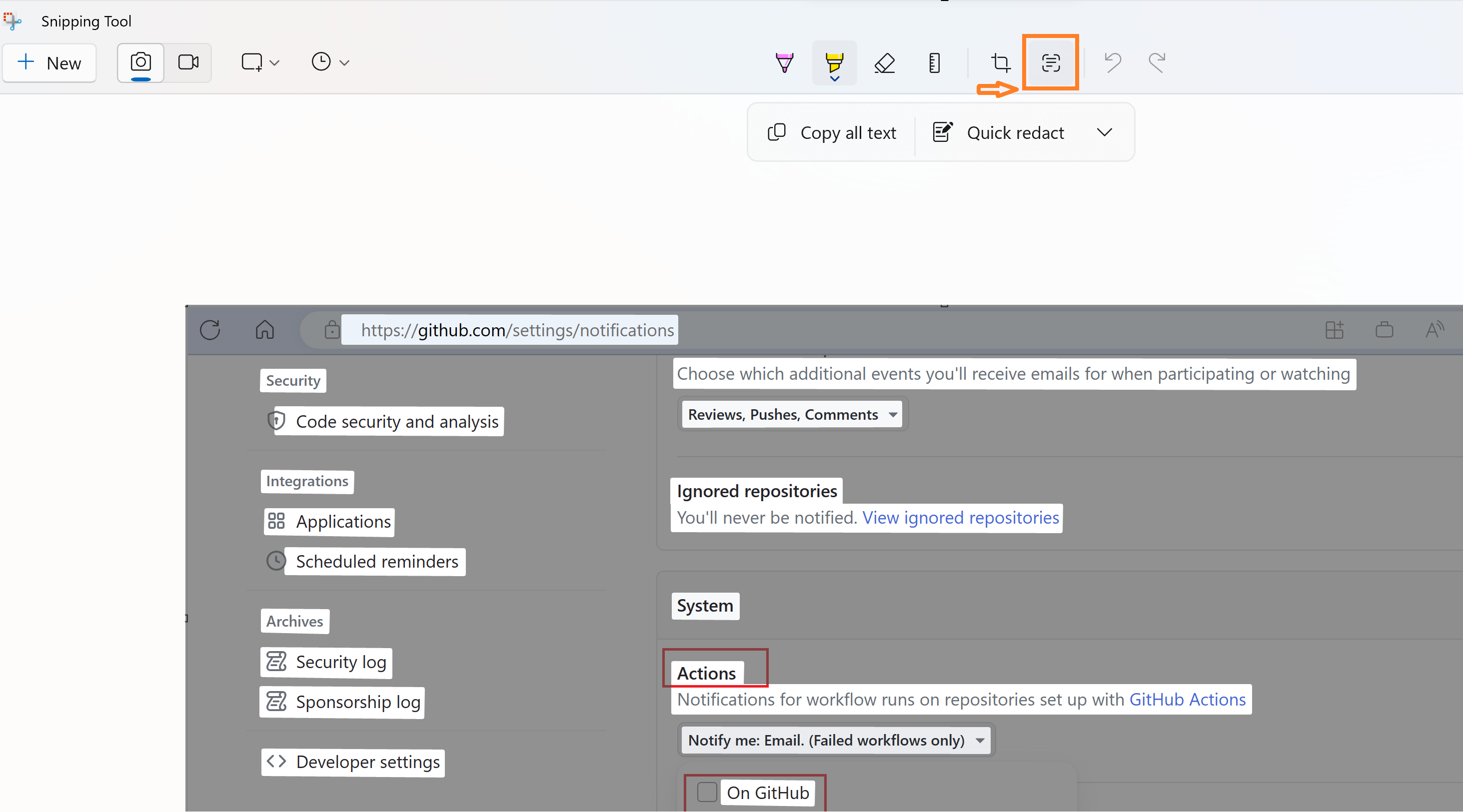
- Click on the ‘Text Actions’ icon, as shown below. This highlights all the text in the picture, allowing you to copy it.
🙂




 Rajeev Pentyala – Technical Blog on Power Platform, Azure and AI
Leave a comment