While creating a Environment on my new Power Platform tenant, I noticed a subtle change.
Following are the steps to create a new Environment.
- From Power Platform admin center, clicked on ‘+New’.
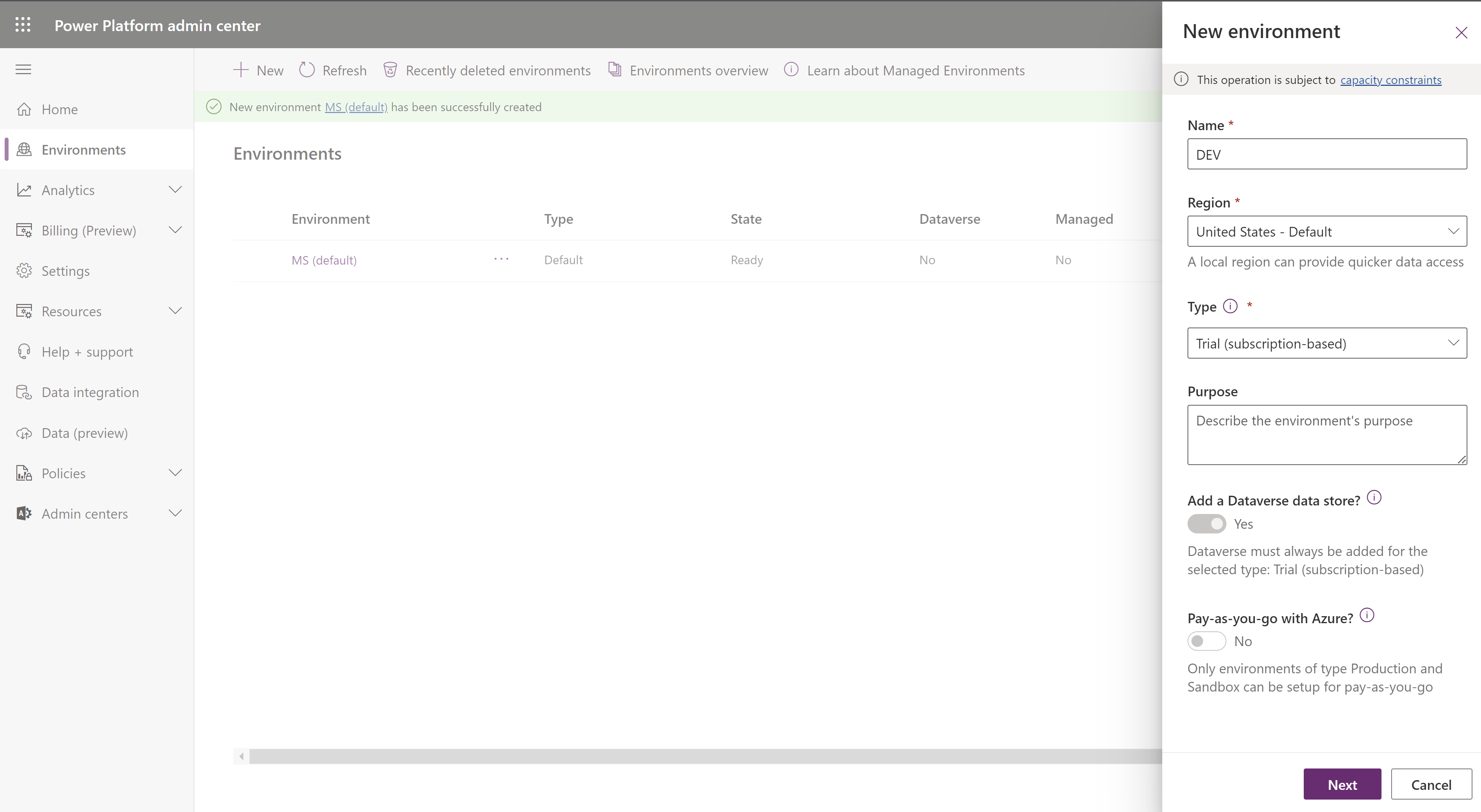
- In the ‘New environment’ pane, provided ‘Name’ and ‘Type’ as below and clicked on ‘Next’.
- In the next section, the ‘save’ button was disabled, which was not the case earlier.
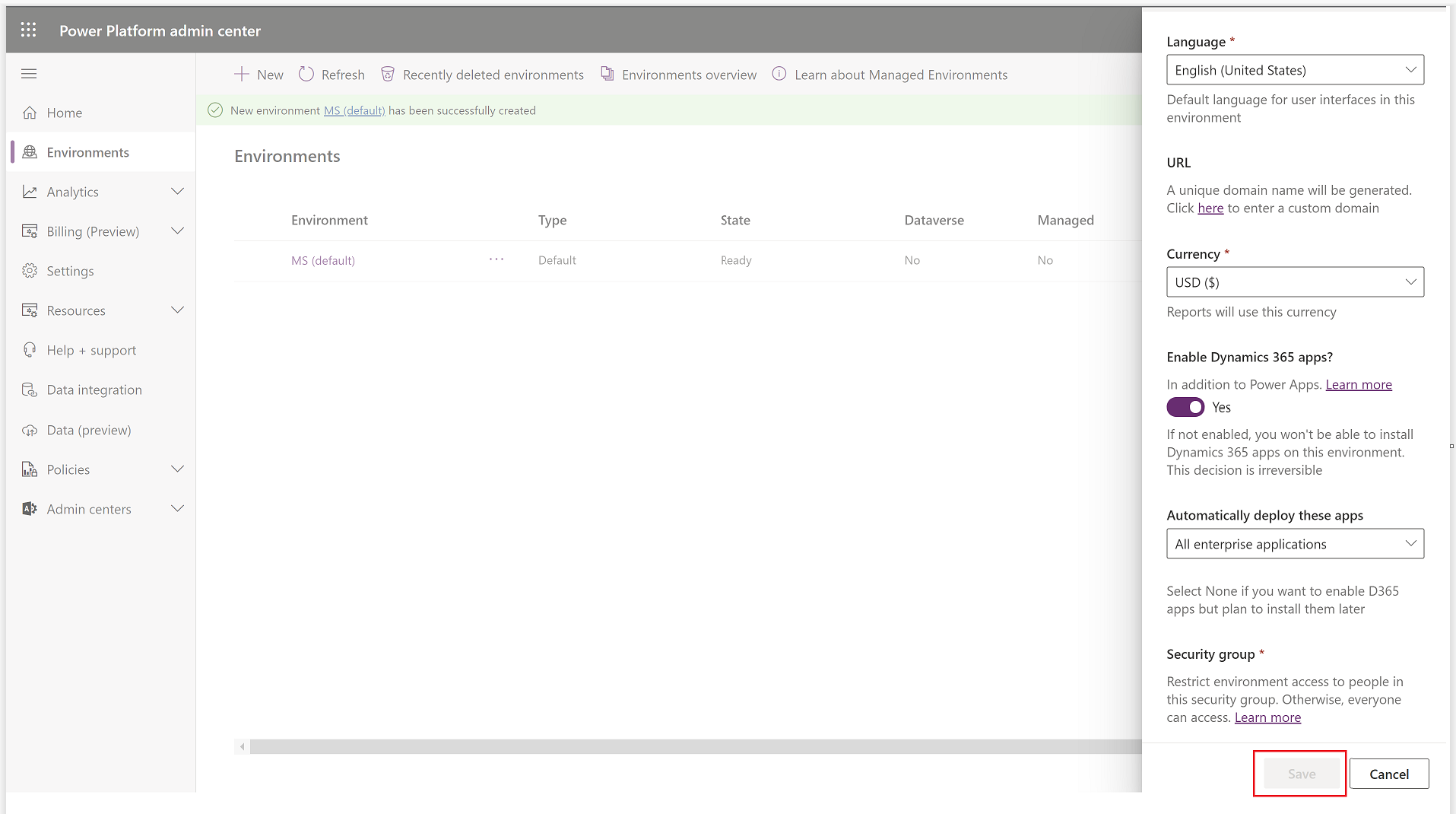
- The reason is, ‘Security group‘ is a mandatory field to create a new Environment.
- Even if you don’t have a predefined Security group, you need to select the ‘Open access’ as shown below.
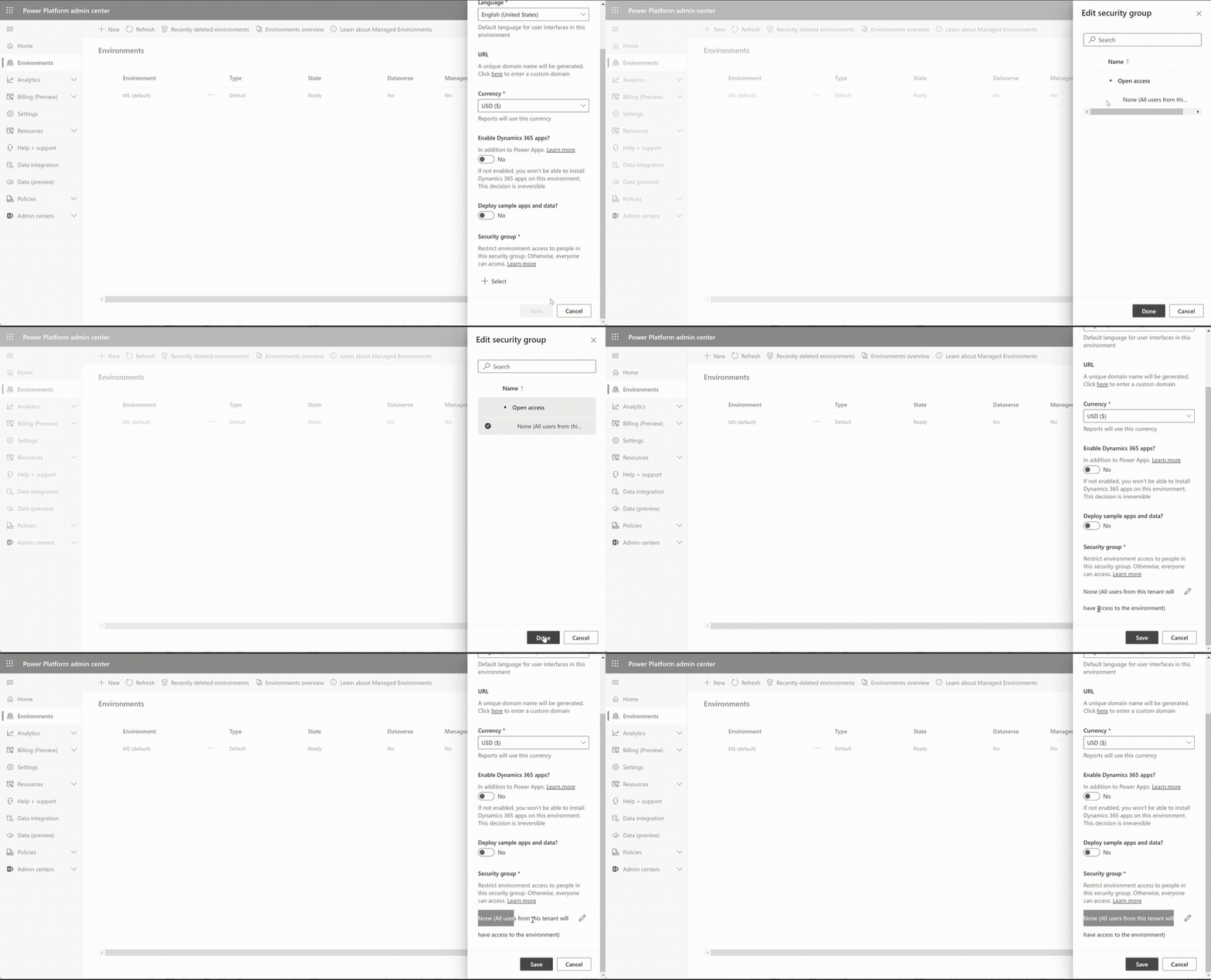
- Once you select the ‘Open access’ option, you should be able to create the Environment.
🙂



 Rajeev Pentyala – Technical Blog on Power Platform, Azure and AI
Leave a comment